Product Catalog fields and permissions
Every field on the product, category, brand, collection, media and bundle forms, with their limits, the settings your server sets, and the permissions that control each screen and action.
- Applies to
- Product Catalog 1.3 and later
- Who can do this
- Platform owner, Administrator
- Where
- Catalog › Products
On this page
Product
Catalog › Products. See Add and publish a product.
| Card | Field | Rules and notes |
|---|---|---|
| Identity | Name | Required. Up to 255 characters. Per language. |
| Slug | Required. Up to 191 characters. Unique. Can't be changed once the product has been published. | |
| Short description | Up to 500 characters. Per language. Used as the description on CRM quote lines. | |
| Description | Description | The full description. Per language. |
| Specifications | Specifications | Rows of a label (up to 120 characters, required) and a value (up to 500). Per language. |
| Organisation | Type | Required. Physical, Digital, Service, Subscription, Bundle or Hybrid. A label for filtering and reports only. |
| Brand | Optional. One of your brands. | |
| Structure | Variants | Has variants or Single SKU. Switches to Has variants when you generate variants. |
| Bundle | Turn on for a product made of other items. Needed before you can add Bundle contents. | |
| Commerce | Tax class | Up to 60 characters. A label, such as standard, carried onto CRM quote lines as the tax code. Billing 2.0.0 doesn't use it. |
| Search engines | Meta title, Meta description | Up to 255 and 500 characters. Per language. |
| Additional fields | Your custom fields | See How custom fields work. |
The list also shows Status (Draft, Active, Archived), and in the columns menu Published, Origin (where a copied product came from), Tax class, Variants, Bundle, Created At and who created it (headed general.). Each row links to Variant matrix, Media and Bundle contents, and has Publish, Archive and Duplicate actions. In Product Catalog 1.4.0 those three answer 1 processed but don't change the product, and no copy is made.
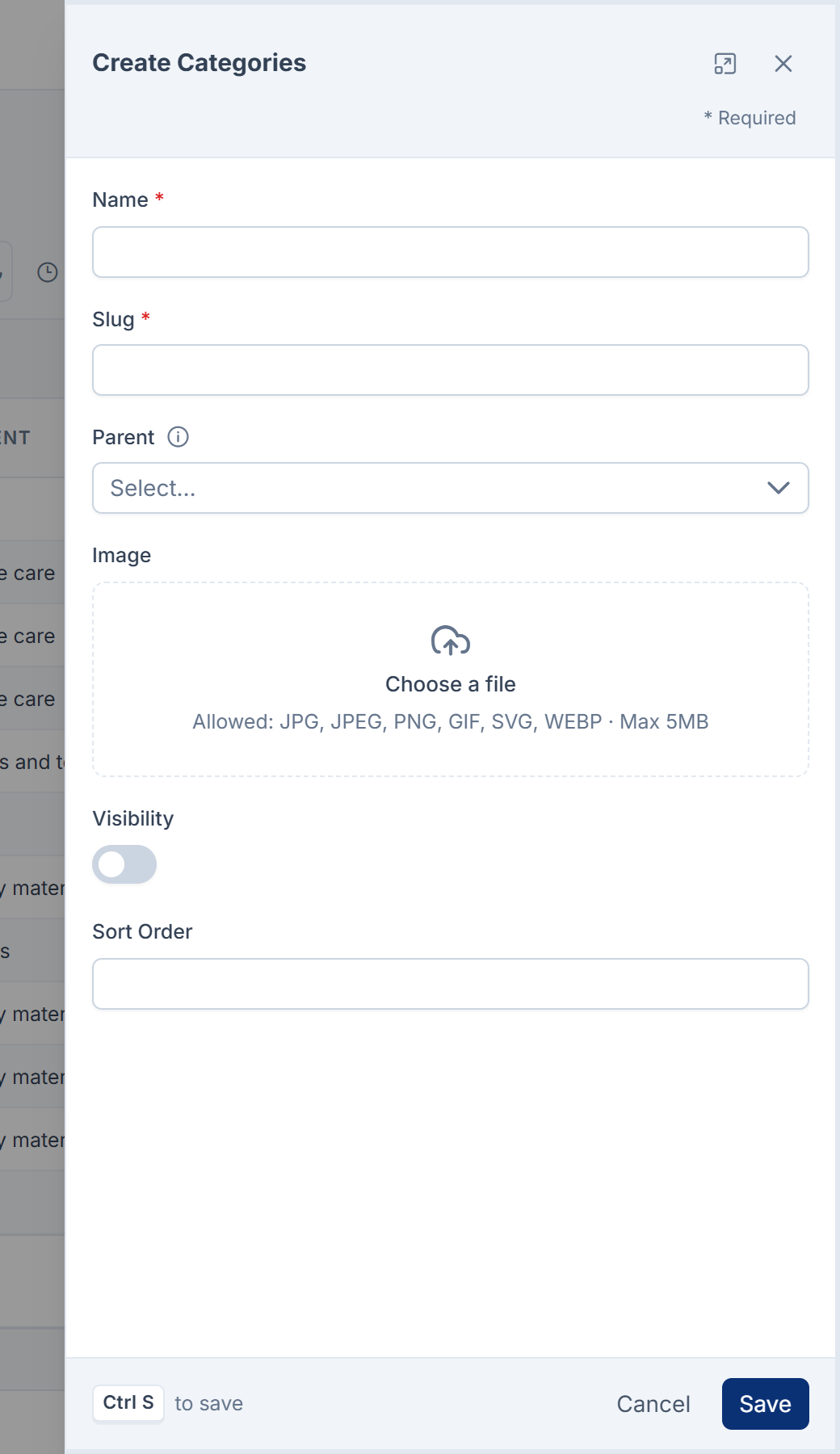
Category
Catalog › Categories. See Set up categories and brands.
| Field | Rules and notes |
|---|---|
| Name | Required. Up to 255 characters. |
| Slug | Required. Up to 191 characters. |
| Parent | The category this one sits under. Empty for a top-level category. Up to 6 levels deep. |
| Image | Optional. |
| Visibility | Visible or Hidden. |
| Sort order | A number. Lower comes first. |
The list also shows Depth: 0 for a top-level category, 1 for one level down, and so on.
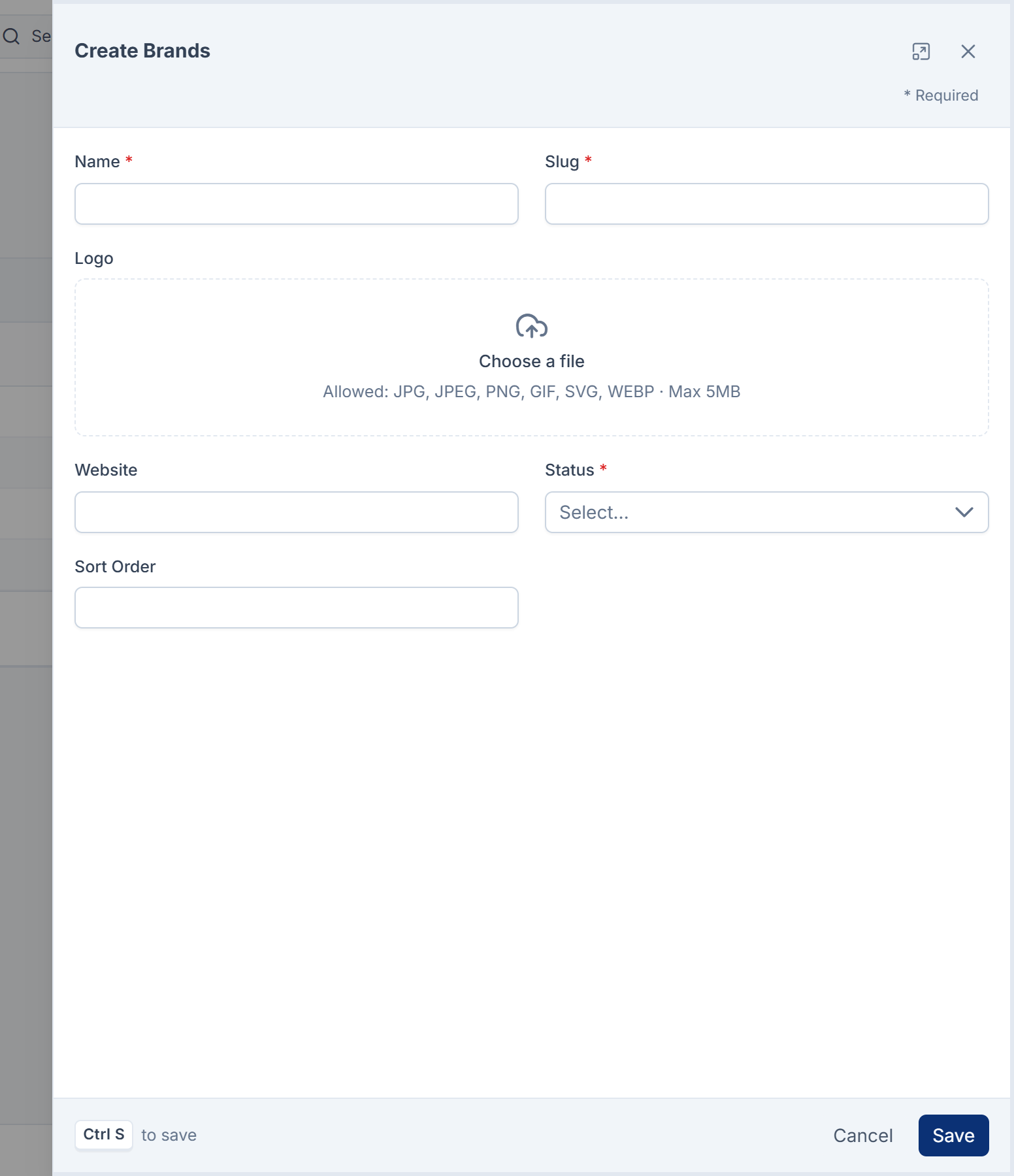
Brand
Catalog › Brands.
| Field | Rules and notes |
|---|---|
| Name | Required. Up to 255 characters. |
| Slug | Required. Up to 191 characters. |
| Logo | Optional. |
| Website | Optional. A full address, up to 255 characters. |
| Status | Required. Active or Inactive. |
| Sort order | A number. Lower comes first. |
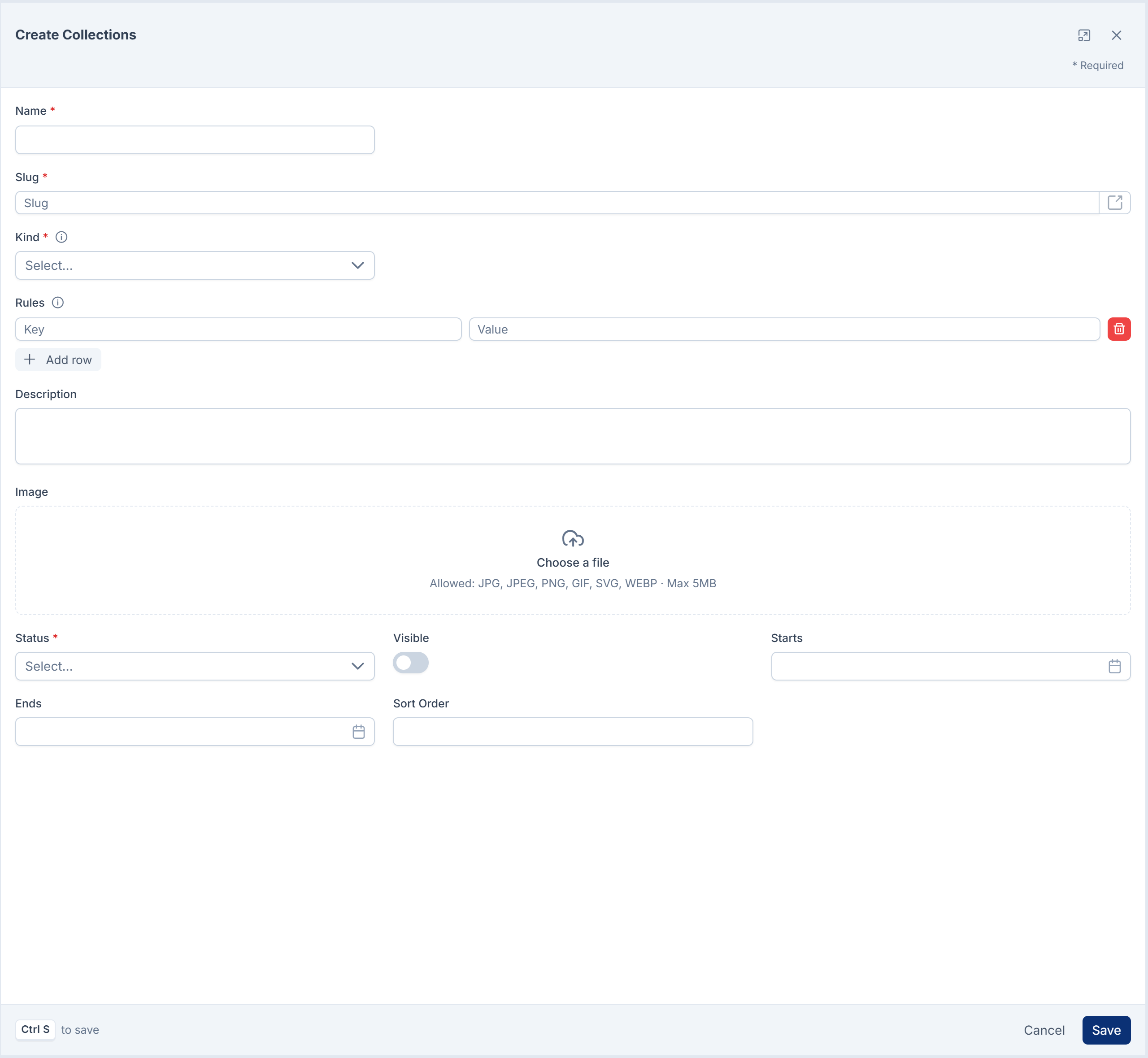
Collection
Catalog › Collections. See Group products into collections.
| Field | Rules and notes |
|---|---|
| Name | Required. Up to 255 characters. |
| Slug | Required. Up to 191 characters. |
| Kind | Required. Manual (products you pick) or Dynamic (products that match the rules). |
| Rules | Dynamic collections only. Keys: product_type, brand_id, category_id, capability, status, tax_class. All rules must match. |
| Description, Image | Optional. |
| Status | Required. Active or Inactive. |
| Visible | On or off. |
| Starts, Ends | Optional dates. Ends can't be before Starts. |
| Sort order | A number. Lower comes first. |
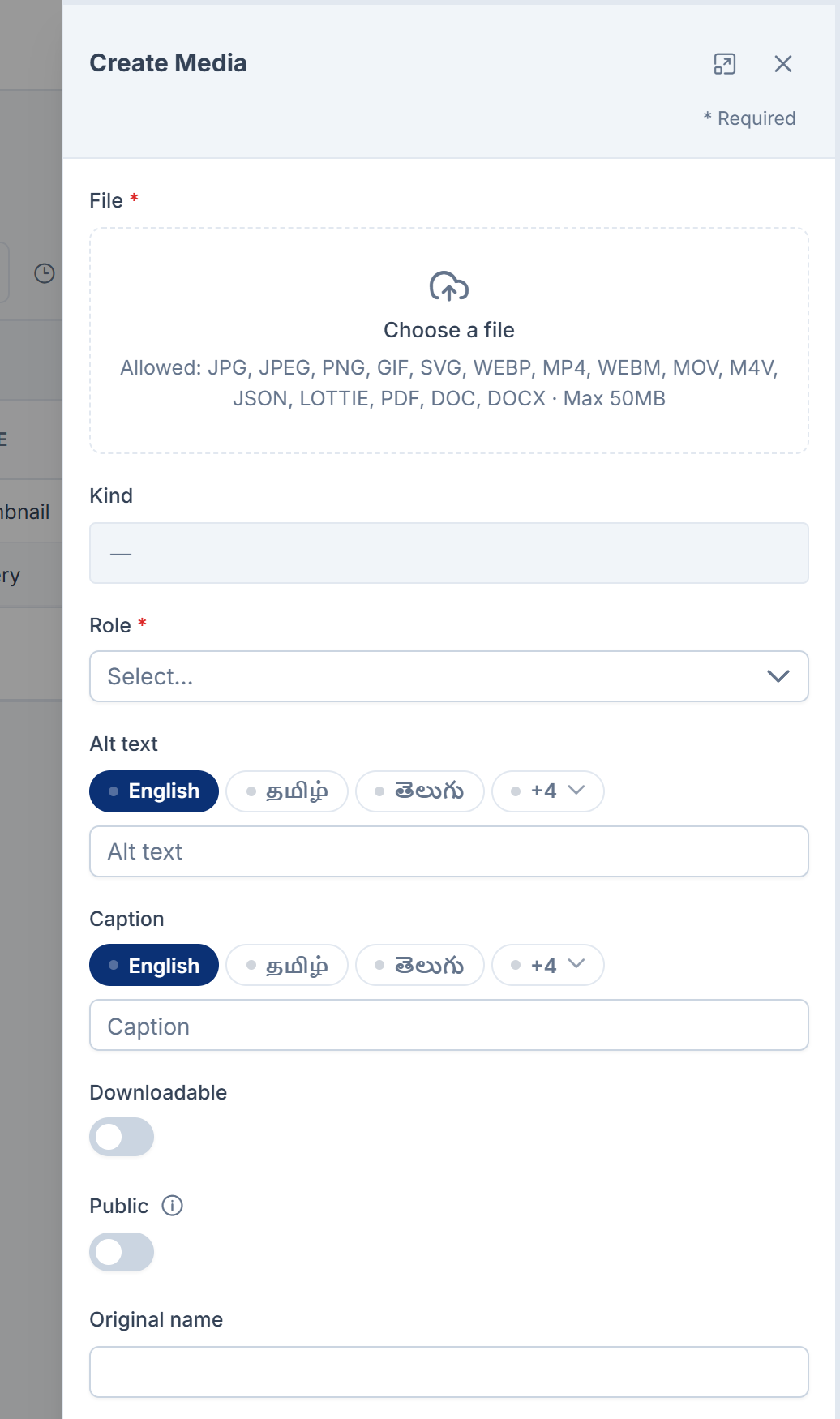
Media
The product's Media link. See Add images and files to a product.
| Field | Rules and notes |
|---|---|
| File | Required. Up to 50 MB. |
| Kind | Required. Image, Video, Document or Digital asset. Can't be changed after saving. |
| Role | Required. Gallery, Thumbnail, Banner, Download, Manual or Spec sheet. |
| Alt text, Caption | Up to 255 and 500 characters. Per language. |
| Downloadable | Whether the file is handed out through a download link. |
| Public | Whether the file has a public address. Always off for a Digital asset. |
| Original name | Up to 255 characters. |
| Sort order | The order files are shown in. |
The list can also show Type, Size and Downloads.
Bundle contents
The product's Bundle contents link. See Build a bundle.
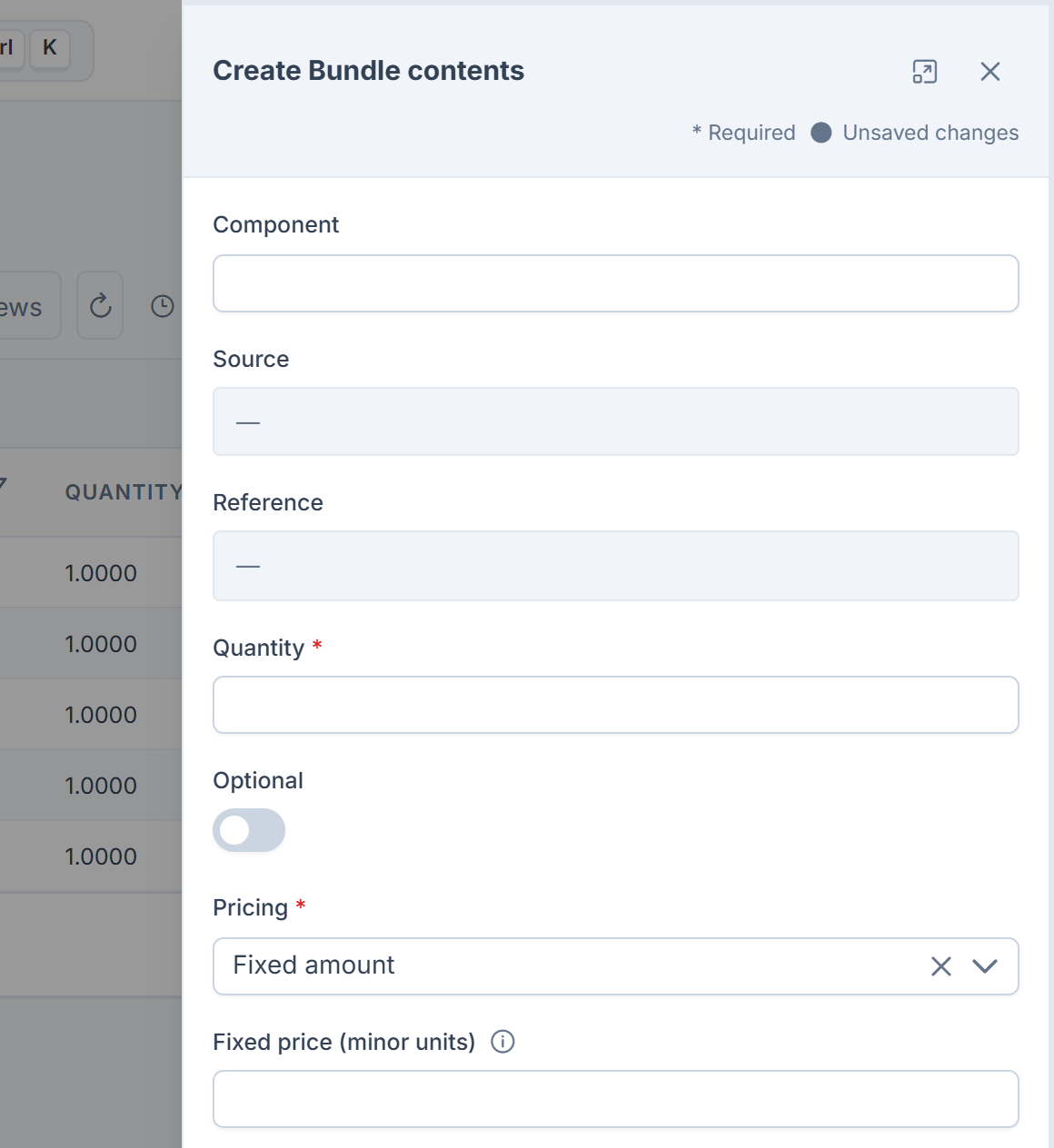
| Field | Rules and notes |
|---|---|
| Component | The name shown for the item. Filled in for you if you leave it empty. |
| Source | Required. Where the item comes from, such as catalog.product. Can't be changed after saving. |
| Reference | Required. The item's id in that source. Can't be changed after saving. |
| Quantity | Required. More than 0. |
| Optional | Whether the customer may leave it out. |
| Pricing | Required. Component price, Fixed amount or Included free. |
| Fixed price (minor units) | Required with Fixed amount. In the currency's smallest unit: 1999 is 19.99. |
| Currency | Required with Fixed amount. A three-letter code, such as USD. |
| Sort order | The order of the contents. |
On Laramin Core 12.8.7 and earlier, the sort order fields, the bundle's currency field and the product list's created-by column show internal names, general., general.currency and general., instead of the labels Sort Order, Currency and Created By.
Settings your server sets
These can't be changed on screen. Whoever manages your server can change them in your Laramin's environment file.
| Setting | Default | What it does |
|---|---|---|
CATALOG_ | USD | The currency used when a price is asked for without one. |
CATALOG_ | 500 | The most variants one generation may create. |
CATALOG_ | 5 | How many levels bundles may nest inside each other. |
CATALOG_ | 6 | How deep the category tree may go. |
CATALOG_ | 900 | How long a download link works, in seconds. |
CATALOG_ | Uppercase letters, digits, dots, dashes and underscores, 2 to 64 characters | What a valid SKU looks like. |
Permissions
In the role editor, the permissions are grouped under Products, Taxonomy, Attributes, Pricing and Product Media. Each resource has List, View, Create, Edit, Delete, Restore and Remove permissions, such as Create Category (feature.). Remove deletes forever.
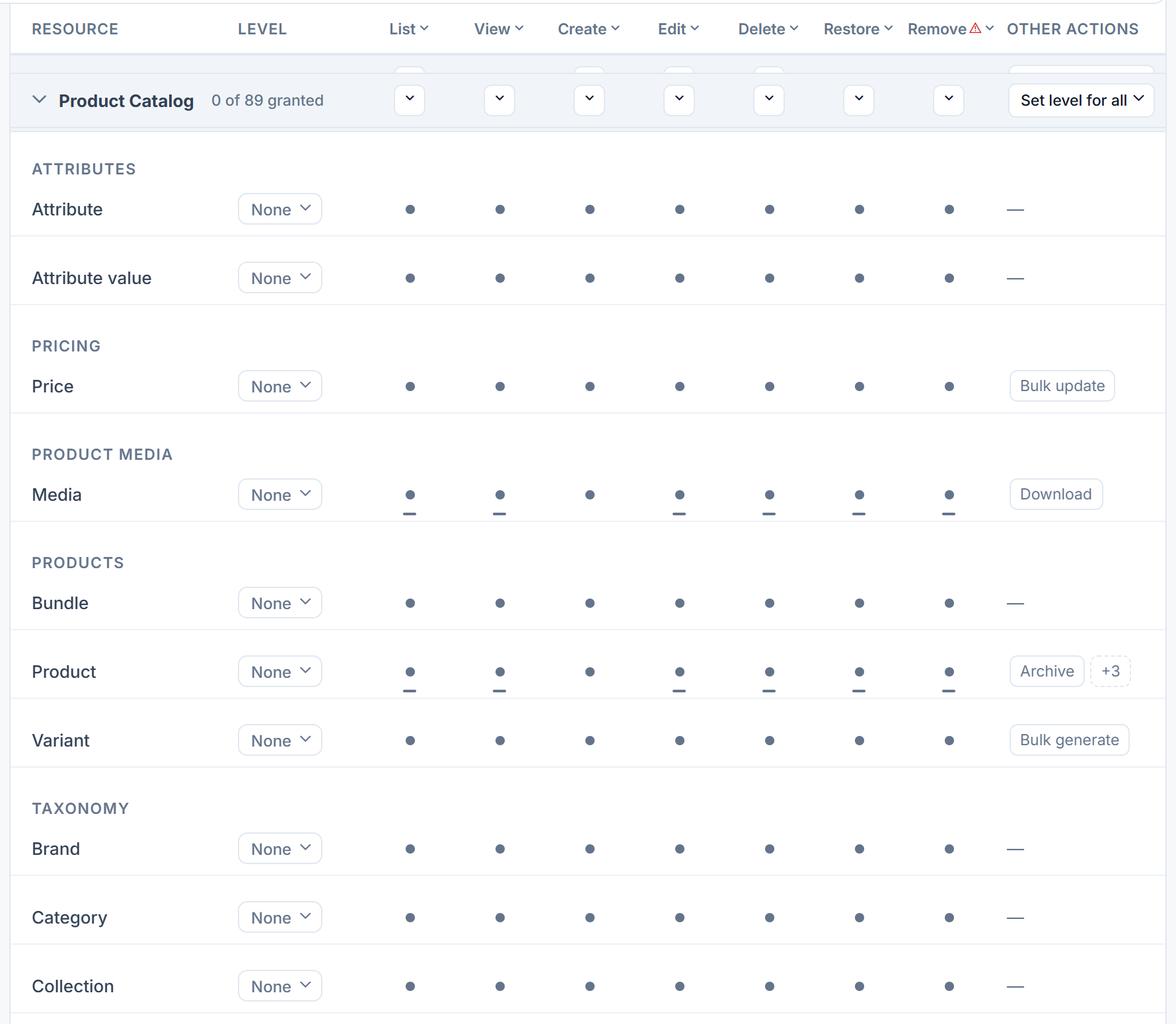
| Resource | Key prefix | Extra permissions |
|---|---|---|
| Products | feature. | Publish Product (.publish), Archive Product (.archive), Duplicate Product (.duplicate), Export Products (.export), and (Own) versions of List, View, Edit, Delete, Restore and Remove |
| Variants | feature. | Generate Variant Matrix (.bulk_generate) |
| Bundle contents | feature. | |
| Categories | feature. | |
| Brands | feature. | |
| Collections | feature. | |
| Attributes | feature., feature. | |
| Prices | feature. | Bulk Update Prices (.bulk_update) |
| Media | feature. | Download Product Asset (.download), and (Own) versions as for products |
What the screens check:
| To | You need |
|---|---|
| Open Catalog › Products | List Product or List Product (Own) |
| Open the Variant matrix | List Variant. To preview, View Variant. To create variants, Generate Variant Matrix. |
| Work with Bundle contents | Create Bundle, Edit Bundle, Delete Bundle and so on |
| Work with Media | Create Media, Edit Media (or its (Own) version) and so on |
| Download a digital asset | Download Product Asset, and being signed in |
The Attributes and Prices permissions grant nothing in Product Catalog 1.4.0, because no screen manages attributes or prices.
To give these permissions, see Give someone a role.
Thanks. That helps us decide what to write next.
Thanks for telling us what was missing.
You already answered for this article today. Thanks.
We got a lot of answers from your network just now. Try again in a few minutes.
We couldn't send that. Check your connection and try again.
Links in this article
Printed from help.bsscn.com. The online article may have changed since.