Define features and feature groups
Add the features your plans can include, such as seats or storage, choose the kind of value each takes, and add the headings they're shown under.
- Applies to
- Monetization 3.0 and later
- Who can do this
- Administrator
- Permission
feature.mon. feature. create - Where
- Monetization › Features
On this page
A feature is something a plan can include: Seats, Storage, API calls, Priority support. The feature only says what it is and what kind of value it takes. How much of it each plan gives, such as 10 seats, is set on the plan, under Entitlements. See Create and publish a plan.
Features are shared by every business in your Laramin. Changing one changes what it means on every plan that uses it.
Before you start
- You need
feature.. Feature groups needmon. feature. create feature..mon. feature_group. create - Decide each feature's Slug, such as
seatsorapi-calls. Other systems refer to the feature by it, and you can't change it after you save.
Add a feature
-
Go to Monetization › Features.
-
Select New Feature.
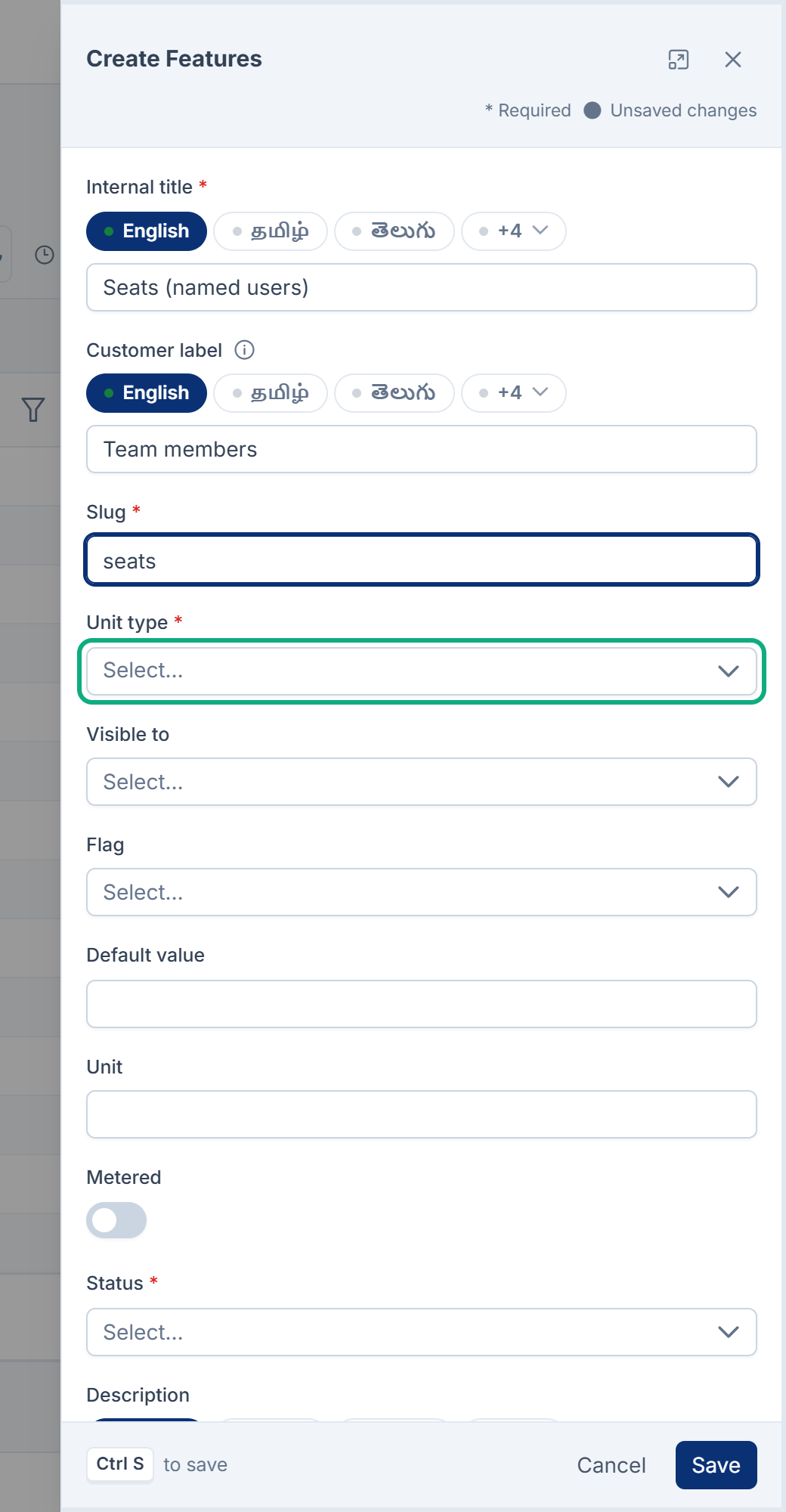
-
In Internal title, enter the name your team will see in lists, such as
Seats (named users). -
In Customer label, enter what customers should read on a pricing card, such as
Team members. You can enter both in each of your languages. -
In Slug, enter a unique slug of up to 100 characters.
-
In Unit type, choose the kind of value plans give it. See the table below.
-
Optional: in Unit, enter what the number counts, such as
GBorcalls. -
Optional: in Default value, enter the value a plan gets when its entitlement leaves Value empty.
-
Turn on Metered if usage of this feature is counted against a limit each period, such as API calls. Leave it off for something you either have or don't.
-
Leave Status as Active.
-
Select Save.
You see Feature created. Only active features are served to your website or app. See Monetization catalogue API reference.
Visible to (Public or Internal) and Flag (Stable, Beta, New, Experimental or Premium) are labels your website or app can read. Monetization doesn't act on them.
Unit types
The unit type decides what a plan can enter in Value for this feature:
| Unit type | Value on a plan | Example |
|---|---|---|
| Boolean | 1 for included, 0 for not | 1 |
| Number | Any number. A number is the plan's limit for the feature. | 10 |
| Range | Two whole numbers joined by a hyphen, the first smaller | 5-50 |
| Text | Letters only: no spaces, digits or punctuation | unlimited |
| Day | A day of the month, 1 to 31 | 15 |
| Month | A month, 1 to 12 | 4 |
| Year | A year from 1900 to 2100 | 2027 |
A value that isn't a number, such as unlimited, is kept as written and sets no limit.
In Monetization 3.0.0 a value that doesn't fit its unit type is refused with a message that shows a raw key, such as centralapp::, instead of a sentence. The key's last part names the unit type it failed.
The unit types are a list under Configurations › Master Settings › Static Fields, as Feature Unit Types. You can rename or reorder them there. Don't add one: Monetization only understands the seven above, and a feature with any other unit type refuses every value. The health check reports it. See Manage static fields and their options.
Add a feature group
A feature group is a heading, such as Collaboration or Support, for showing features together when customers compare plans.
-
Go to Monetization › Feature groups.
-
Select New Feature group.
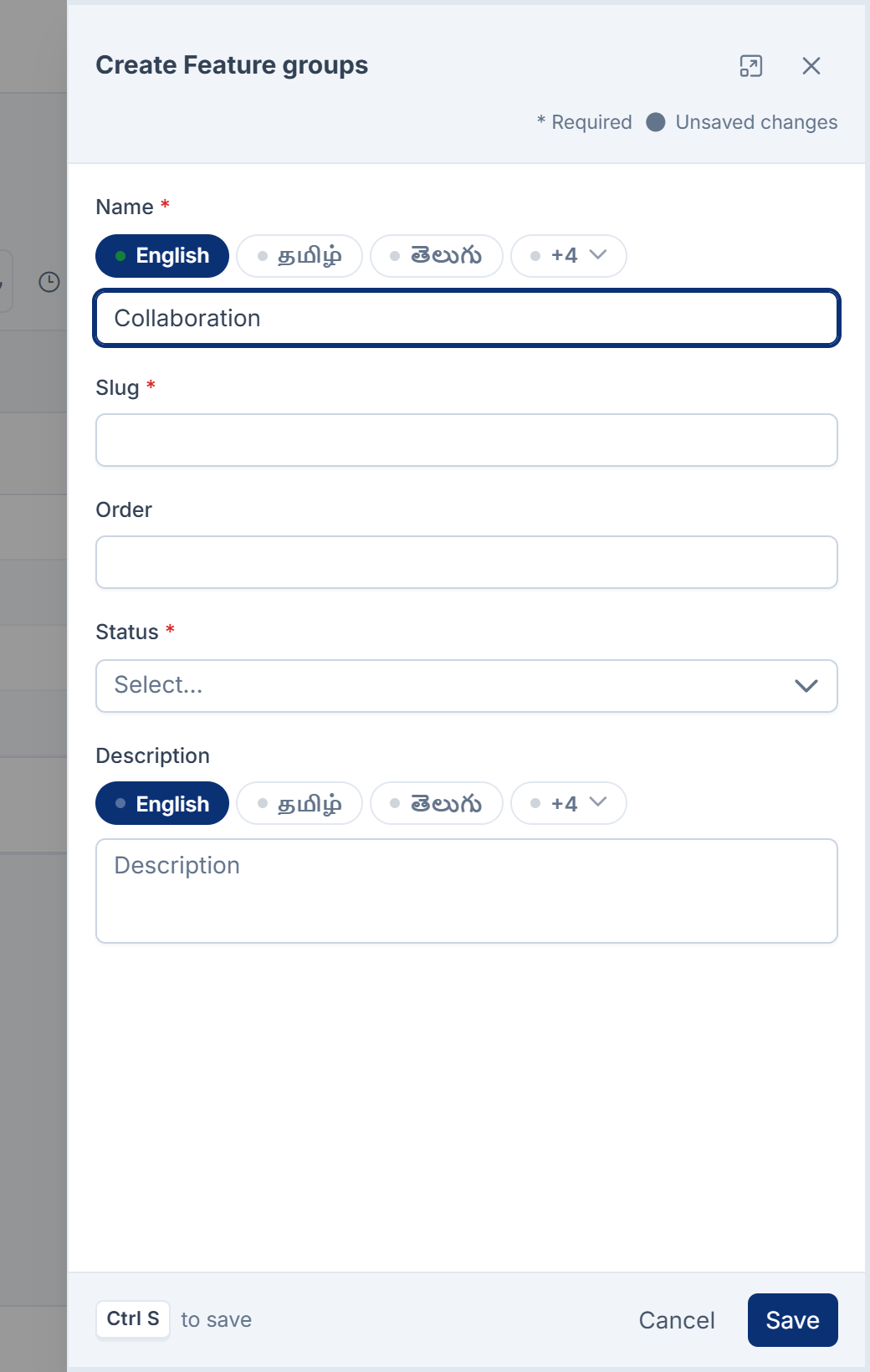
-
In Name, enter the heading. You can enter it in each of your languages.
-
In Slug, enter a unique slug. You can't change it after you save.
-
Optional: enter an Order to control where the group sorts.
-
Leave Status as Active.
-
Select Save.
Monetization 3.0.0 has no screen for putting features into a group. A group can be created, but it holds no features, and the catalogue API doesn't return groups.
Change or delete a feature
- Change a feature from its row. Its Slug can't change. A plan's entitlement values are checked against the unit type when the entitlement is saved, so changing Unit type later can leave plans with values that no longer fit. Check each plan's Entitlements after you change it.
- Delete a feature to put it in the trash. While it's there, subscriptions that start or renew don't get it, although plans still list the entitlement. Restore it to bring it back.
- Removing it for good from the trash also removes it from every plan's Entitlements. Existing subscriptions keep what they were given until their next renewal. See Delete and restore records in bulk.
Thanks. That helps us decide what to write next.
Thanks for telling us what was missing.
You already answered for this article today. Thanks.
We got a lot of answers from your network just now. Try again in a few minutes.
We couldn't send that. Check your connection and try again.
Links in this article
Printed from help.bsscn.com. The online article may have changed since.