Refund a payment
Give a customer their money back in full through the gateway that took it, and see what changes on the payment, the invoice and any subscription it paid for.
- Applies to
- Billing 2.0 and later
- Who can do this
- Administrator
- Permission
feature.bill. payment. refund - Where
- Billing › Payments
On this page
A refund on screen returns everything that's left on a payment, through the same gateway and merchant account that took it. Laramin contacts the provider as soon as you confirm.
Danger: A refund can't be undone. The money leaves your merchant account. Check the payment and the amount before you confirm.
Before you start
- You need
feature., plusbill. payment. refund feature.andbill. payment.list feature.. Give refunds only to people you trust with money.bill. payment.view - Switch to the business the payment belongs to. You can't refund from All Workspaces. See Switch workspace.
- The payment must be Captured or Partially refunded.
- Its gateway's provider add-on, such as Razorpay, must still be installed and must support refunds. If not, there's no Refund action. See A payment is stuck, or can't be refunded.
- Only a full refund is offered on screen. A partial refund can only be made by an add-on or integration.
Steps
-
Go to Billing › Payments.
-
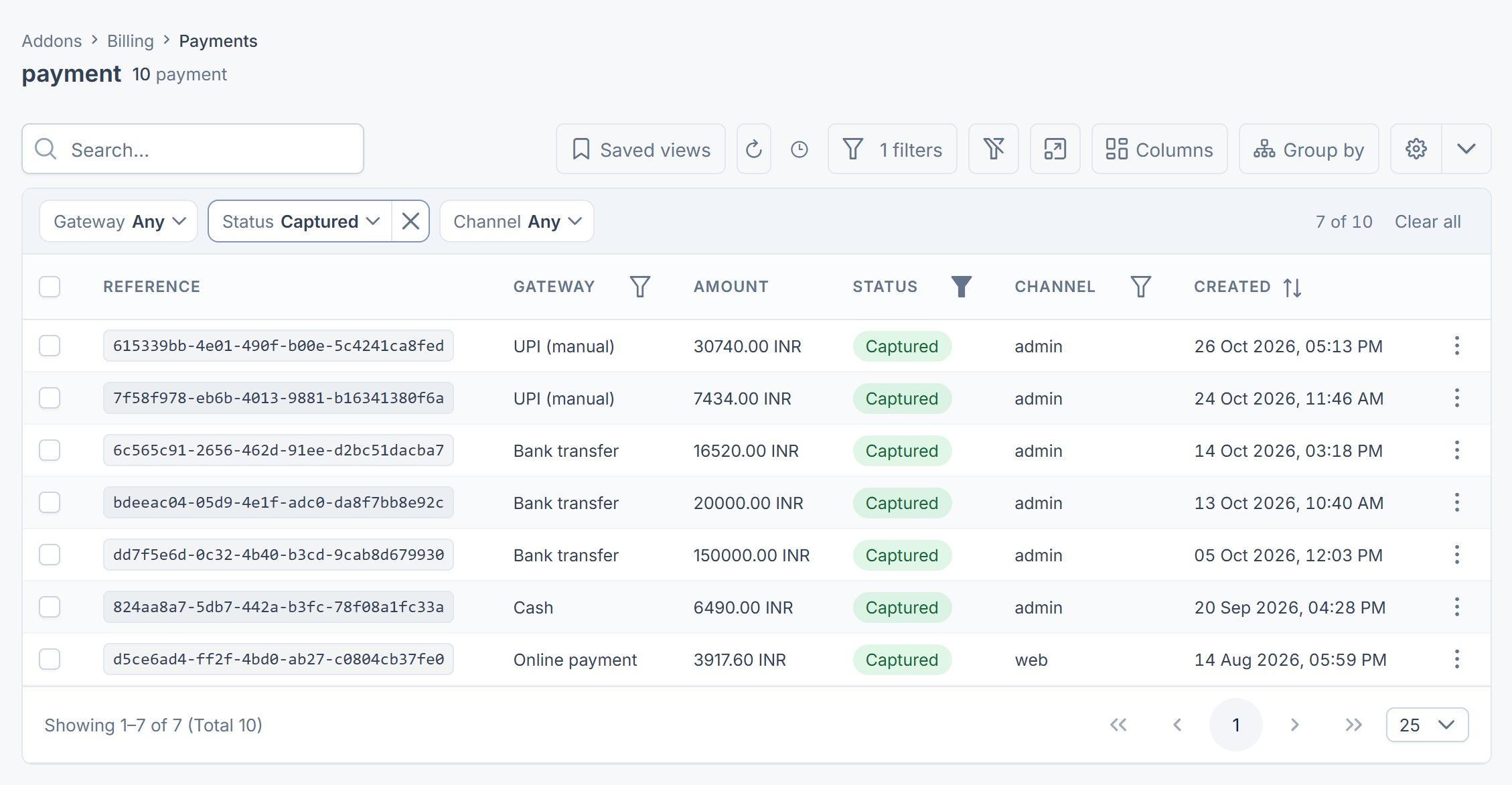
Find the payment. Search its Reference, or filter Status to Captured and Gateway to the gateway. See Filter a list.
-
Open it and check the Money panel: Amount and Refunded. The refund will be the amount minus what's already refunded.
-
Select Refund.
-
Read Refund this payment in full? The provider is contacted immediately and this cannot be undone.
-
Type the confirmation word the dialog asks for, and select Refund. [Confirm: in Billing 2.0.0 the dialog asks you to type
DELETE.]
What happens next
Laramin confirms with 1 processed. Open the payment again to check the result:
- Refunded shows the amount returned, and Status is Refunded. Billing counts the refund as soon as the provider accepts it, even if the provider pays it out to the customer days later.
- If the provider refused, nothing was refunded: Refunded and Status don't change. [Confirm: the screen still shows 1 processed when the provider refuses. Always check the payment afterwards.]
The refund doesn't change the invoice the payment paid. It still shows Paid. To bring the invoice in line, a credit note for the same amount is needed. See Correct, credit or void an invoice.
If the payment was for a subscription renewal, Monetization ends the access it gave once the provider confirms the refund.
Thanks. That helps us decide what to write next.
Thanks for telling us what was missing.
You already answered for this article today. Thanks.
We got a lot of answers from your network just now. Try again in a few minutes.
We couldn't send that. Check your connection and try again.
Links in this article
Printed from help.bsscn.com. The online article may have changed since.