Cancel, resume or end a subscription
Stop a subscription renewing at the end of its paid period, undo that before the period ends, or end access straight away, and see what each one changes.
- Applies to
- Monetization 3.0 and later
- Who can do this
- Administrator, Team member
- Permission
feature.mon. subscription. cancel - Where
- Monetization › Subscriptions
On this page
There are three things you can do to a subscription, each with its own permission:
| Action | What the customer gets | Permission |
|---|---|---|
| Cancel | Access until the end of the period they paid for, then no renewal. | feature. |
| Resume | Undoes a cancel, before the period ends. The subscription renews as before. | feature. |
| End now | Access ends at once. They lose the rest of the period they paid for. | feature. |
Use Cancel when a customer decides not to continue. Use End now only when access must stop today.
Before you start
- You need
feature.andmon. subscription.list feature., plus the permission for the action.mon. subscription.view - Switch to the business that sold the subscription. You can't change subscriptions in All Workspaces. In All Workspaces, the Business column tells you which business it belongs to. See Switch workspace.
Find the subscription
- Go to Monetization › Subscriptions.
- Search for the customer's Account reference or the plan's slug, or filter Status. See Filter a list.
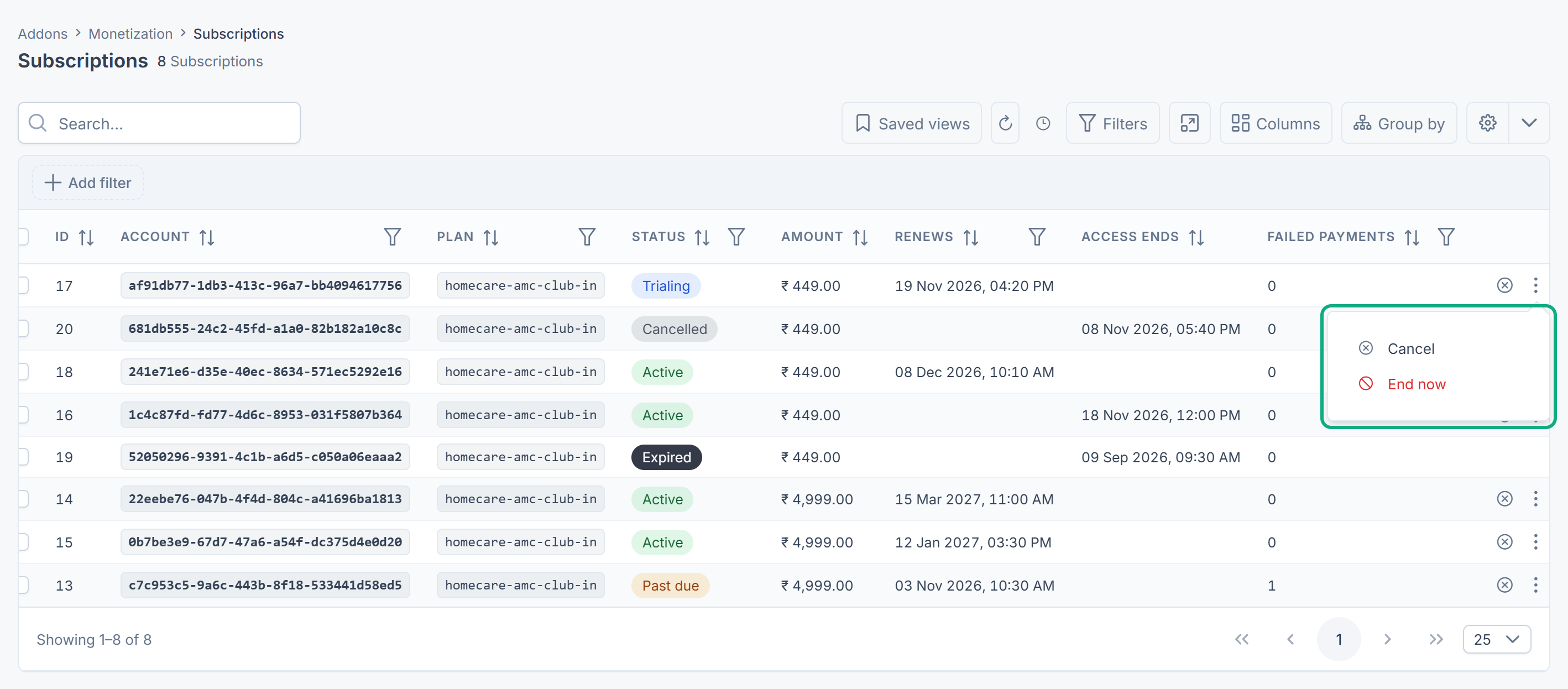
Cancel at the end of the period
-
In the subscription's row, select Cancel.
-
Read Cancel this subscription at the end of the paid period? The customer keeps access until then. and confirm.
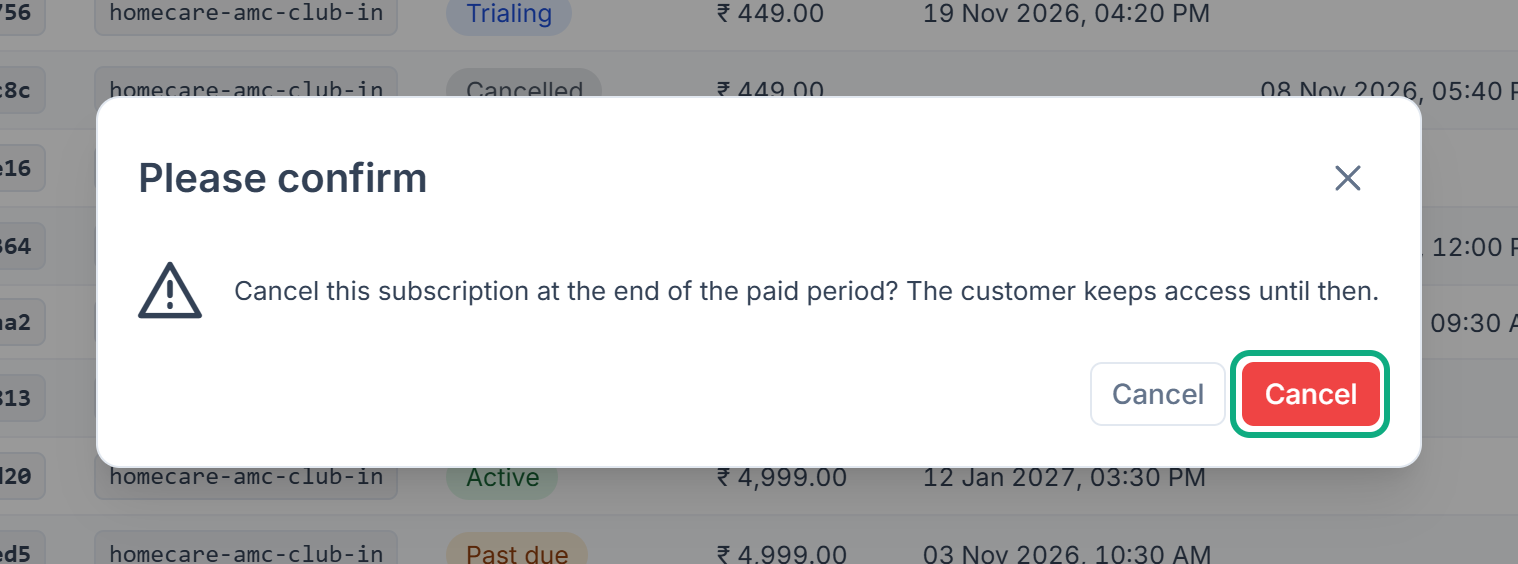
Laramin confirms with 1 processed.
- Status stays Active, because the customer has paid through the period.
- Renews becomes empty, so no invoice is raised for the next period.
- Access ends shows the end of the paid period. On that date the daily task marks the subscription Expired.
Cancel is offered on subscriptions that are Trialing, Active or Past due and not already canceled. Monetization 3.0.0 doesn't ask for a reason, so none is recorded for subscriptions canceled on screen.
Resume a canceled subscription
- In the subscription's row, select Resume.
Laramin confirms with 1 processed. Access ends becomes empty, and Renews shows the end of the paid period again.
Resume is offered only while the paid period hasn't ended. After that, start a new subscription instead.
Careful: In Monetization 3.0.0 Resume is also offered on a subscription that was ended with End now, by a full refund or by the retry schedule, while its paid period hasn't run out. It doesn't bring it back: the subscription stays Cancelled and never renews. Don't use it on those.
End a subscription now
-
Open the subscription's row actions menu and select End now.
-
Read End this subscription immediately? The customer loses access at once and FORFEITS the remainder of the period they have already paid for. Cancel instead if they should keep it.
-
Under Type “DELETE” to confirm, type
DELETE, and select End now.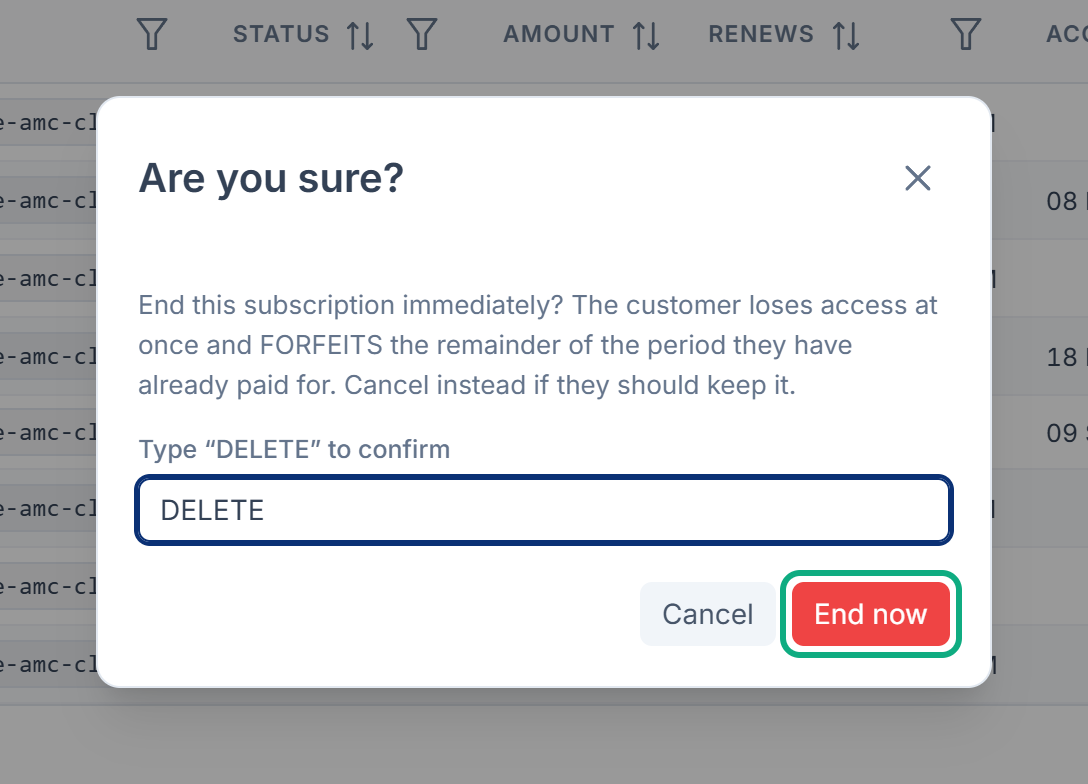
Laramin confirms with 1 processed.
- Status becomes Cancelled, and Access ends shows now.
- The subscription stops being the customer's current one, so a new subscription can start straight away. The next daily run marks it Expired.
- No money is given back. If the customer is owed a refund, refund their payment in Billing. See Refund a payment.
Move a customer to another plan
There's no action to change a subscription's plan. Send the customer a CRM quote for the new plan. When they accept it, a new subscription starts and replaces the current one, which then shows Superseded in the Current column. Add the Current column from the columns menu to see it.
In Monetization 3.0.0 a replaced subscription keeps the status it had, such as Active, although it no longer renews or gives access. The list can show two Active subscriptions for one customer.
Thanks. That helps us decide what to write next.
Thanks for telling us what was missing.
You already answered for this article today. Thanks.
We got a lot of answers from your network just now. Try again in a few minutes.
We couldn't send that. Check your connection and try again.
Links in this article
Printed from help.bsscn.com. The online article may have changed since.