A subscription didn't start or renew
A customer accepted a quote but has no subscription, a renewal is stuck as Pending, Blocked or Failed, or a subscription expired or ended when you didn't expect it. Find the cause and what you can do.
- Applies to
- Monetization 3.0 and later
- Who can do this
- Administrator, Team member
- Permission
feature.mon. subscription.list
On this page
Symptom
One of these:
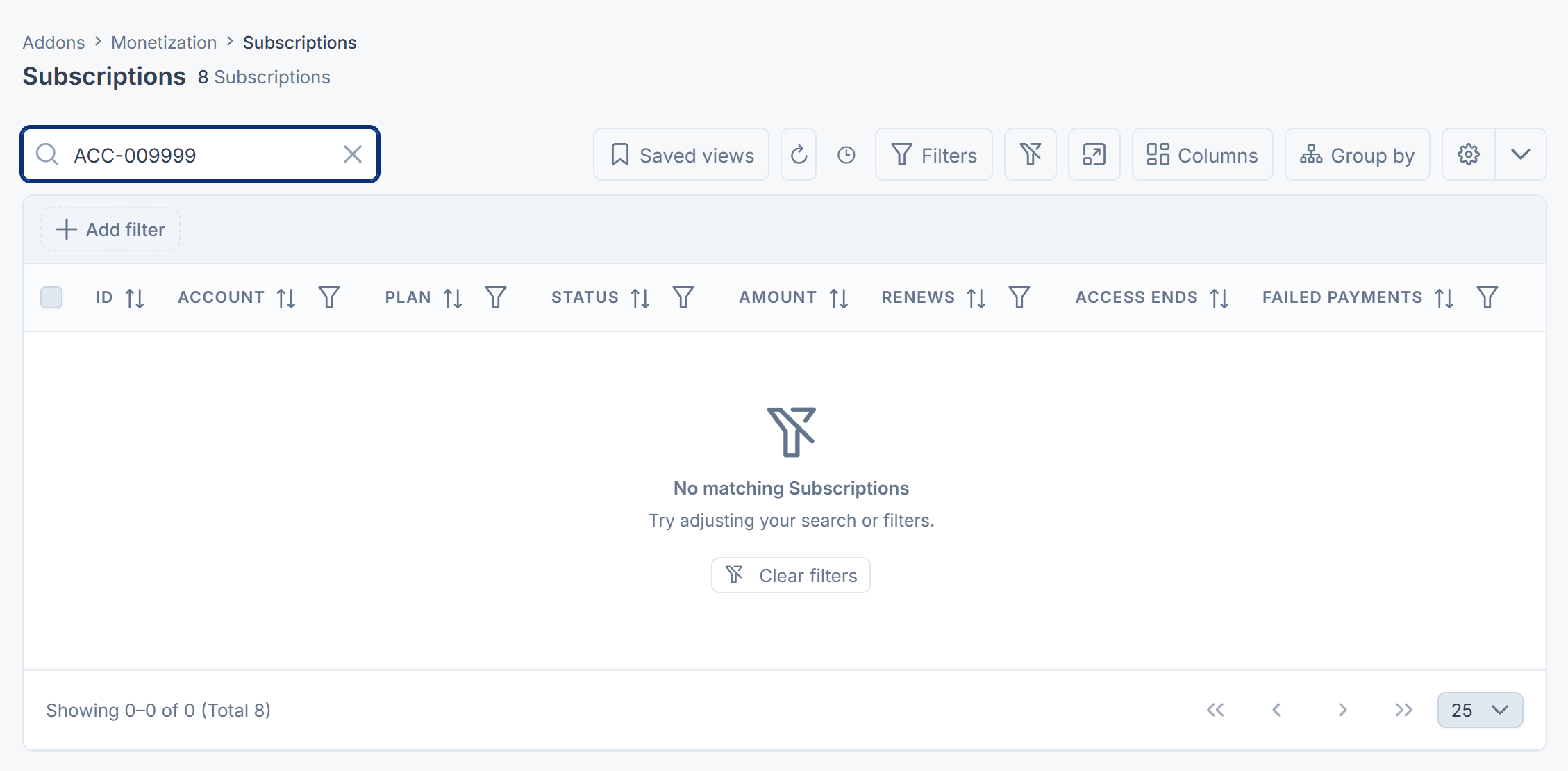
- A customer accepted a CRM quote for a plan, but Monetization › Subscriptions has no subscription for them.
- A subscription's Renews date has passed, and its renewal under Monetization › Renewals is Pending, Blocked or Failed.
- No subscription has renewed for days.
- A subscription became Expired or Cancelled when you didn't expect it.
- A subscription charges a different amount, or more often, than the plan's price.
Check these, in order
1. You're looking in the right business
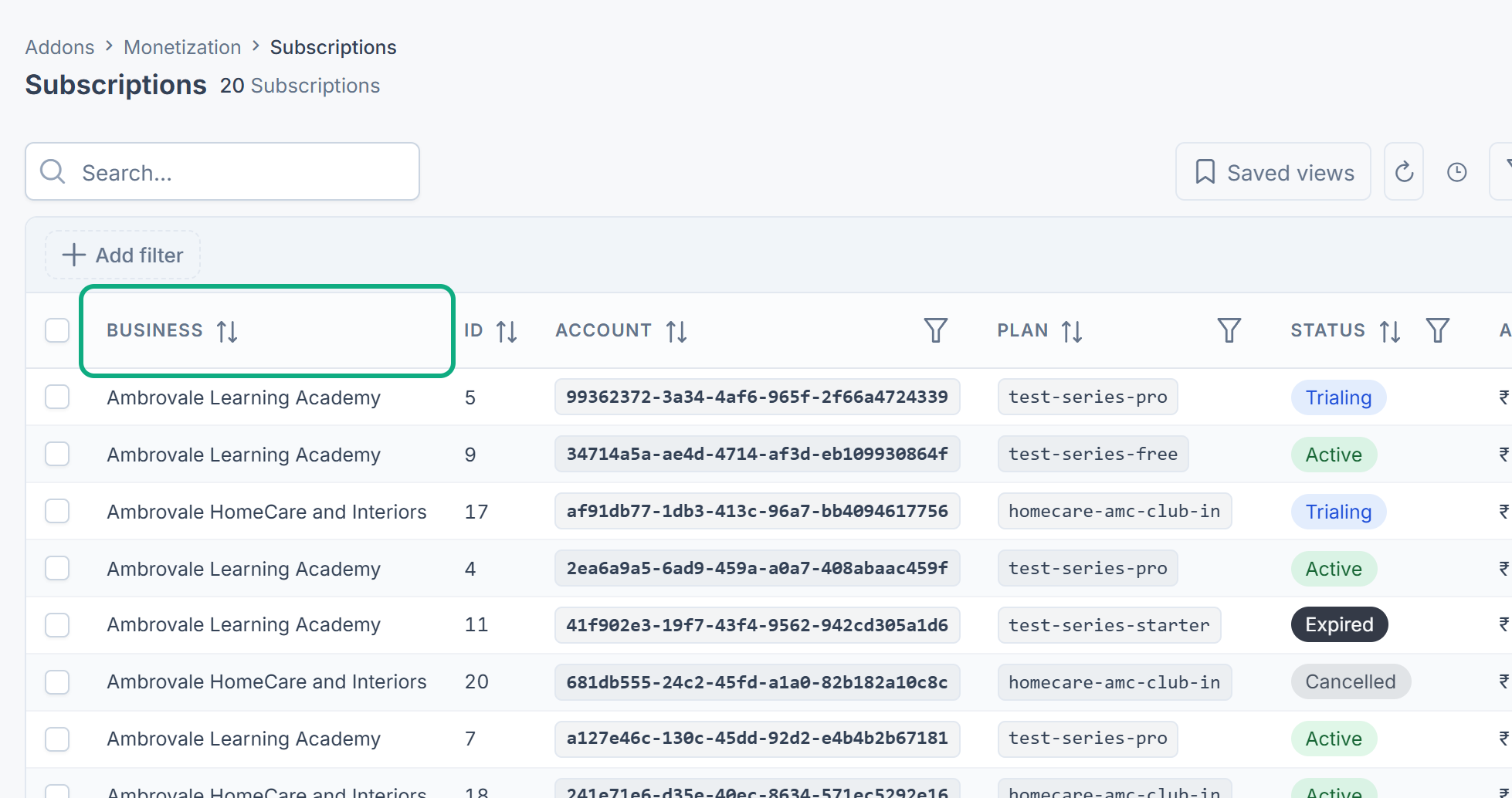
Subscriptions belong to the business that sold them. In a single business you see only its own. Switch to All Workspaces and look at the Business column, or switch to the business that sold the quote. See Switch workspace.
2. The accepted quote didn't start a subscription
Monetization starts a subscription only when all of these are true:
- The quote has a plan line. The line must add the plan as a plan, not as an offering. An enterprise plan can only be added as an offering, so it never starts one.
- The plan still exists. A plan in the trash or removed for good can't be started.
- Billing is installed and enabled. The subscription needs the customer's billing account.
- The quote says which business sold it. Quotes accepted in CRM always do.
- That business is still open.
Only the first plan line starts a subscription. A second accepted quote for the same customer and business replaces the first subscription rather than adding to it.
Monetization 3.0.0 records why it didn't start a subscription, but shows it on no screen. Whoever hosts your Laramin can find it in Monetization's event log, by the quote's reference.
There's no way to start a subscription on screen. Once you've fixed the cause, the quote can't be accepted again to retry. Raise a ticket with the quote's number and the customer's name.
3. The renewal is Pending
A Pending renewal has raised a draft invoice in Billing and is waiting for it to be paid.
-
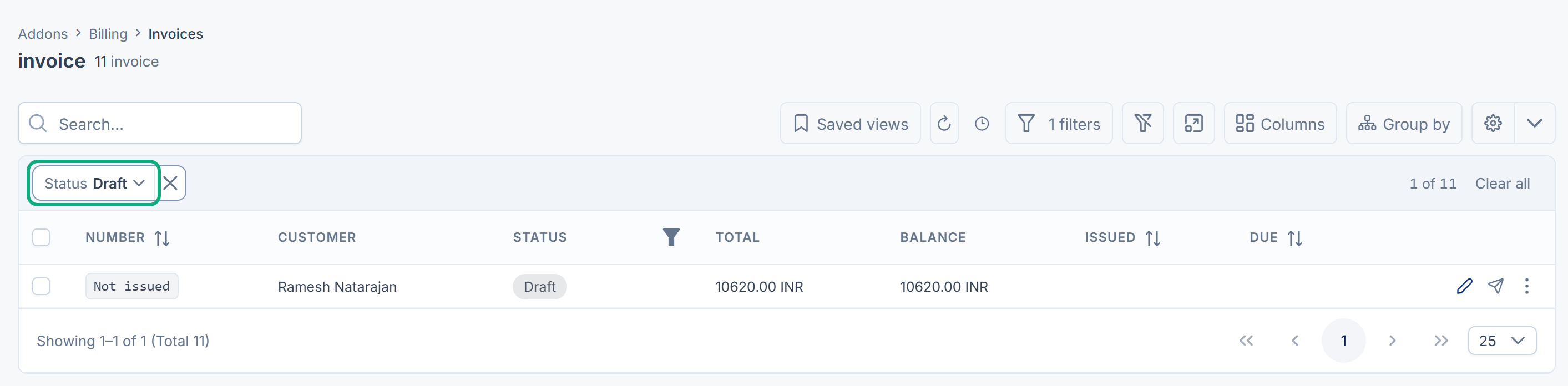
Go to Billing › Invoices and filter Status to Draft. The invoice's line has the plan's name.
-
Issue it. See Issue an invoice. If it won't issue, see An invoice can't be issued.
-
Have the customer pay it. Once its balance is zero, the renewal becomes Succeeded within 15 minutes, while scheduled jobs run. See A payment is stuck, or can't be refunded if the payment doesn't reach the invoice.
No add-on in this release lets a customer pay an invoice through a gateway, so payment needs your own integration.
Careful: The subscription expires if the invoice isn't paid by its Period ends date plus the grace, which is 17 days with the default settings. A Billing draft that can't be issued isn't raised again by Monetization for the same period.
4. The renewal is Blocked
Blocked means Billing isn't available: it isn't installed, or it's disabled. The health check reports it too. Install or enable Billing in Addon Management. See Add-on statuses and actions.
Nothing was canceled, and the customer keeps access through the grace.
In Monetization 3.0.0 a blocked renewal isn't tried again for the same period, even once Billing is back. When Next retry passes, the attempt becomes Abandoned and no new Pending attempt appears. Raise a ticket before the grace runs out.
5. The renewal Failed
Failed means Billing refused to raise the invoice. At first the renewal's Reason shows Billing's answer, for example that it doesn't know the customer's billing account, or the currency. Once the daily task has scheduled a retry, Reason reads Payment failed. Retry … of … is scheduled. instead, and Billing's answer is no longer shown. The subscription is Past due, and the customer keeps access.
Fix the cause in Billing. Monetization schedules a retry and shows it in Next retry. See How subscriptions and renewals work.
6. Nothing has renewed for days
The renewal, retry and expiry tasks run once a day from your Laramin's scheduled jobs, and the check that completes paid renewals runs every 15 minutes. If none of them has run, nothing renews, retries or expires. The cause isn't always a missing cron job. See Scheduled jobs don't run.
Subscriptions of a business that has been closed are skipped on purpose, and a line is written to the server log.
7. It expired or ended unexpectedly
Monetization 3.0.0 records why a subscription ended, but doesn't show it on screen: the Subscriptions list has no Reason column, and a subscription has no page of its own. Work it out from the lists instead:
- On Monetization › Subscriptions, note the subscription's Status and its Account reference.
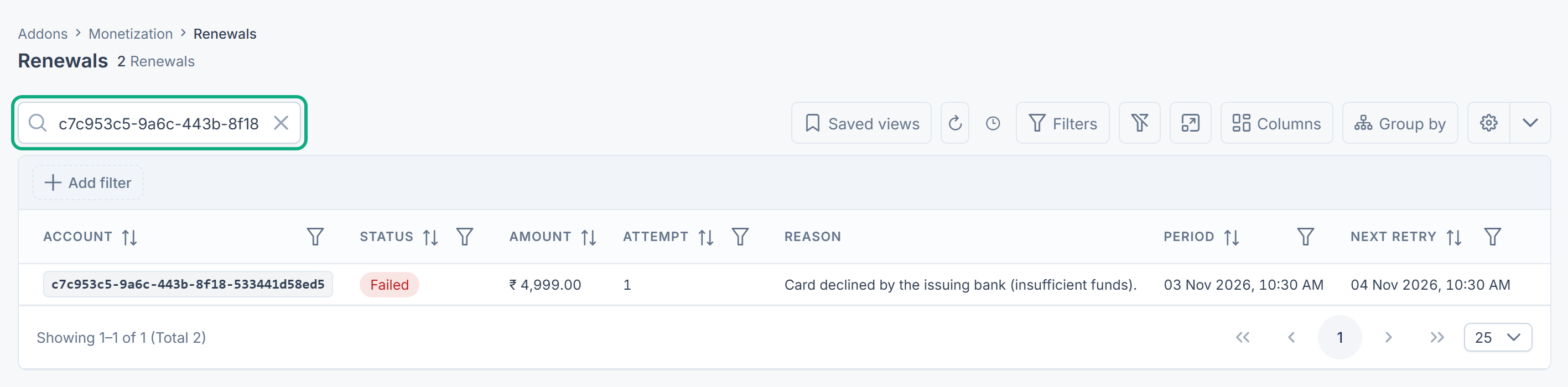
- On Monetization › Renewals, search for that Account reference and look at its latest renewal.
| What you see | What happened |
|---|---|
| Expired, and the latest renewal is Pending, Failed, Blocked or Abandoned | No renewal succeeded before the grace ran out. Steps 3 to 5 explain why. |
| Cancelled, or Expired with no unpaid or failed renewal | Someone selected Cancel or End now, or the renewal's payment was refunded in full in Billing. |
An expired or canceled subscription can't be brought back. Send the customer a new quote. See Cancel, resume or end a subscription.
8. The amount or interval looks wrong
A subscription charges the price on the accepted quote line, not the plan's list price, and keeps it for every renewal.
In Monetization 3.0.0 a subscription started from a quote renews every month, even when the plan is priced yearly, and uses the line's unit price before any line discount. If that doesn't match what was agreed, raise a ticket.
Still not working?
Raise a ticket from Support Center in your Laramin app. Include this page's link, the customer's Account reference, the plan, and the renewal's Status, Reason and Period.
Thanks. That helps us decide what to write next.
Thanks for telling us what was missing.
You already answered for this article today. Thanks.
We got a lot of answers from your network just now. Try again in a few minutes.
We couldn't send that. Check your connection and try again.
Links in this article
Printed from help.bsscn.com. The online article may have changed since.