Block an IP address
Stop an IP address or a whole range from signing in to Laramin or using its API, and release it again later.
- Applies to
- Core 12.0 and later
- Who can do this
- Administrator, Platform owner
- Permission
feature.core. blocked_ip. create - Where
- Configurations › Security › Blocked IPs
On this page
Before you start
- You need
feature.. To change or remove a block later, you needcore. blocked_ip. create feature.orcore. blocked_ip.edit feature..core. blocked_ip. delete - Blocked IPs takes one IP address, such as
198.51.100.23, or a range in CIDR form, such as203.0.113.0/24for the 256 addresses from203.0.113.0to203.0.113.255. IPv6 works too. To allow addresses, or to block them for one role or user only, use Create an IP rule instead. - Find your own IP address before you start, so you don't block yourself.
Danger: A blocked IP address can't sign in, even as a super admin. Break-glass doesn't override a block. If you block the address you're working from, you can't sign in again from it until someone else releases it.
Steps
-
In the sidebar, open Configurations › Security › Blocked IPs.
-
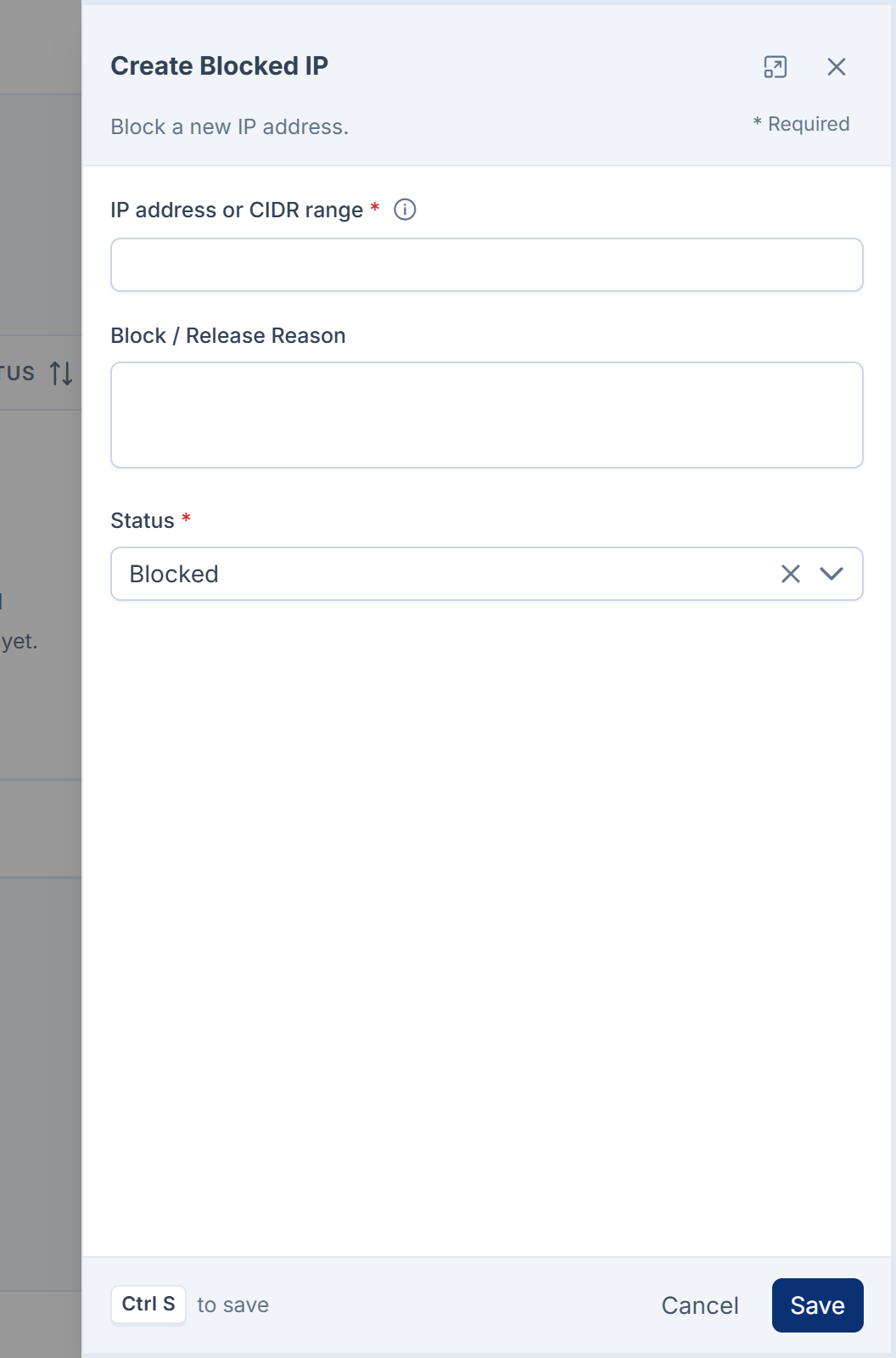
Select Create.
-
In IP address or CIDR range, enter the address or range, for example
198.51.100.23or203.0.113.0/24. If it isn't valid, the field says Enter a valid IP address or CIDR range (e.g. 192.168.1.10 or 10.0.0.0/24). -
In Block / Release Reason, write why you're blocking the address.
-
Check that Status is set to Blocked.
-
Select Save.
Release a blocked IP
-
In the row for the address, open the actions menu.
-
Select Edit.
-
Set Status to Released, and update Block / Release Reason.
-
Select Save.
The row stays in the list as a record, and the address can sign in again. To remove it completely, select Delete from the row's actions menu instead. Deleting can't be undone.
What happens next
The address, or every address in the range, can no longer sign in to the admin or call the REST API. Anyone already signed in from it stays signed in until their session ends. The block also appears in IP Rules as a global Block rule.
Thanks. That helps us decide what to write next.
Thanks for telling us what was missing.
You already answered for this article today. Thanks.
We got a lot of answers from your network just now. Try again in a few minutes.
We couldn't send that. Check your connection and try again.
Links in this article
Printed from help.bsscn.com. The online article may have changed since.