A notification doesn't appear in the bell
There's no bell in the header, the badge doesn't change, or a notification you expected never shows in the panel. Find out what the bell depends on and what to check.
- Applies to
- Core 12.7 and later
- Who can do this
- Team member, Administrator
- Where
- Header › Notifications
On this page
Symptom
One of these:
- There's no bell in the header at all.
- The badge on the bell doesn't change, although something happened that should notify you.
- You open the bell and the notification you expected isn't there.
- The panel says Couldn't load notifications.
This page is about the bell in your own header. To find out whether Laramin tried to send a notification, an administrator checks Notification Manager's logs. See A notification wasn't sent or didn't arrive.
Check these, in order
1. There's no bell
The bell comes with the Notification Manager add-on. Without it, the header has no bell, and Laramin keeps no in-app notifications at all.
Fix: Ask an administrator whether Notification Manager is meant to be on. A super admin turns it on in Addons › Addon Management.
2. The badge only updates when you reload
The badge counts unread notifications when the page loads. It only changes while you watch if your Laramin has live updates set up. They're off on a new installation.
Fix: Open the bell. The panel loads your latest notifications each time you open it. Or reload the page to update the badge.
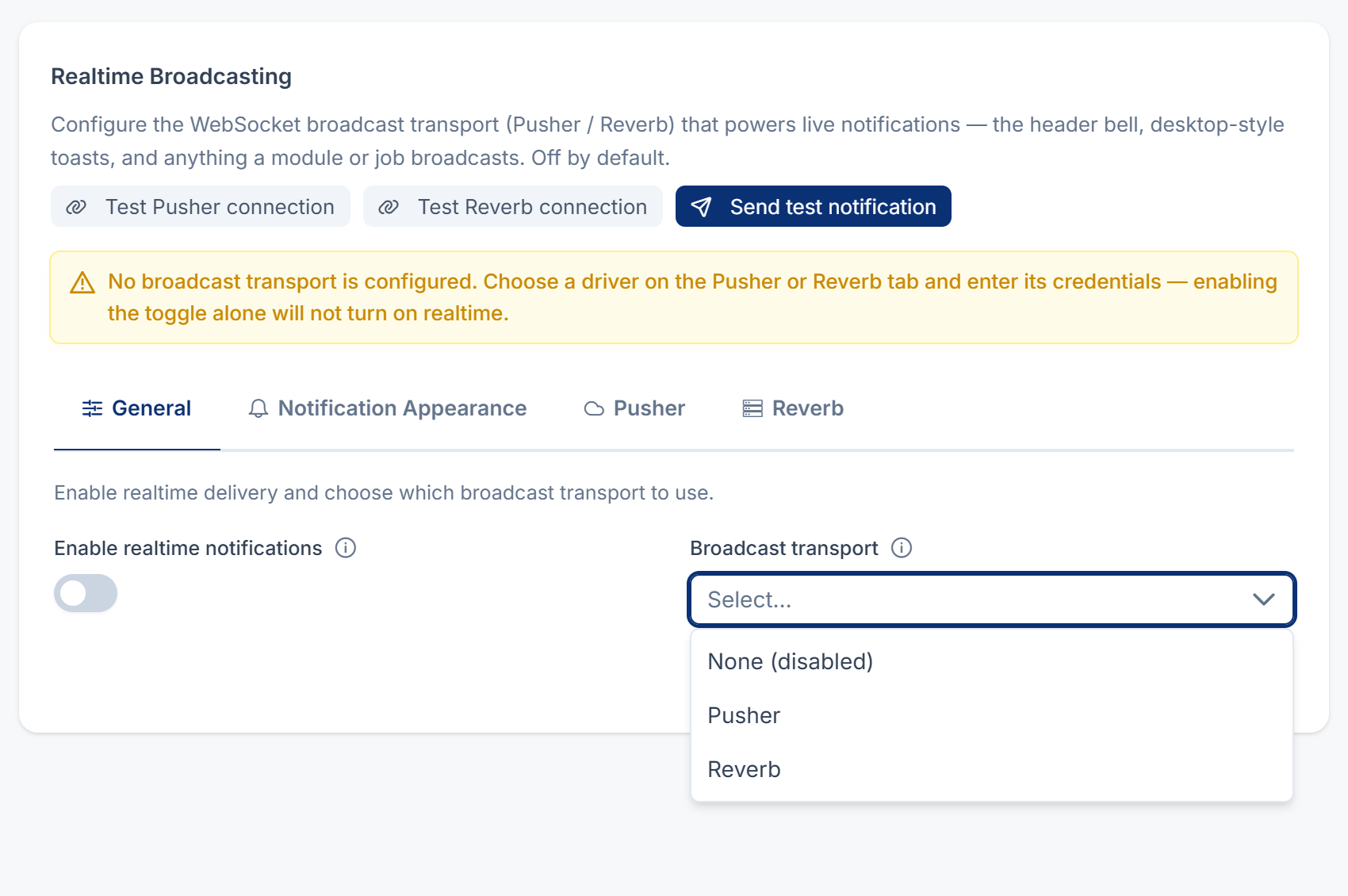
A platform owner can turn on live updates on Developer Tools › Developer Settings › Broadcasting Settings. They need Pusher, a hosted service, or Reverb, which runs on your own server.
3. Background jobs aren't running
A notification for the bell is written by a background job. If your Laramin queues background work and its scheduled jobs don't run, the notification waits and never reaches the bell. On Sync, where a new installation starts, the job runs straight away and this doesn't apply.
Fix: Ask your platform owner to check. See Scheduled jobs don't run.
4. You turned it off, or nobody can get it
- You turned it off: open Notification Preferences from your account menu and find the notification. If its In-app switch is off, turn it on. See Choose how Laramin notifies you.
- No switch in the In-app column: the tooltip says No active template for this channel. The notification isn't sent in the app to anyone.
- The notification is off for everyone: an administrator can check its status. See Turn a notification on or off.
5. It wasn't addressed to you
Each notification goes to particular people, and that may not include you. For example, a task reminder goes to the task's assignee, even if you set the reminder. See A task reminder didn't arrive.
6. The panel says "Couldn't load notifications"
Close the panel and open it again. If it keeps failing, reload the page.
Still not working?
Raise a ticket from Support Center in your Laramin app. Include this page's link, what should have notified you, and when it happened.
Thanks. That helps us decide what to write next.
Thanks for telling us what was missing.
You already answered for this article today. Thanks.
We got a lot of answers from your network just now. Try again in a few minutes.
We couldn't send that. Check your connection and try again.
Links in this article
Printed from help.bsscn.com. The online article may have changed since.