Rotate a destination's signing secret
Replace a destination's signing secret, for example when it may have been exposed, without breaking the receiver: the previous secret keeps signing a second header.
- Applies to
- Webhook Engine 2.2 and later
- Who can do this
- Platform owner, Administrator
- Permission
feature.webhook. destination. rotate_secret - Where
- Webhook Engine › Destinations
On this page
Rotate a secret when it may have been seen by someone it shouldn't have, when a person who knew it leaves, or on a regular schedule your security policy sets.
Before you start
- You need Rotate Signing Secret (
feature.) and List Destination (webhook. destination. rotate_secret feature.).webhook. destination.list - Talk to whoever runs the receiving system first. After the rotation, the receiver needs the new secret.
How rotation works
When you rotate, the destination gets a new secret, and the current one becomes the previous secret. From then on, every delivery carries two signatures:
| Header | Signed with |
|---|---|
X- | The new secret |
X- | The previous secret |
So a receiver that still has only the previous secret keeps accepting deliveries, as long as it checks the secondary header too. Once it has the new secret, it checks the main header.
The previous secret doesn't expire. It keeps signing the secondary header until you rotate again, when it's replaced by the secret you're retiring. So if a secret was exposed, one rotation isn't enough: rotate again once the receiver has switched to the new secret, and the exposed one stops being sent.
Steps
-
In the sidebar, open Webhook Engine › Destinations.
-
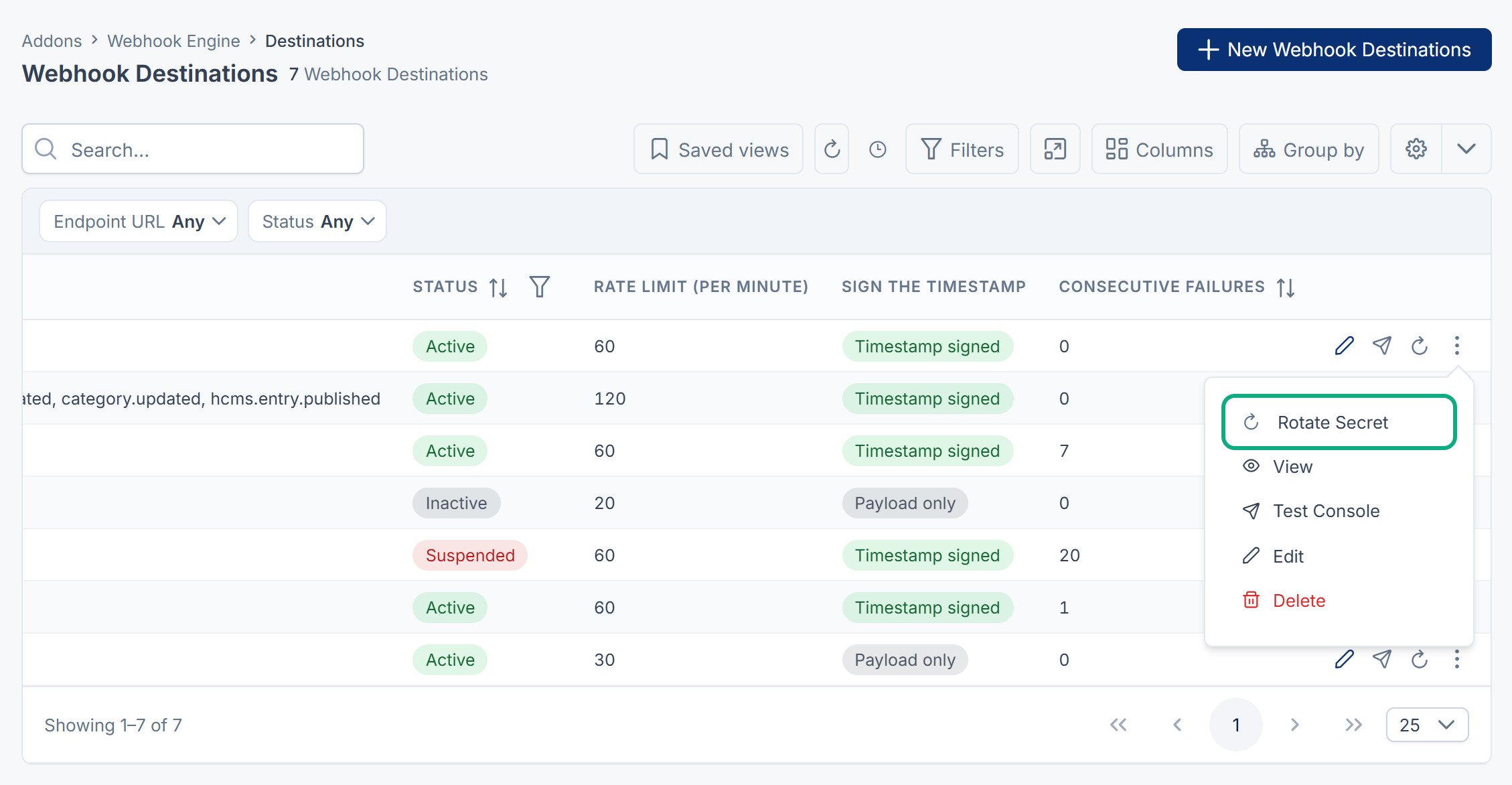
Open the destination's row actions menu and select Rotate Secret.
-
Read Rotate signing secret? and select to confirm.
You see HMAC secret rotated successfully! The old key will remain valid for secondary checks. The Secret Rotated column shows when it happened. Add the column with the columns menu if you don't see it.
Careful: No screen shows the new secret, so you can't hand it to the receiver from the app. See Verify webhook signatures and handle retries before you rotate a secret a receiver depends on.
What happens next
- Send a test from the Test Console. Its Request headers tab shows both signature headers. See Test a webhook destination.
- Have the receiver's owner switch to the new secret.
- If a secret was exposed, rotate once more after the receiver has switched, so the exposed one stops being sent.
Thanks. That helps us decide what to write next.
Thanks for telling us what was missing.
You already answered for this article today. Thanks.
We got a lot of answers from your network just now. Try again in a few minutes.
We couldn't send that. Check your connection and try again.
Links in this article
Printed from help.bsscn.com. The online article may have changed since.