Give a party a role, or end one
Record what a party is to your business, such as Customer, Vendor or Employee, from a date, and end the role later while keeping its history.
- Applies to
- Organization 3.1 and later
- Who can do this
- Administrator
- Permission
feature.org. party_role. assign - Where
- Organization › Parties
On this page
Before you start
- To give a role you need
feature.. To end one you needorg. party_role. assign feature.. In the role editor they're Assign and Revoke on the Party role row.org. party_role. revoke - Work in the workspace of the business the role is for. A role belongs to the business you give it in: being a customer of one business says nothing about another. See Switch workspace.
- These are roles a party plays for your business. To change what a user can do in your Laramin, see Give someone a role instead.
Give a role
-
Open Organization › Parties.
-
Open the party's row actions menu and select Roles.
-
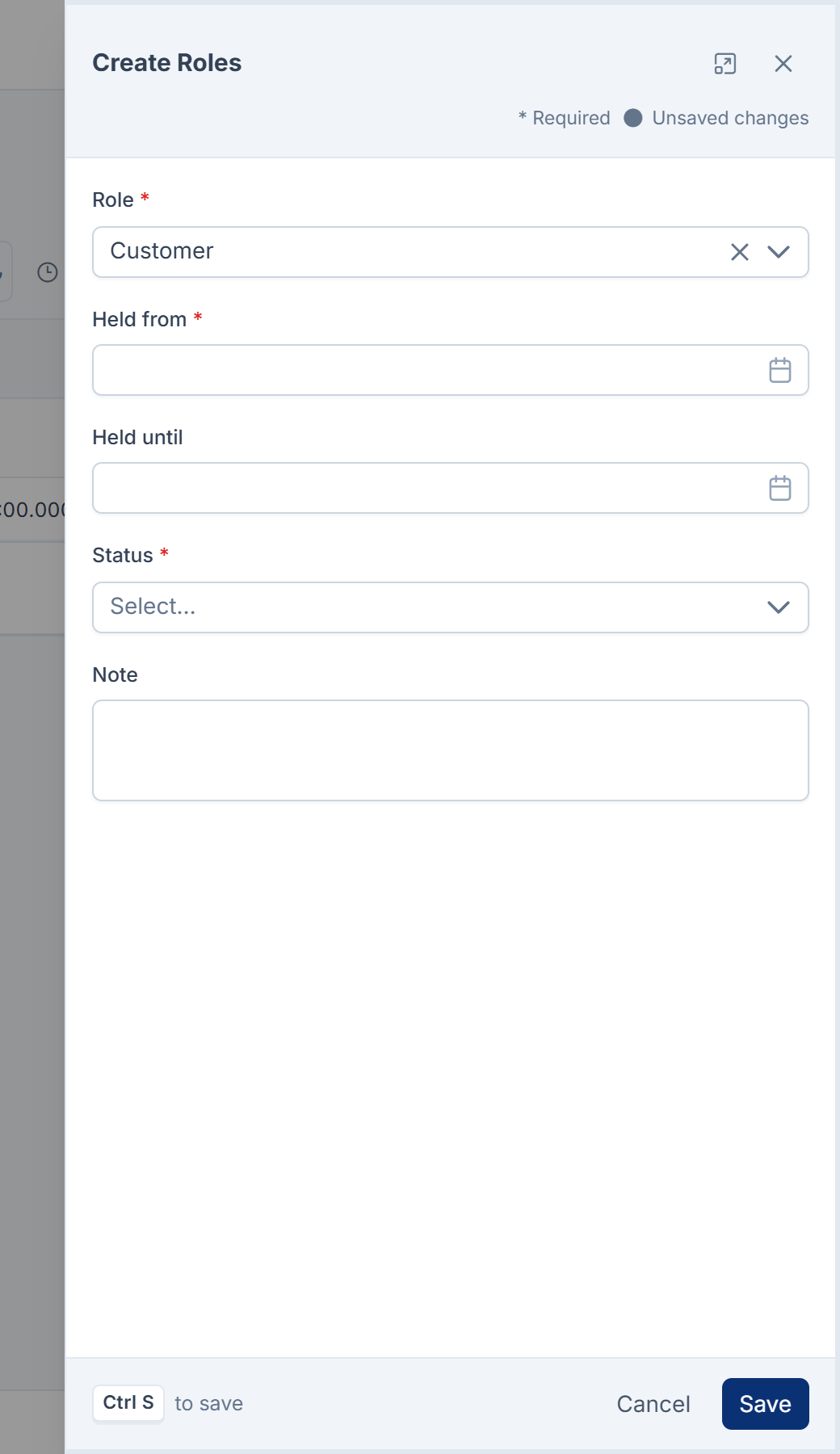
Select New Role.
-
Choose the Role. The list shows only roles that fit the party's type: Employee and Contractor, for example, are offered for people only.
-
Set Held from: the date the party started in this role.
-
If you already know when it ends, set Held until. Otherwise leave it empty: the role is ongoing.
-
Select Save.
Laramin says Role assigned. A new role always starts as Active, whatever Status shows on the form, and a Note typed here isn't kept. To add a note or change the status, edit the role after saving.
If the party already holds that role, ongoing, in your business, nothing new is created. If the dates overlap an earlier spell of the same role, Laramin says The role role already has an assignment covering that period (from to to). Close it first, or choose dates that do not overlap.
End a role
-
On the party's Roles screen, open the role's row actions menu and select End this role.
-
Laramin says This closes the role and keeps its history. The party will no longer hold it from today. Confirm.
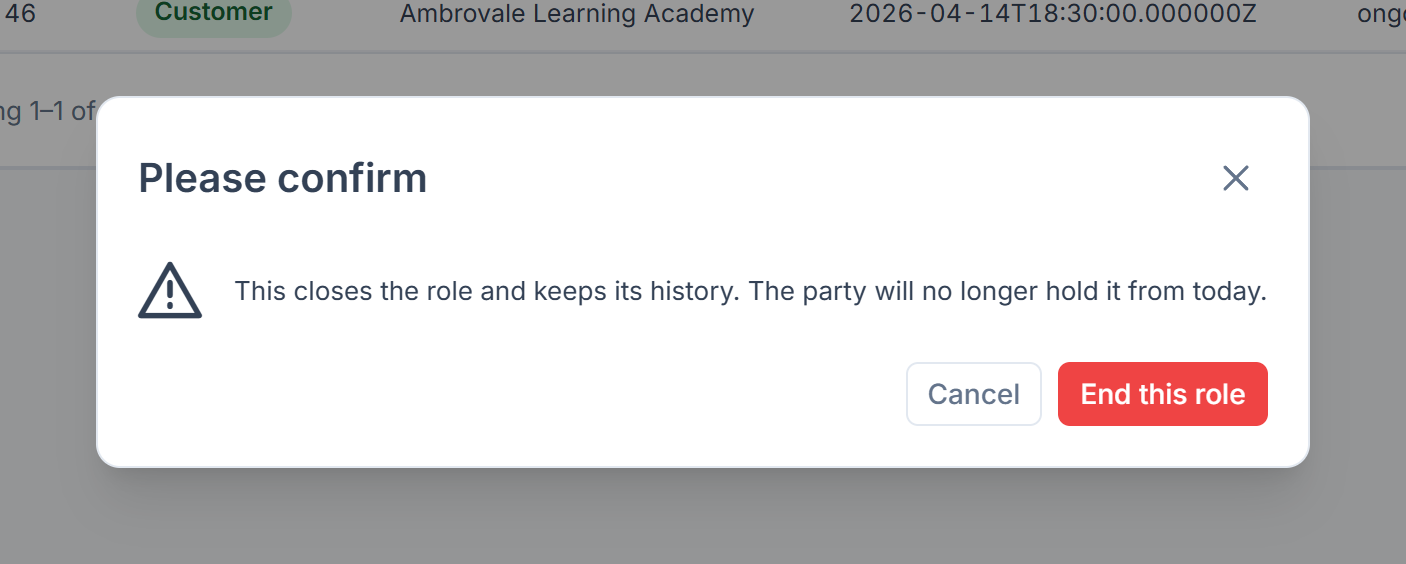
Laramin says Role ended. Its history is kept. The role's Held until is today and its Status is Ended.
You can only end a role that's current. On a role that has already ended, Laramin says This role is not currently held, so there is nothing to end.
Careful: Use End this role when someone stops being, say, a customer. Delete a role only when it was added by mistake: deleting removes it from the party's history.
To pause a role without ending it, edit it and set Status to Suspended.
What happens next
Current roles show as chips at the top of the party's Party 360, and every role, current and past, with its dates under What they are to us. Other add-ons read these roles too: Property CRM, for example, shows a client's Buyer or Seller roles.
The Roles screen and Party 360 show only the roles your business gave the party. Roles that other businesses on your Laramin gave it stay with those businesses. In All Workspaces, you see the roles of every business you can enter, and each one names its Business. To correct, end or delete a role, work in the business that gave it.
To see every role your Laramin offers, and which add-on registered it, open Organization › Roles & Relationships. A role whose add-on was removed shows as Retired: parties who hold it keep it, but nobody can be given it again. See Organization fields and options.
Thanks. That helps us decide what to write next.
Thanks for telling us what was missing.
You already answered for this article today. Thanks.
We got a lot of answers from your network just now. Try again in a few minutes.
We couldn't send that. Check your connection and try again.
Links in this article
Printed from help.bsscn.com. The online article may have changed since.