An application doesn't receive your content
A website or app gets "not found", 401 or 422, still shows the old version, or misses a field or a translation. Find which check fails and fix it.
- Applies to
- Headless CMS 1.0 and later
- Who can do this
- Administrator, Developer, Team member
- Permission
feature.hcms. api_explorer.view
On this page
Symptom
One of these:
- The application gets
404Not found. for content you can see in Headless CMS › Content. - It gets
401A valid API key is required. - It gets
422This query is not supported. - It still shows the old version after you published.
- A field, a translation or a linked entry is missing, or arrives as
null.
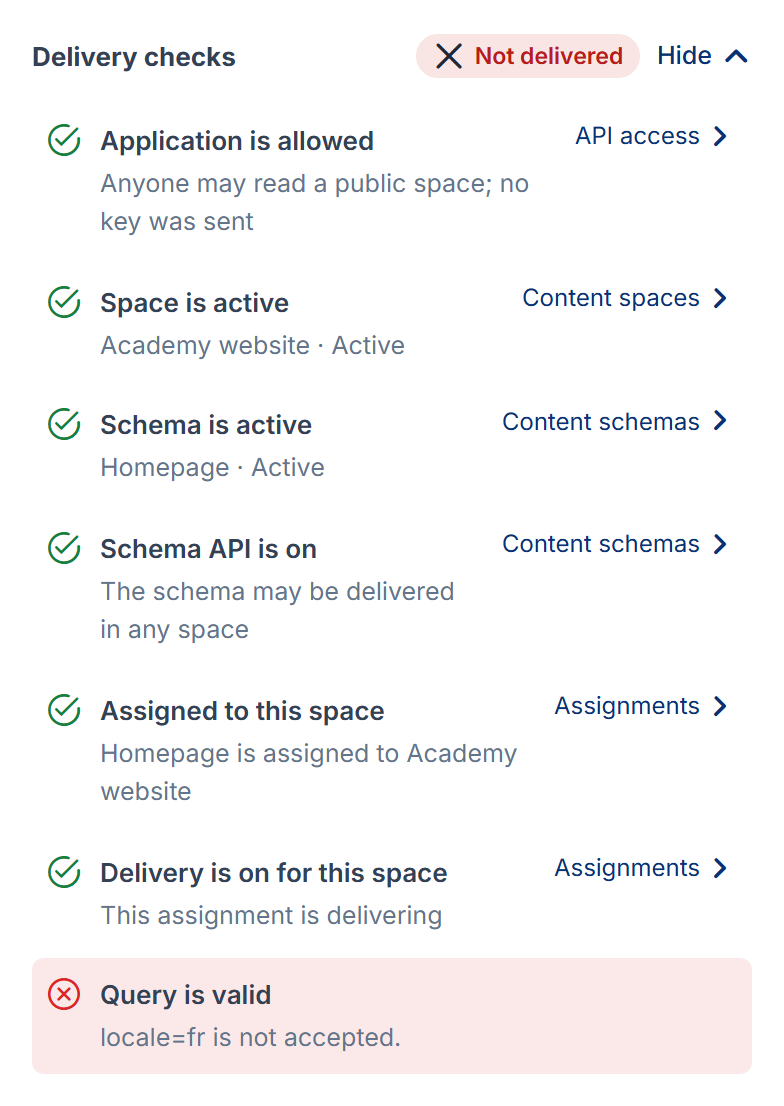
Start by running the same request in the API explorer, reading as that application. See See what an application receives in the API explorer. Its Delivery checks name the first check that fails, and Fix it opens the screen to change it.
Check these, in order
1. It gets "not found" (404)
Every hidden or missing thing gets the same 404, on purpose. Find the failing check in the explorer, or in the Assignments matrix for the space and schema:
| Failing check | Fix |
|---|---|
| Space is active | Open the space in Content spaces and select Activate. |
| Application is allowed | The space is Restricted, and the application isn't granted it or its access is off. Grant it, or turn it on, in API access. See Give an application access to a content space. |
| Schema is active | Open the schema in Content schemas and select Activate. |
| Schema API is on | Turn Delivery through the API on in the schema's Edit. |
| Assigned to this space | Assign the schema in Assignments, or restore it from the Removed view. |
| Delivery is on for this space | Open the cell in Assignments and switch Delivery on. |
| Published in this language (or falls back) | Publish the entry in that language, or publish the default language with fallback on. A Single that has never been published answers 404. |
| Shown on the channel | The entry is shown on chosen channels only, and the request asks for another, or names none. Add the channel under the entry's Shown on, or have the application send ?channel=. |
| The item exists | The address or public id in the request doesn't match a published entry. An address changed after publishing makes the old one answer 404. |
A granted application with a key also gets the reason in error.reason, such as assignment_, unless an administrator turned off Tell granted applications why something is hidden.
2. It gets 401
The space is Restricted, and the request has no key or an invalid one.
- Check that the application sends its key in
X-Api-KeyorAuthorization: Bearer. - In API access, check the grant's Key (from Core). Revoked, Off in Core or Removed in Core means the key or the application was stopped in Developer Tools › API Consumers. A revoked or rotated key stops working within a minute.
- A web page in a visitor's browser can't send a key. Read a Restricted space from a server, or make the space Public if its content is public anyway.
Fix: issue or rotate the key in API Consumers, and make sure the application is granted the space.
3. It gets 422
A query parameter isn't accepted. The explorer's Query is valid check names it, for example locale=fr is not accepted. Common causes:
- A language the space doesn't offer, a version that's retired, or a channel that's unknown or inactive.
per_pageabove the space's maximum page size (100 by default), or apagepast the last page.page,per_pageorsorton a Single or on one item.- An unknown or repeated parameter, or
includenaming a field that isn't a Reference. - The space refuses requests that name no channel, and the application has no default channel. Send
?channel=, set a default channel in API access, or change Requests that name no channel on the space's Settings tab.
4. It still shows the old version
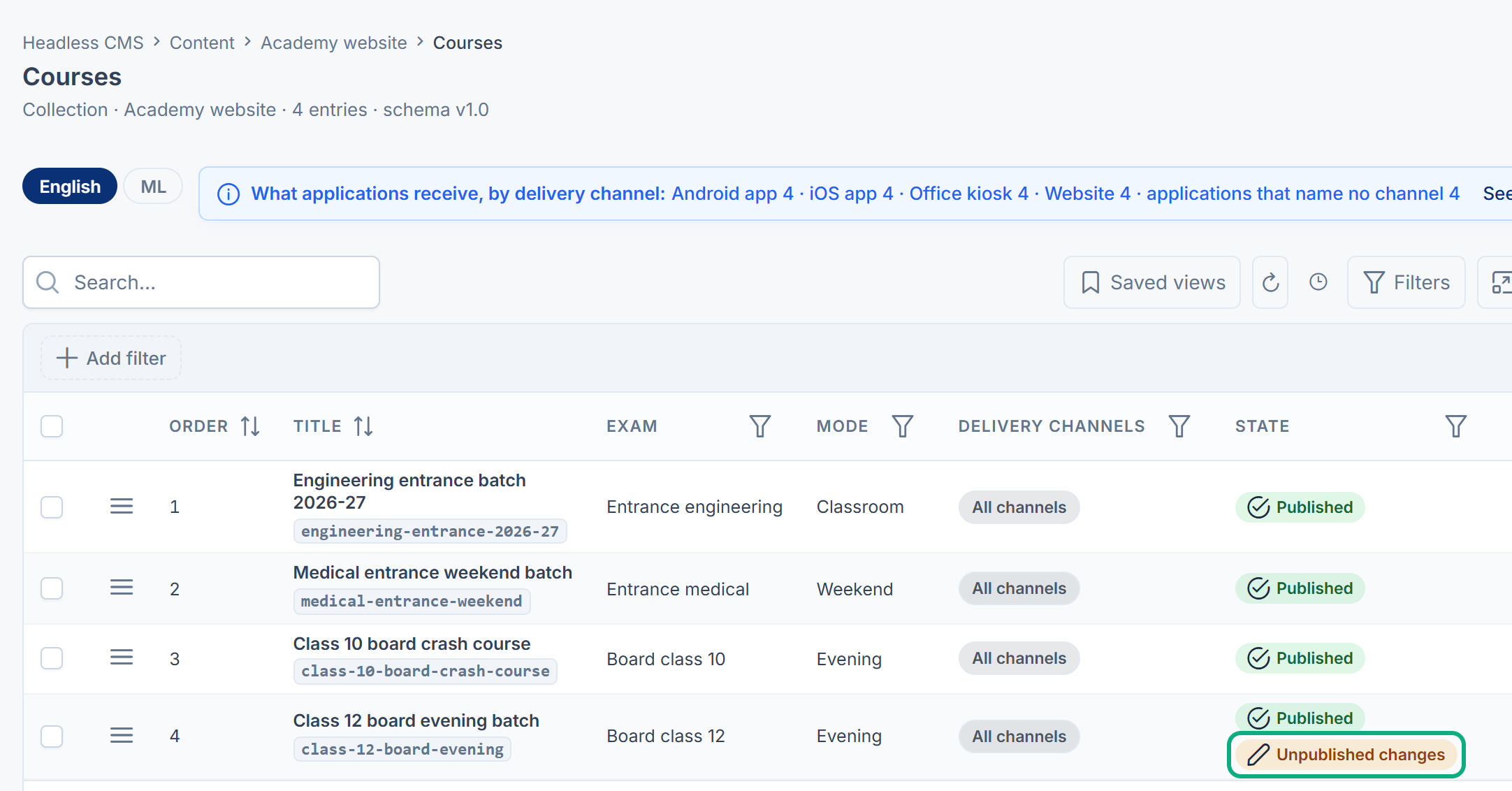
- The change isn't published. An entry showing Unpublished changes is still delivered as last published. Publish it.
- Only one language was published. Each language publishes on its own. Publish the language the application asks for.
- A cache is serving the previous answer. On a Public space, browsers and CDNs may keep the previous answer for up to the space's cache window, 6 minutes with the default settings. Wait, or lower Cache time and Serve while refreshing for the space. Restricted spaces aren't cached publicly.
5. A field is missing
- It's hidden or retired. On the schema's Fields tab, check Appears in. A field only on the editors' form is never sent.
- The application reads an older version. A field added since is in the latest version only. The response's
meta.says a newer one is served. Move the application in API access. See How schema changes and versions keep applications working.newer_version - It was stopped. A field stopped with Stop sending a field now… is sent by no version.
- It's empty in that language. With fallback on, an empty translatable field receives the default language's value only while the default language is published.
6. A linked entry arrives as null or as a stub
- A Reference field is sent as
{ "id", "slug", "type" }unless the request names it in?include=. - A linked entry that isn't delivered to the same caller, for example unpublished, in the trash, or its schema not delivered in that space, arrives as
null.
7. Your public website's pages show nothing
The website reads the space chosen in Configurations › Security › Public website, under Content space. Only Public, active spaces can be chosen there, and the same checks apply. Check that the right space is chosen and that its entries are published. See Choose what your website's home page shows.
Still not working?
Raise a ticket from Support Center in your Laramin app. Include this page's link, the space and schema keys, the request's address and status, meta.request_id from the response if there is one, and what the API explorer's Delivery checks show. Don't include API keys.
Thanks. That helps us decide what to write next.
Thanks for telling us what was missing.
You already answered for this article today. Thanks.
We got a lot of answers from your network just now. Try again in a few minutes.
We couldn't send that. Check your connection and try again.
Links in this article
Printed from help.bsscn.com. The online article may have changed since.