Billing records and their statuses
The columns, panels and statuses of Billing Accounts, Orders, Invoices, Credit Notes and the Ledger, and what moves a record from one status to the next.
- Applies to
- Billing 2.0 and later
- Who can do this
- Administrator, Team member
On this page
These five lists are read only. Each needs its own list permission to open and view to open a record, such as feature. and feature.. Every amount is shown with its currency code, such as 11800.00 INR.
In All Workspaces, each list also has a Business column showing whose record it is. It's hidden while you work in one business. See Customize list columns.
Billing Accounts
Billing › Billing Accounts. One customer, as one business bills them. The same customer can have an account with each of your businesses.
| Column or field | Shows |
|---|---|
| Legal Name | The customer's legal name. Searchable. |
| The billing email. Searchable. | |
| Country | The customer's country code, such as IN. Decides the tax rule. |
| State | On the account's page. With the country, decides the tax rule. |
| Tax ID and Tax ID Type | The customer's tax registration, such as their GSTIN. Printed on invoices under Bill To. |
| Currency | The account's currency. |
| Status | Active or Closed. |
| Address Line 1, Address Line 2, City, Postcode | On the account's page, under Address. |
| Reference | The account's permanent reference, on its page. |
The page groups these into Identity, Tax Details and Address.
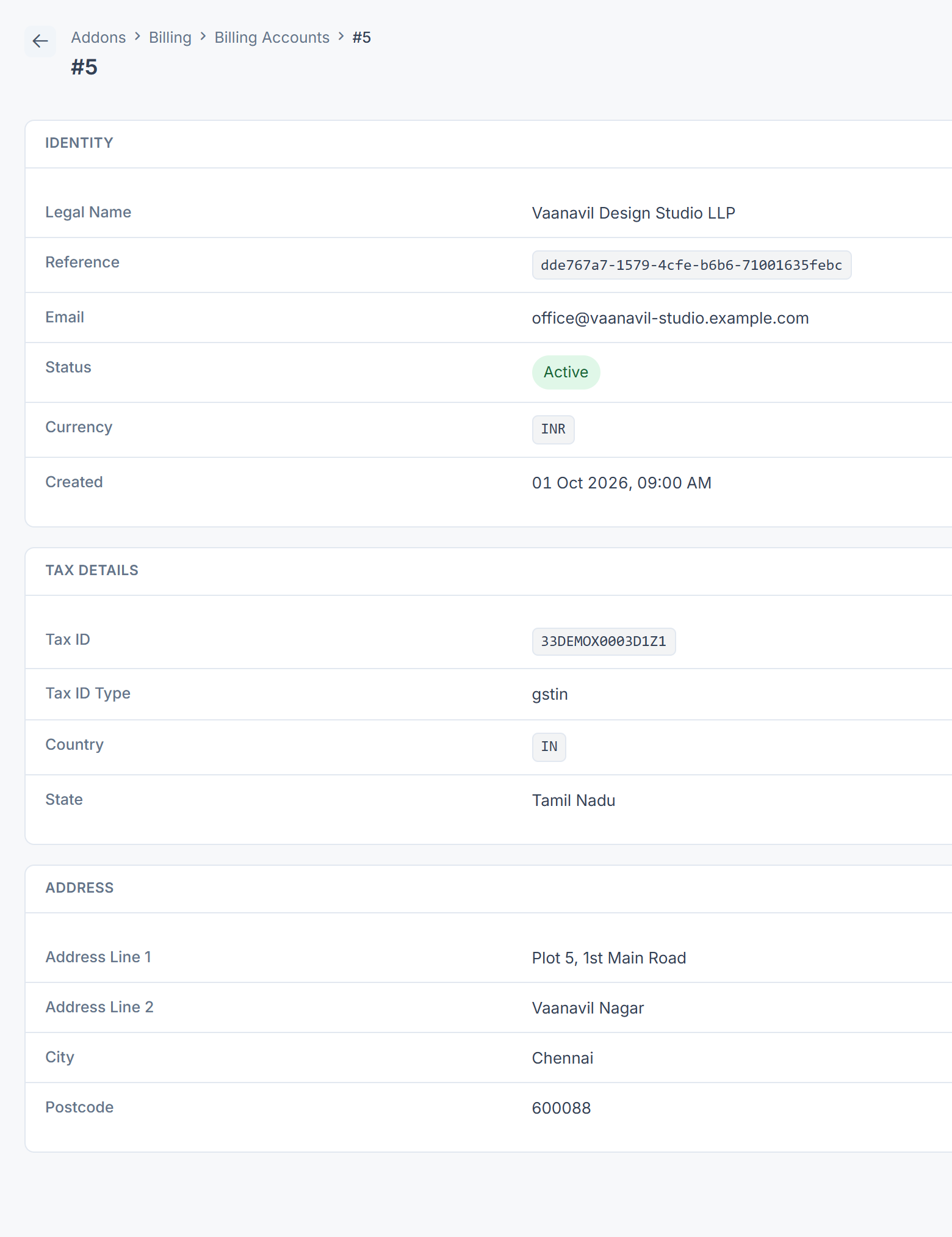
An account can't be edited on screen. Each invoice keeps its own copy of the customer's details from when it was created, so changing the account wouldn't change those invoices anyway.
Orders
Billing › Orders. What a customer agreed to buy, at the prices they agreed.
| Column or field | Shows |
|---|---|
| Reference | The order's permanent reference. Searchable. |
| Customer | The billing account's legal name, or Unknown account. |
| Status | See below. |
| Total | The order total, including tax. The page also shows Subtotal and Tax. |
| Placed | When the order was created. |
| Status | Means |
|---|---|
| Draft | Every order starts here. |
| Placed | Not used by Billing 2.0.0. |
| Paid | The invoices raised for this order have been paid or credited in full. Billing sets this by itself. |
| Cancelled | Not used by Billing 2.0.0. |
In Billing 2.0.0 nothing raises an invoice for an order, so orders, including those CRM raises from accepted quotes, stay Draft.
Invoices
Billing › Invoices.
| Column or field | Shows |
|---|---|
| Number | The invoice number, such as INV-2026-000042, or Not issued for a draft. Searchable. |
| Customer | The billing account's legal name, or Unknown account. |
| Status | See below. |
| Total | The invoice total, including tax. |
| Balance | What's still owed: total minus paid minus credited. |
| Issued | When it was issued. Empty for a draft. |
| Due | When payment is due. Empty if there's no due date. |
| Paid, Credited, Subtotal, Tax | On the invoice's page, under Amounts. |
| Reference | The invoice's permanent reference, on its page. |
| Status | Means | Moves on when |
|---|---|---|
| Draft | Created by an add-on and not yet demanded. No number, can't be paid. | Someone selects Issue. |
| Issued | Sent, with its number, and waiting for payment. | A payment or credit arrives, the due date passes, or it's voided. |
| Partially Paid | Some money has arrived. | The rest is paid or credited, or the due date passes. |
| Overdue | The due date and any grace days have passed with a balance left. | The balance is paid or credited. |
| Paid | Nothing is owed, and money was received. | It doesn't. |
| Void | Canceled before any money arrived. Its number stays used. | It doesn't. |
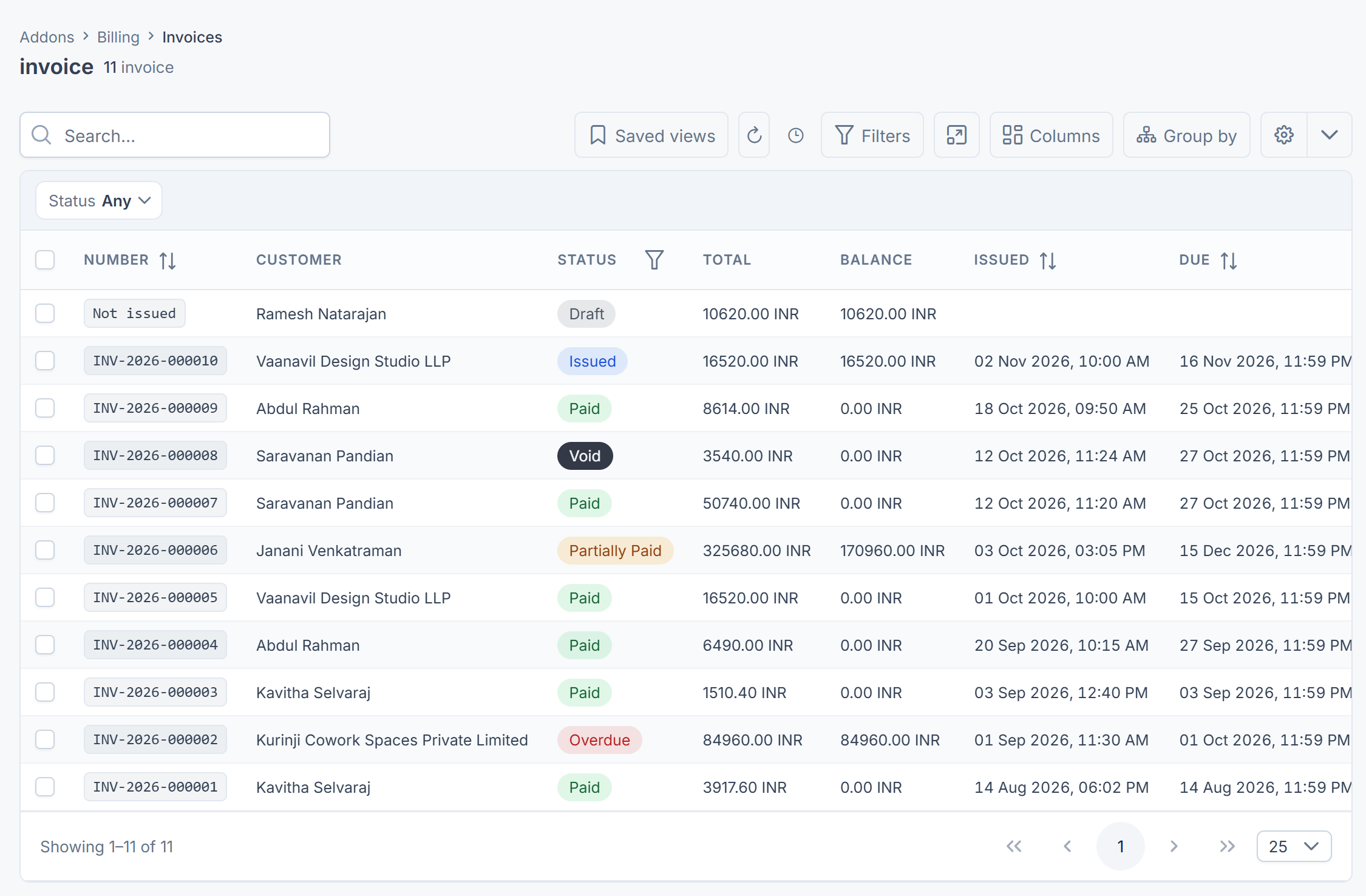
An invoice closed by credit notes with no money received gets the status credited, which the list shows without a label and can't filter on. Billing 2.0.0 also has an uncollectible status, which has no label or filter either.
Credit Notes
Billing › Credit Notes. Each one gives back part or all of one issued invoice. See Correct, credit or void an invoice.
| Column or field | Shows |
|---|---|
| Reference | The credit note's permanent reference. Searchable. |
| Invoice | The number of the invoice it credits. |
| Customer | The billing account's legal name. |
| Amount | How much it gives back. |
| Refund To | Where the money is meant to go: Payment Gateway (back to the customer through the gateway) or Account Credit (kept as credit on their account). |
| Reason | Why it was issued. Searchable. |
| Issued | When it was issued. |
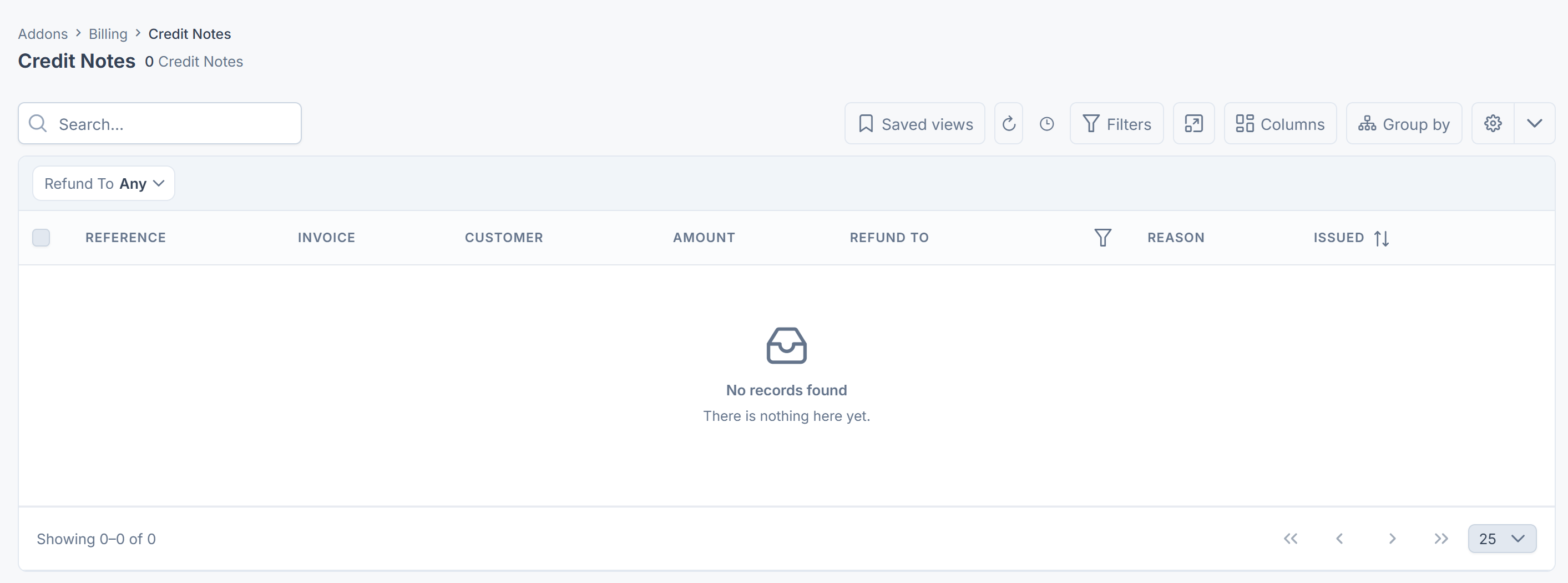
Credit notes are numbered in their own series, such as CN-2026-000001. In Billing 2.0.0 the number isn't shown on the list or the page.
Ledger
Billing › Ledger. Every invoice issued, payment received and credit note, per customer, newest first. Entries are never changed or removed.
| Column or field | Shows |
|---|---|
| Date | When it happened. |
| Customer | The billing account's legal name. |
| Entry Type | See below. |
| Amount | The amount the entry records. A credit note's is negative. |
| Correlation ID | Links the entry to its document or payment. Search on an invoice's Reference to find its entries. |
| Reference, Document | On the entry's page: its own reference, and the kind of document it records. |
| Entry Type | Amount |
|---|---|
| Invoice Issued | The invoice total, positive. |
| Payment Received | The payment, positive. |
| Credit Note Issued | The credit, negative. |
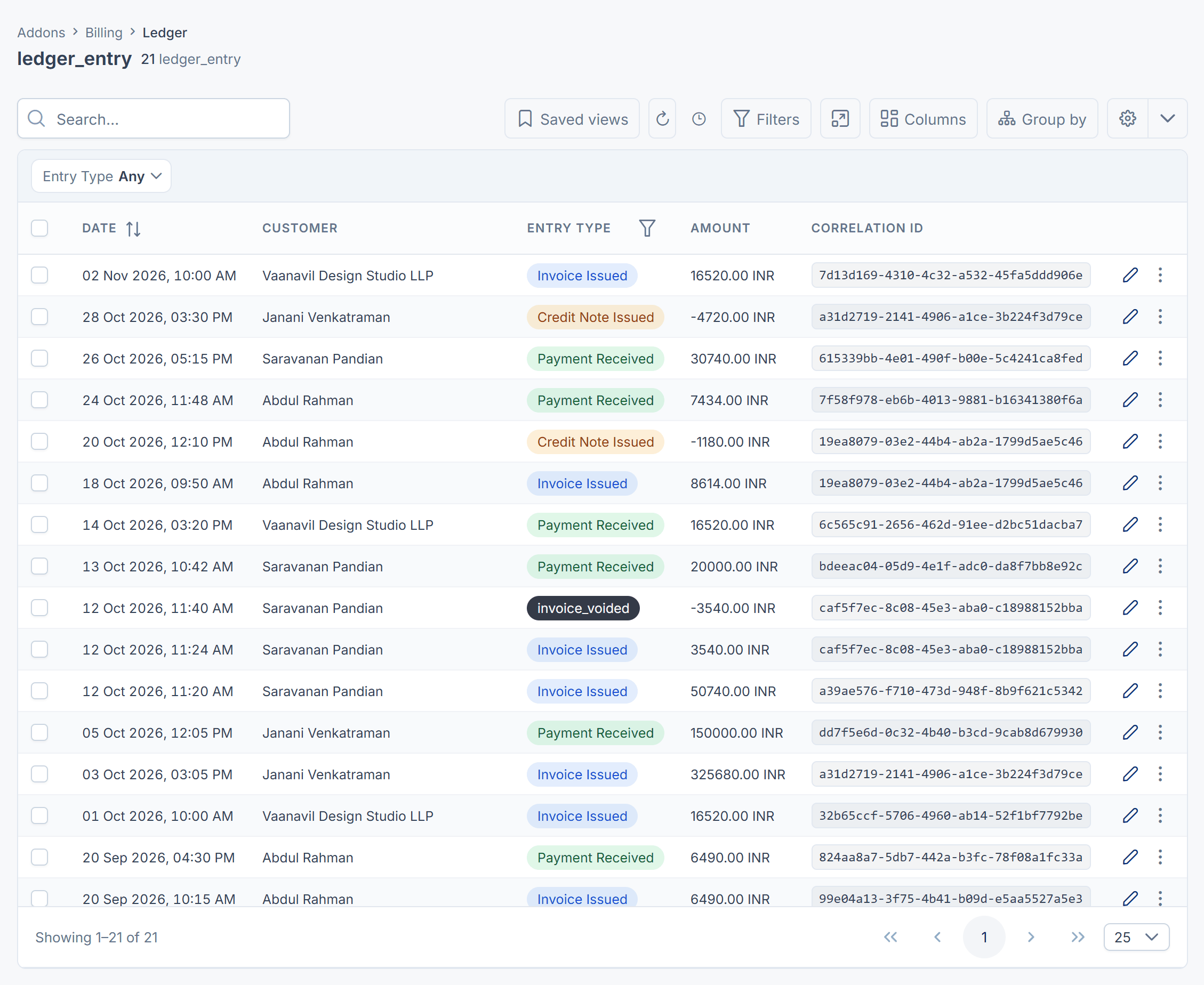
[Confirm: a payment is recorded as a positive amount, like an invoice, while a credit note is negative, so adding up a customer's entries doesn't give what they owe. Use each invoice's Balance for that.]
Entries for a voided invoice (invoice_voided) and for account credit (financial_, financial_) show their raw names and aren't in the Entry Type filter.
Thanks. That helps us decide what to write next.
Thanks for telling us what was missing.
You already answered for this article today. Thanks.
We got a lot of answers from your network just now. Try again in a few minutes.
We couldn't send that. Check your connection and try again.
Links in this article
Printed from help.bsscn.com. The online article may have changed since.