Change your password
Choose a new password from Profile › Password. Laramin signs you out of every other session when you save.
- Applies to
- Core 12.0 and later
- Who can do this
- Administrator, Team member
- Where
- Account menu › Password & security
On this page
Before you start
- Know your current password. If you have forgotten it, sign out and use Forgot your password? on the Sign-In screen instead.
Steps
- In the header, select your avatar to open the account menu.
- Select Password & security. The Profile hub opens on the Password section.
- In Current Password, enter your current password.
- In New Password, enter a new password. To have Laramin make one for you, select Generate, then select Copy and store it in your password manager.
- In Confirm New Password, enter the new password again. Generate fills in both fields for you.
- Check that every rule is met:
- At least 8 characters
- One uppercase letter
- One lowercase letter
- One number
- One special character
- Select Update Password.
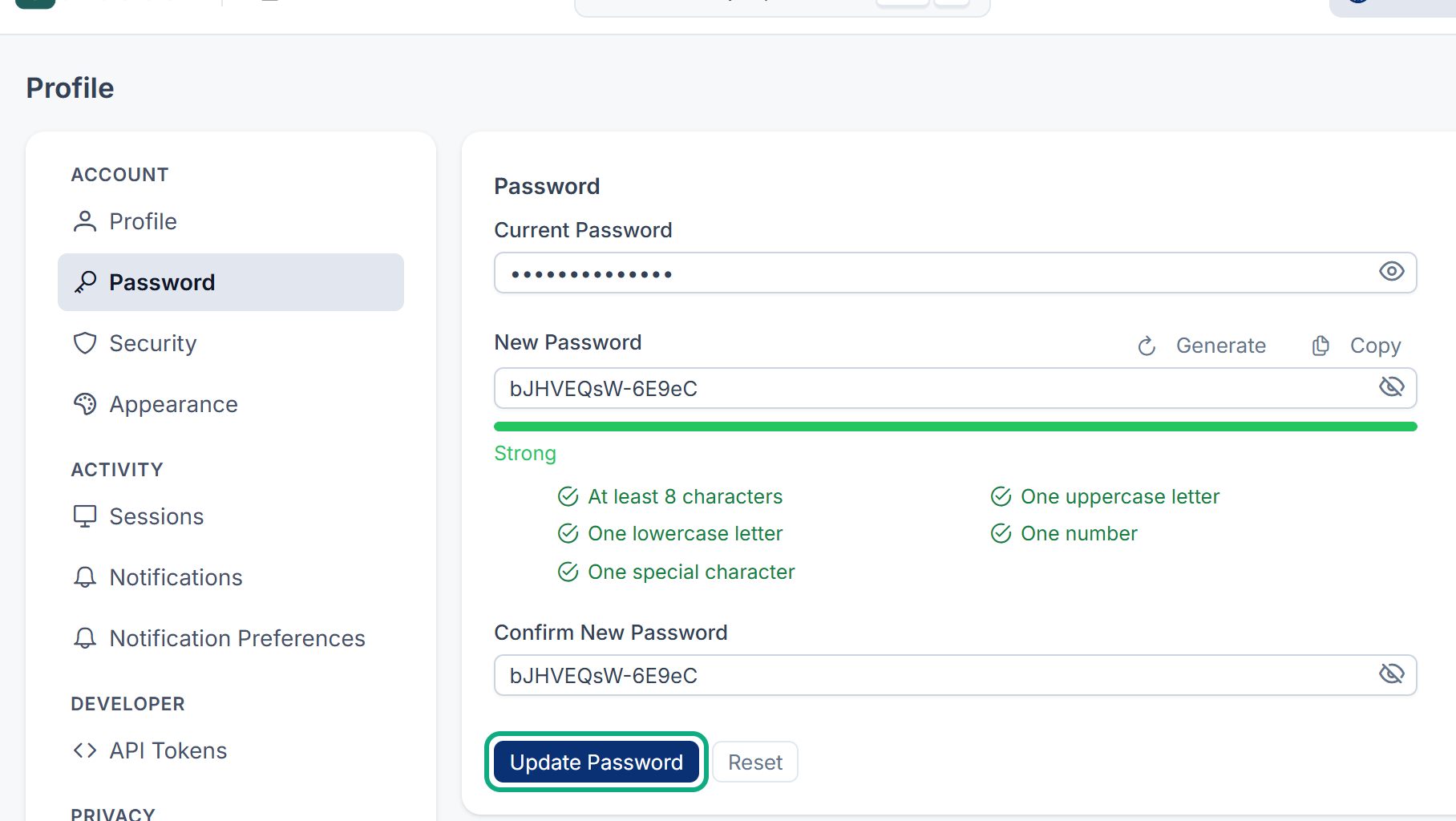
The new password must be different from your current one. To clear the form and start again, select Reset.
What happens next
You see "Your password has been updated successfully and all other active sessions have been logged out." You stay signed in on this browser. Everywhere else, you need to sign in again with the new password, the mobile app included. Your personal API tokens stop working too: create new ones for your scripts and integrations. See Manage personal API tokens.
Tip: Changing your password doesn't remove your trusted devices. If you think someone else knows your password, also revoke your other trusted devices. See Sign out of other sessions and devices.
Thanks. That helps us decide what to write next.
Thanks for telling us what was missing.
You already answered for this article today. Thanks.
We got a lot of answers from your network just now. Try again in a few minutes.
We couldn't send that. Check your connection and try again.
Links in this article
Printed from help.bsscn.com. The online article may have changed since.