How saved views work
A saved view is a named arrangement of a list, with its filters, sort, columns and display settings. Learn what a view keeps, who can see it, and how your default view works.
- Applies to
- Core 12.0 and later
- Who can do this
- Administrator, Team member
On this page
In short
A saved view is a list arranged the way you want it, with a name. It keeps the filters, sort, columns and display settings you had on screen when you saved it. You can keep a view to yourself or share it with everyone who can open the list. Every person picks their own default view.
How it works
What a view keeps
When you save a view, Laramin stores:
- the filters, including an advanced "and / or" filter
- the sort column and its direction
- which columns are shown, their order and their widths
- whether the first column and the actions column are frozen
- the number of rows per page
- the display settings: density, striped rows, gridlines, row detail, grouping and filter style
A view does not keep the text in the search box. It also doesn't keep whether you were looking at Active or Trashed records.
Your working layout and your saved views
You don't have to save a view to keep a layout. Each list remembers how you last left it (the columns, widths, density and so on) in your browser. That layout is per list and per browser. If you sign in on another device, or clear your browser's site data, the list opens with its standard layout.
A saved view is stored in Laramin itself, so it is there on any device. You can apply it again, share it, or land on it by default.
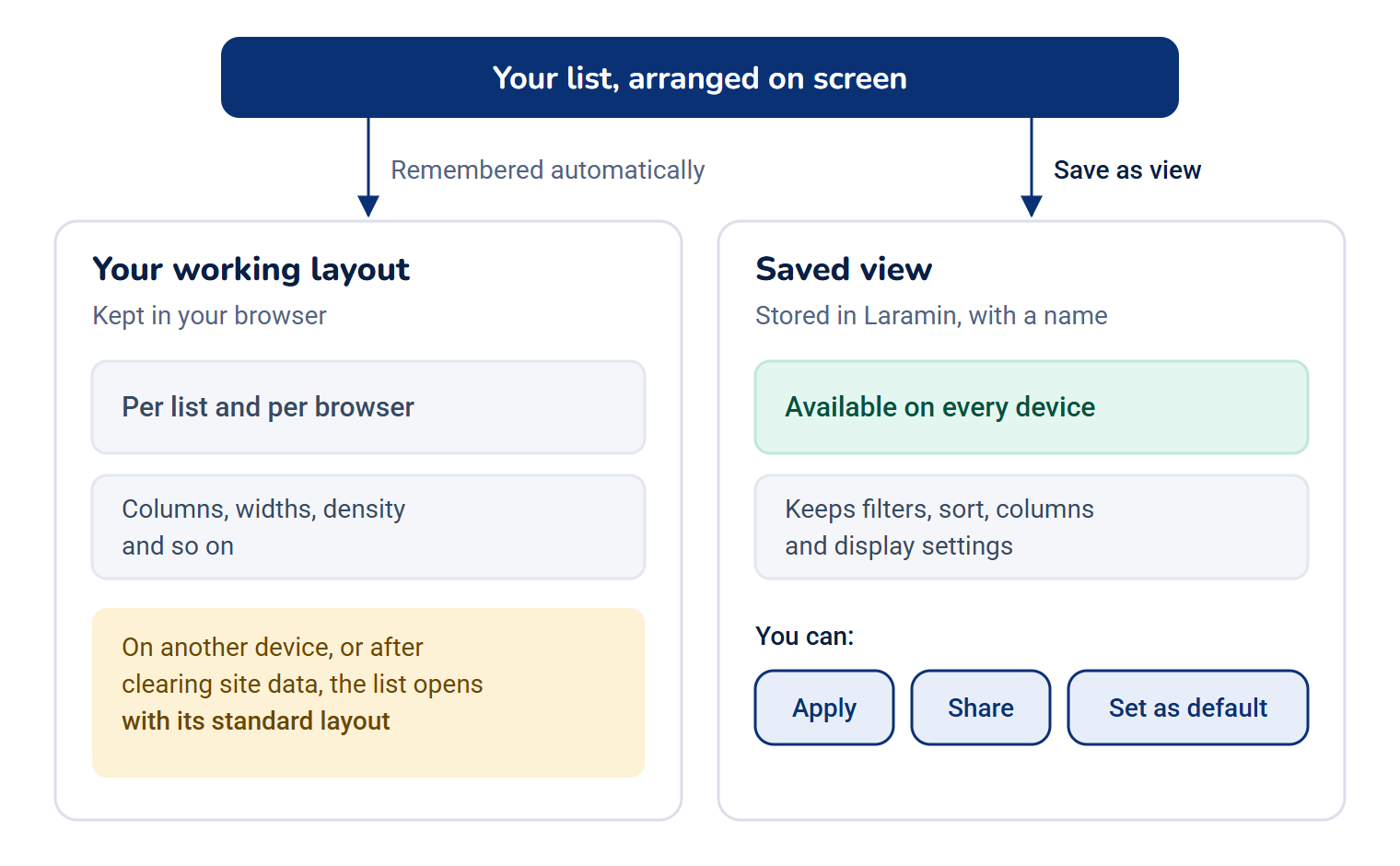
Three kinds of view
Open the view picker (the button with a bookmark icon, showing the current view's name) to see the views in groups:
| Group | What it holds | Who can change it |
|---|---|---|
| System | Views a module ships with. Their names show in your language. | Nobody, from the list |
| My views | Views you saved. A view you've shared carries a Shared badge. | You |
| Shared with me | Views a colleague shared. The owner's name shows beside each one. | Only the person who created it |
A shared view is read-only for everyone except its creator. If you try to overwrite one, the save dialog says Only its creator can change a shared view.
Modified views
After you apply a saved view, changing anything on screen marks the view Modified. That includes a change in the display settings, not just a filter. The views strip then offers Reset, which puts the saved version back, and Save as view, which keeps your changes as a new view. Your saved view stays as it was until you update it.
Counts on the views strip
Each view in the strip shows how many records its filters match. The counts load just after the list's rows, so they can take a moment to appear.
Defaults are personal
Your default view is the one a list opens on for you. It belongs to you, not to the view: you can make a colleague's shared view your default without changing it for anyone else. When nobody has set a default, the list opens on all records.
If a view is deleted, everyone who used it as their default goes back to all records. Before you delete a view that other people land on, its menu tells you how many people that is, for example 2 people land on this view. They will fall back to all records.
Example
On Configurations › Master Settings › Locations › Countries, you filter on Status is Inactive, sort by Name and hide the Phone Code column. You save that as "Inactive countries" and make it your default. From then on, the Countries list opens on your inactive countries, on any device. Your colleagues still see all countries.
How it relates to
- Filters: a view stores the filter that is running. See Filter a list.
- Columns and display settings: see Customize the columns in a list.
- Links to a filtered list: a filtered list also keeps its filter in the page address, so you can bookmark it. A filter that is too long for the address can only be kept as a saved view.
Next steps
Thanks. That helps us decide what to write next.
Thanks for telling us what was missing.
You already answered for this article today. Thanks.
We got a lot of answers from your network just now. Try again in a few minutes.
We couldn't send that. Check your connection and try again.
Links in this article
Printed from help.bsscn.com. The online article may have changed since.