Social Login providers, settings and permissions
Every provider Social Login offers, with its key, credentials and what it supports. Also the provider form and list, deleting and restoring providers, the related settings, and the permissions.
- Applies to
- Social Login 2.0 and later
- Who can do this
- Platform owner, Administrator
- Where
- Social Login (Platform Administration)
On this page
The providers
The Provider Key is part of the callback address, https://<your Laramin's address>.
| Provider | Provider Key | Credentials | Vouches for the email address | From a mobile app |
|---|---|---|---|---|
google | Client ID, Client Secret, iOS Client ID, Android Client ID | Yes | Phone's browser, or Google's own sign-in | |
| Apple | apple | Client ID, Team ID, Key ID, Private Key (.p8), iOS Client ID | Yes | Phone's browser, or Apple's own sign-in |
facebook | Client ID, Client Secret | No | Phone's browser | |
| GitHub | github | Client ID, Client Secret | Yes | Phone's browser |
| GitLab | gitlab | Client ID, Client Secret | Yes | Phone's browser |
| Bitbucket | bitbucket | Client ID, Client Secret | Yes | Phone's browser |
| LinkedIn (OpenID Connect) | linkedin-openid | Client ID, Client Secret | Yes | Phone's browser |
linkedin | Client ID, Client Secret | Yes | Phone's browser | |
| Slack (OpenID Connect) | slack-openid | Client ID, Client Secret | Yes | Phone's browser |
| Slack | slack | Client ID, Client Secret | Yes | Phone's browser |
| Twitch | twitch | Client ID, Client Secret | Yes | Phone's browser |
| X | x | Client ID, Client Secret | No | Phone's browser |
| Twitter (OAuth 2) | twitter-oauth-2 | Client ID, Client Secret | No | Phone's browser |
| Twitter (OAuth 1.0a) | twitter | Consumer Key, Consumer Secret | Yes | Not supported |
Every provider except Twitter (OAuth 1.0a) also has Scopes: leave it empty for the standard set, which asks for the person's basic profile and email address.
- Vouches for the email address: whether a sign-in may be linked to an existing account with the same email address, and whether a new account's address counts as verified. See How social sign-in works.
- Google, Facebook and LinkedIn are on the list from the start, Inactive, under the keys
Google,FacebookandLinkedin. - If Apple isn't offered under Provider Key, ask whoever runs your server to install the
socialiteproviders/package.apple
The provider form
Social Login › Social Login Providers, then a row's Edit.
| Tab | Field | What it does |
|---|---|---|
| Provider Details | Logo | The image on the sign-in button. Required. |
| Provider Details | Provider Key | The provider. Can't be changed after the provider is added, because linked accounts and the callback address depend on it. |
| Provider Details | Display Name | The text on the sign-in button. Empty shows the Provider Key. Up to 100 characters. |
| Provider Details | Status | Active shows the button once every required credential is filled in. Inactive hides it and refuses sign-ins with this provider. A provider is always added Inactive. |
| Provider Details | Credentials | The provider's own fields, from the table above. Secrets are never shown again after saving: leave a secret empty to keep it. |
| How to Config? | Setup steps for the provider, read-only. |
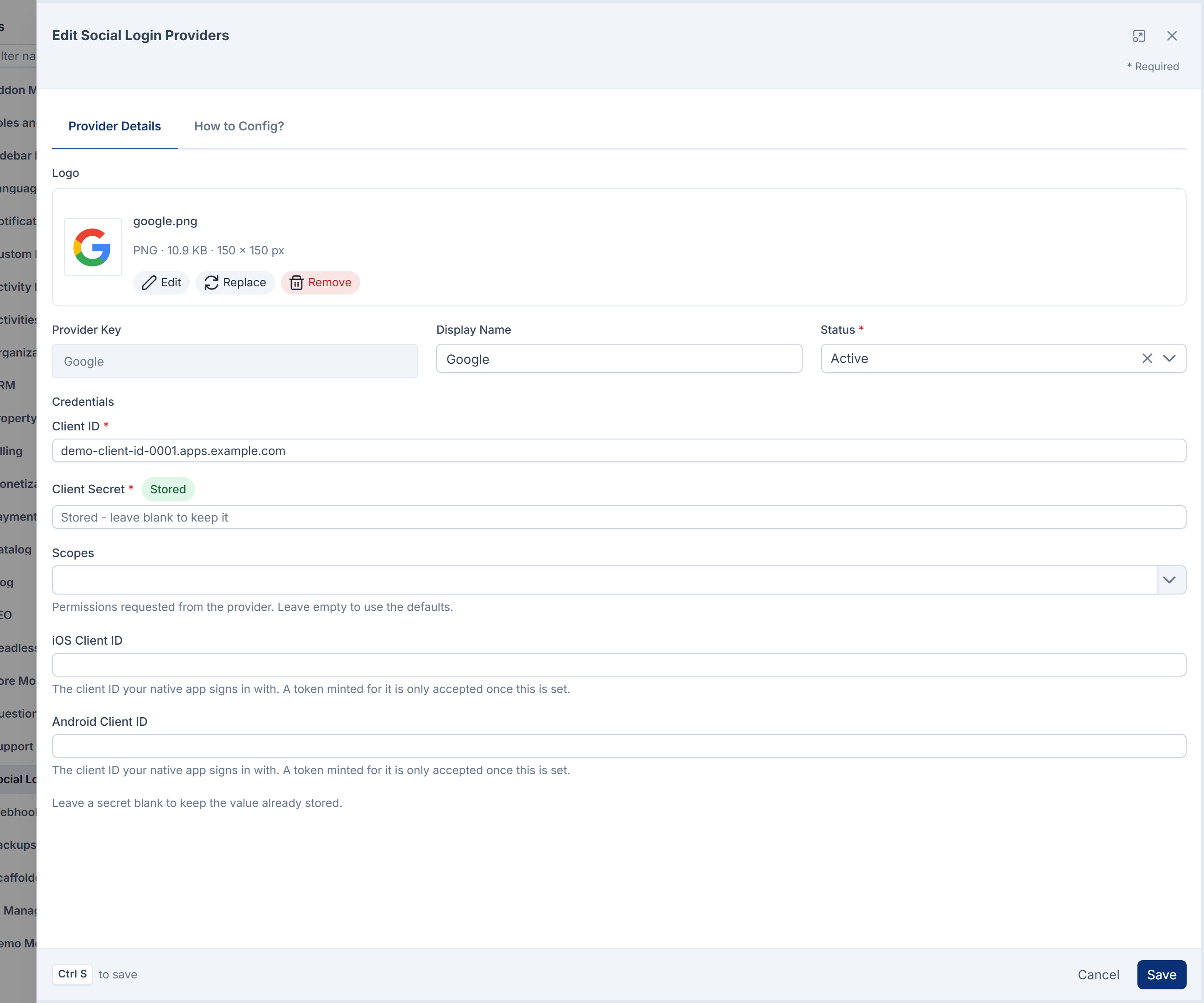
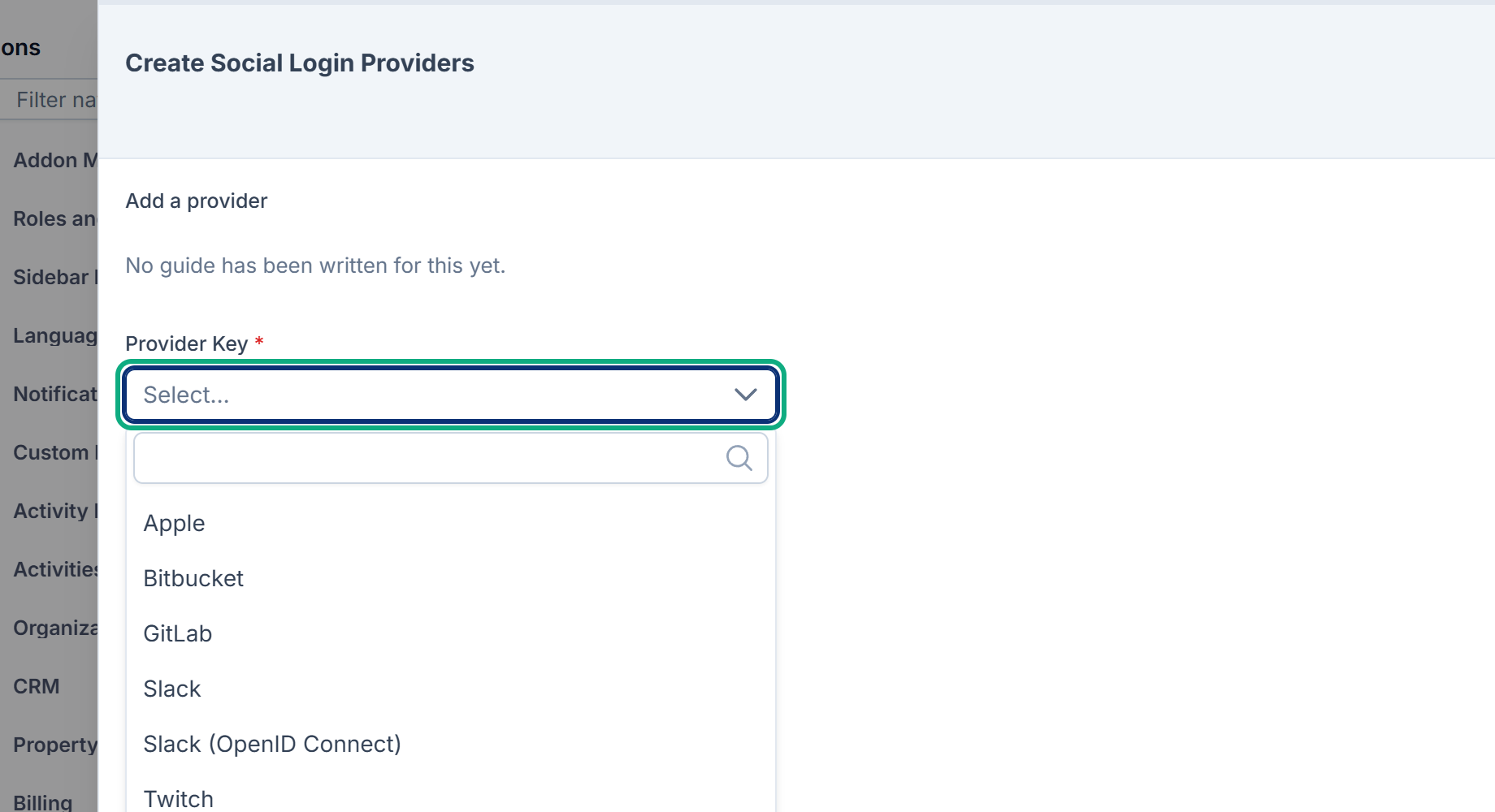
When you add a provider with New Social Login Provider, the form only asks for the Provider Key. Everything else is filled in from the provider, and you complete it with Edit.
The list
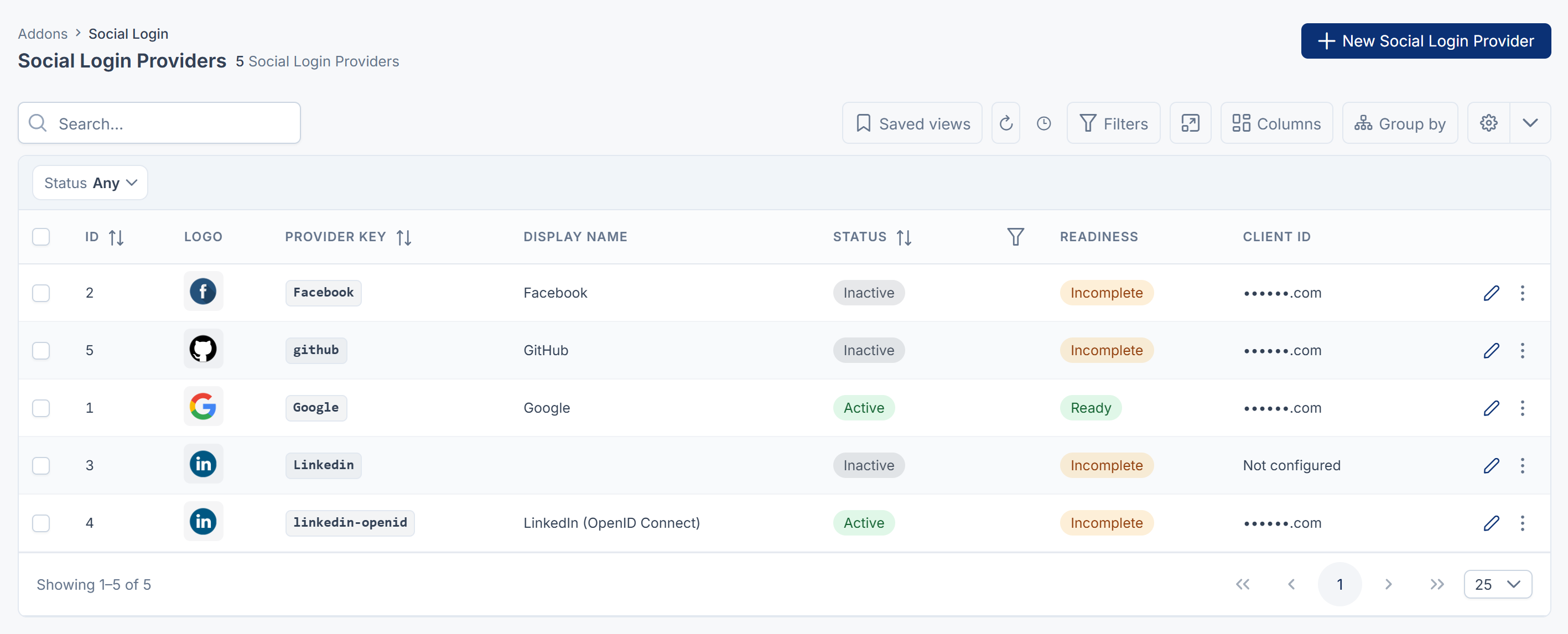
| Column | What it shows |
|---|---|
| Provider Key | The provider. Opens the provider. |
| Status | Active or Inactive. Filterable. |
| Readiness | Ready: active and complete, so its button shows. Incomplete: a required credential is missing. Needs attention: the provider's code isn't installed on this Laramin, so it can't sign anyone in. The form then shows Driver unavailable, and keeps the stored credentials. |
| Client ID | The last four characters of the client ID, or Not configured. Exports to CSV show the same. |
Deleting and restoring
- Delete moves a provider to the trash. Its button disappears and its sign-ins stop. Accounts linked to it stay linked.
- Restore brings it back from the trash, with its credentials.
- Delete forever removes it with its credentials, after you type its Provider Key to confirm. It isn't offered while any account signs in with that provider, and the server refuses it too: "Google cannot be permanently removed: 3 account(s) sign in with it."
A provider in the trash isn't offered under New Social Login Provider. Restore it instead.
Related settings
| Setting | Where | Effect |
|---|---|---|
| Allow public registration | Configurations › Security › Security Settings | Lets a first social sign-in from the website or admin create an account. Off to start with. |
| Allow mobile app sign-up | Configurations › Security › Security Settings | Lets a first social sign-in from your mobile app create an account. Off to start with. |
Whoever runs your server can also set credentials in the server's configuration, as services. and so on. A value there is used when the matching field is empty. The mobile settings are in Social sign-in from a mobile app.
Permissions
In the role editor, they're under Social Login.
| Permission | Label | Allows |
|---|---|---|
feature. | List Provider | Opening Social Login and its list. |
feature. | View Provider | Opening a provider. |
feature. | Create Provider | New Social Login Provider. |
feature. | Edit Provider | Changing credentials, the logo, the display name and the status. |
feature. | Delete Provider | Moving providers to the trash. |
feature. | Restore Provider | Bringing them back. |
feature. | Remove Provider | Deleting them permanently. |
Careful: Edit Provider decides who can sign in to your Laramin and through which outside accounts. Give it only to people you'd trust with your sign-in page.
To give these permissions, see Give someone a role.
Thanks. That helps us decide what to write next.
Thanks for telling us what was missing.
You already answered for this article today. Thanks.
We got a lot of answers from your network just now. Try again in a few minutes.
We couldn't send that. Check your connection and try again.
Links in this article
Printed from help.bsscn.com. The online article may have changed since.