A redirect doesn't work
Visitors still reach the old address, land on the wrong page, or Laramin won't save the redirect. Find the cause and fix it.
- Applies to
- SEO 1.1 and later
- Who can do this
- Platform owner, Administrator
- Permission
feature.seo. redirect.list - Where
- SEO › Redirects
On this page
Symptom
One of these:
- You added a redirect, but the old address still shows the old page, or a "page not found" page.
- The old address sends visitors to the wrong place.
- Laramin won't save or restore a redirect.
Check these, in order
1. The redirect isn't active
In SEO › Redirects, find the redirect. Use the search box with part of the old path.
- Status must be Active. Inactive redirects aren't sent to your website.
- If it isn't in the list, open the Trashed view. A retired redirect does nothing until you restore it.
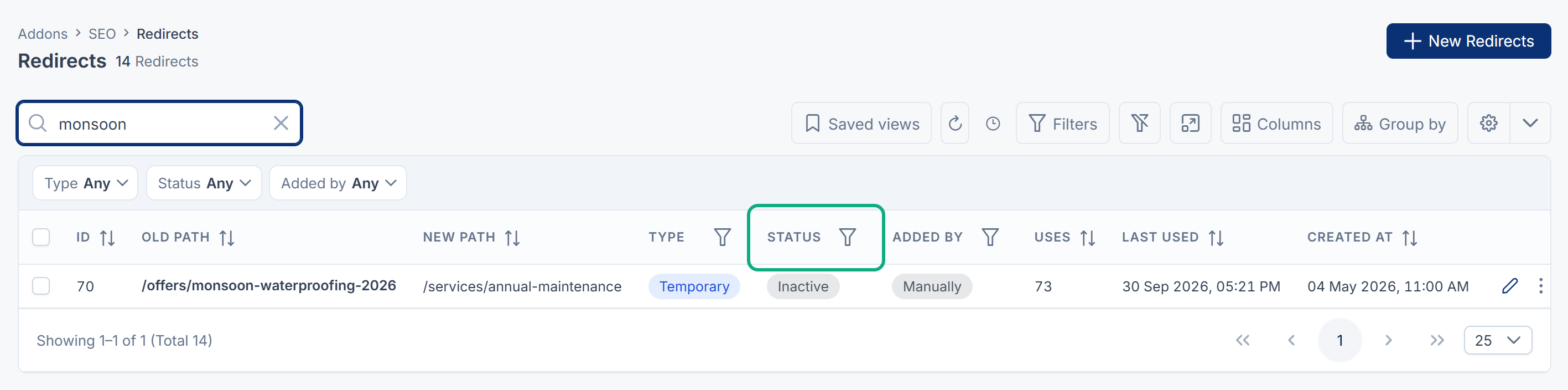
Fix: Edit it and set Status to Active, or restore it. See Add a redirect.
2. The path doesn't match the address visitors use
Laramin saves paths without the domain, query string, trailing slash and language prefix. Check that Old path is the part of the address after the domain and language, for example /blog/old-title for https://www.example.com.
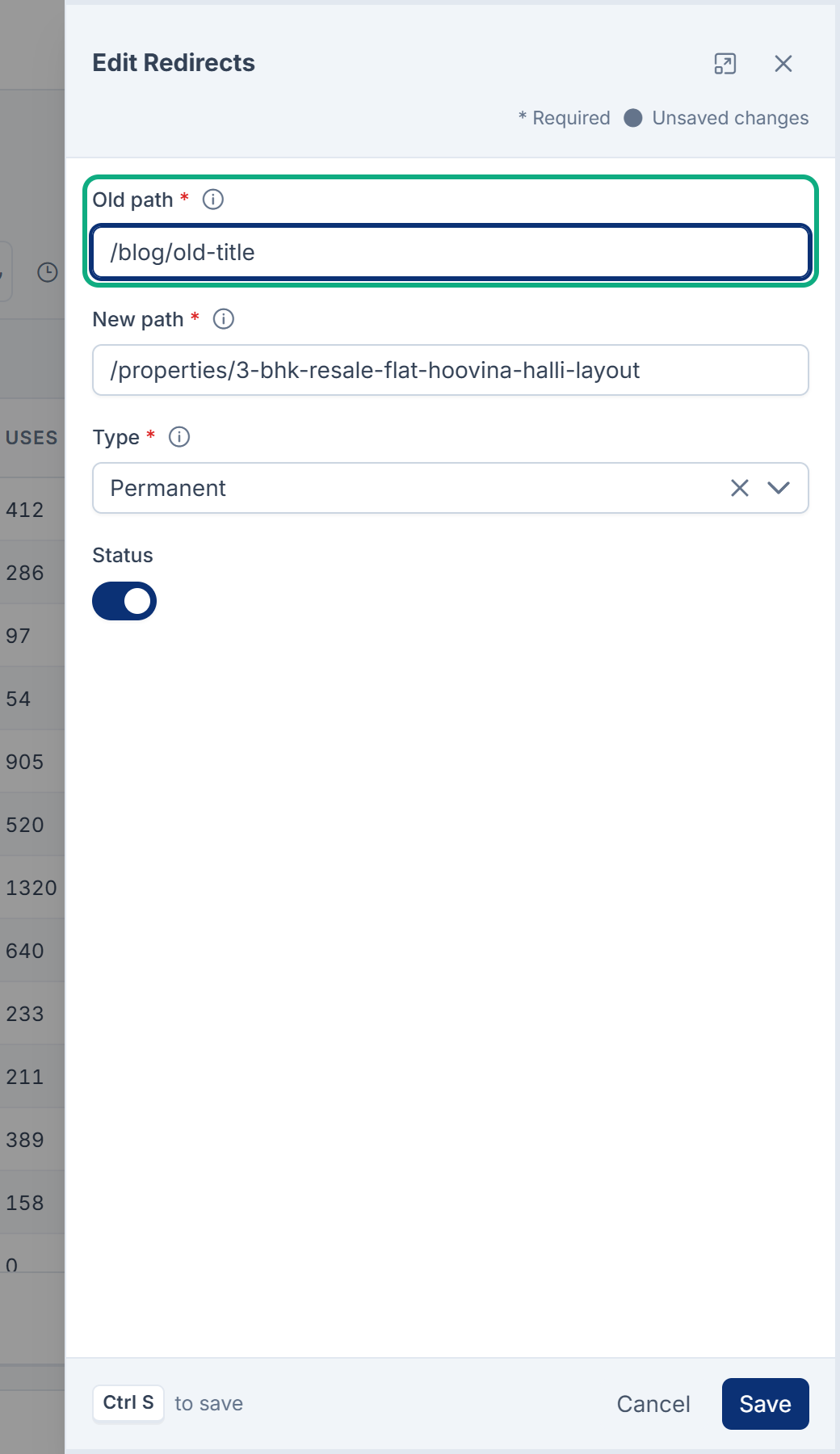
Fix: Edit Old path so it matches.
3. The new path was cut short
New path is always a path on your own site. If you entered another website's address, only its path was kept, so visitors land on that path on your own site.
Fix: Edit New path. To send visitors to another website, ask whoever runs your website to do it there.
4. Your website hasn't picked it up
SEO doesn't redirect anyone itself. Your website reads the active redirects from your Laramin and does the redirecting. A new redirect works only after your website reads the list again.
- Ask whoever runs your website whether it reads redirects from your Laramin, and how often.
- Your website gets up to 5,000 active redirects at a time. With more, it must ask for them in batches, or the newest ones may be missed. Retire redirects you no longer need.
- SEO must be turned on. While it's off, your website gets no redirects. See Disable or delete an add-on.
5. Laramin won't save or restore it
| Message | What to do |
|---|---|
| Another live redirect already starts from this path. | A redirect from the same path exists, maybe inactive. Edit that one instead. |
| This would send visitors round in a circle. Following the existing rules from the new path leads back to the old one. | Point New path at the final page, or retire the redirect that leads back. |
Uses and Last used stay empty
Uses and Last used are meant to show how often a redirect is followed, so you can retire unused ones. In SEO 1.2.0, nothing counts redirect use, so Uses stays at 0 and Last used stays empty for every redirect. Don't retire a redirect because of these columns.
Still not working?
Raise a ticket from Support Center in your Laramin app. Include this page's link, the old and new paths, the full address you visited, and what you saw.
Thanks. That helps us decide what to write next.
Thanks for telling us what was missing.
You already answered for this article today. Thanks.
We got a lot of answers from your network just now. Try again in a few minutes.
We couldn't send that. Check your connection and try again.
Links in this article
Printed from help.bsscn.com. The online article may have changed since.