Grant a product credit
Give one customer extra units of a feature, such as 500 API calls or three extra seats, with an optional expiry, then correct, track or revoke it.
- Applies to
- Monetization 3.0 and later
- Who can do this
- Administrator, Team member
- Permission
feature.mon. product_credit. create - Where
- Monetization › Product credits
On this page
A product credit gives one customer extra units of a feature on top of their plan, for example as a goodwill gesture after an outage. It's measured in the feature's units, never in money. To give money back, use Billing instead. See Correct, credit or void an invoice.
Credits belong to the business that grants them. A customer with credits from two of your businesses never sees them added together.
In Monetization 3.0.0 nothing in your Laramin spends product credits, and they don't raise a customer's feature limits. They're recorded, can expire and can be revoked, and take effect only when another add-on or your own integration uses them.
Before you start
- You need
feature.. Correcting a credit needsmon. product_credit. create feature., and revoking needsmon. product_credit.edit feature..mon. product_credit. revoke - Switch to the business the customer bought from. You can't grant credits in All Workspaces. See Switch workspace.
- Find the customer's Account reference on their subscription, under Monetization › Subscriptions, and the feature's Slug under Monetization › Features.
Grant a credit
-
Go to Monetization › Product credits.
-
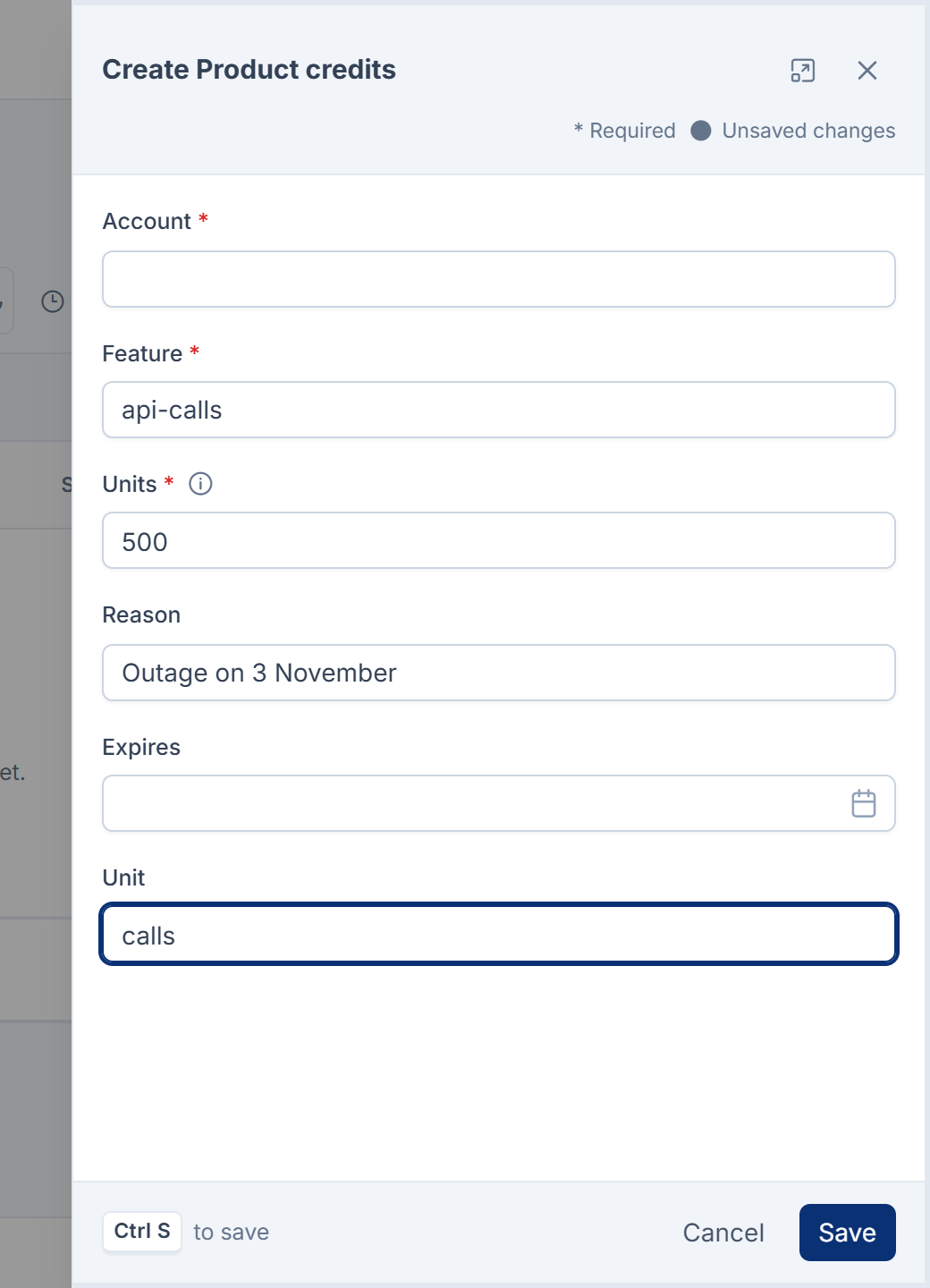
Select New Product credit.
-
In Account, enter the customer's account reference.
-
In Feature, enter the feature's slug, such as
api-calls. -
In Units, enter how many units to give, 1 or more.
-
In Reason, enter why, such as
Outage on 3 November. -
Optional: set Expires. It must be in the future. Leave it empty for a credit that doesn't expire.
-
Optional: in Unit, enter what the units are, such as
calls. -
Select Save.
You see Credit granted. Account and Feature are stored as you type them and aren't checked, so copy them exactly.
Track a credit
The list shows each credit's Remaining units and its Status:
| Status | Means |
|---|---|
| Active | Units are left to use. |
| Spent | All units have been used. |
| Expired | Expires has passed. What was left can't be used. |
| Revoked | Someone withdrew it. What was left can't be used. |
A credit is unusable from the moment it expires. The daily task mon:expire- then marks it Expired and sets Remaining to 0.
Correct a credit
You can change a credit's Reason, Expires and Unit. Select Edit on its row, make the change and select Save. You see Credit updated. An expired credit can still be edited, for example to fix its reason.
The units given can't be changed. To give a different number, revoke the credit and grant a new one, so both stay on the record.
In Monetization 3.0.0 the edit form also shows Account and Feature, but changes to them aren't saved.
Revoke a credit
-
In the credit's row, select Revoke.
-
In Reason, enter why.
-
Read Withdraw the unspent remainder of this credit? Units already used are not reclaimed. and confirm.
The credit becomes Revoked and Remaining goes to 0. Units the customer already used stay used.
In Monetization 3.0.0 the reason you give when revoking is stored but not shown on the credit afterwards. The Reason column keeps showing the reason the credit was granted for.
Credits can't be deleted. A revoked or expired one stays on the list as a record.
Thanks. That helps us decide what to write next.
Thanks for telling us what was missing.
You already answered for this article today. Thanks.
We got a lot of answers from your network just now. Try again in a few minutes.
We couldn't send that. Check your connection and try again.
Links in this article
Printed from help.bsscn.com. The online article may have changed since.