Writers can't find the Blog, or can't submit or publish
A writer has no Blog menu, their draft has no Submit for review, a workflow step is refused, or the row actions look wrong. Find the cause and give them what they need.
- Applies to
- Blog 2.3 and later
- Who can do this
- Administrator, Team member
- Permission
feature.rbac. assignment.edit - Where
- Blog › Articles
On this page
Symptom
One of these:
- A writer has no Blog menu.
- Their draft has no Submit for review, or no workflow actions at all.
- A step is refused with You do not have permission to move this article to … or An article cannot move from … to ….
- A reviewer sees Approve and publish but it's refused.
- Approve and publish and Publish now both show, or Unpublish shows on an article that was never live.
Check these, in order
1. They have no menu to reach it
The Blog menu is only in the Platform Administration sidebar. Someone who works in another experience, such as Administration, has no menu item for it, even with the right permissions. The screens themselves work for them, for example at https://crm.example.com.
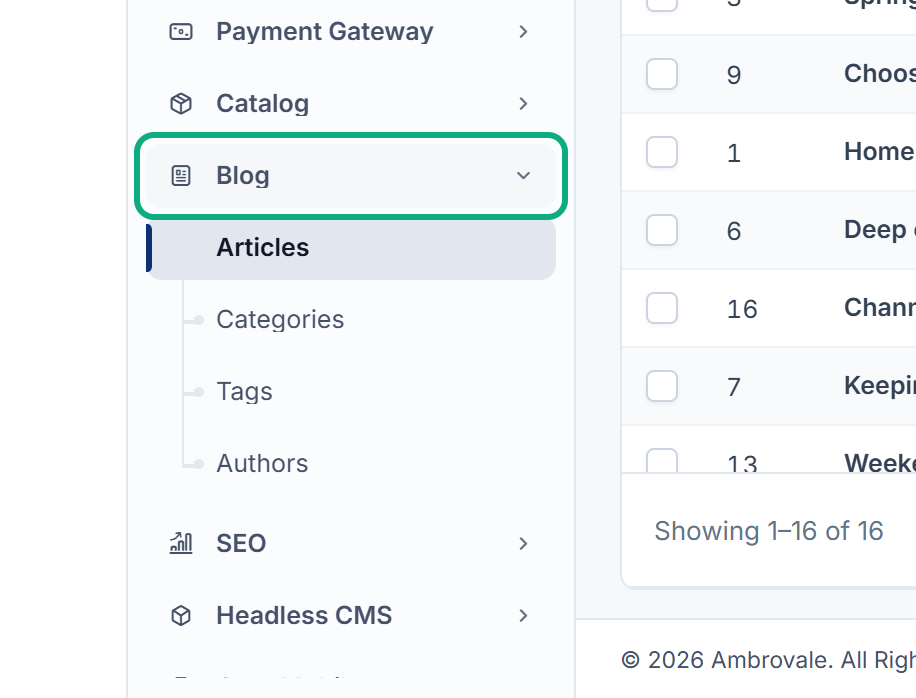
Fix: Add the Blog screens they need to their experience's sidebar with Menu Manager. See Add or change a sidebar item. For menus that are missing in general, see A menu or screen is missing, or the menu is empty.
2. Their role has no Blog permissions
Core's Administrator role gets the permissions of the add-ons that were there when it was first set up. If Blog was installed later, the role has none of Blog's permissions. See You see "This action is unauthorized." or Access Denied for how a platform owner can refill it.
Fix: Add the Blog permissions they need to their role. See Blog settings and permissions and Give someone a role.
3. The writer can only edit their own articles
With Edit Post (Own) and not Edit Post, a writer can change their own articles on the form, but gets no workflow actions: Submit for review needs Edit Post itself.
Fix: Give them Edit Post (feature.), or have an editor submit their articles for review.
4. A step needs its own permission, plus Edit Post
You do not have permission to move this article to … means the person lacks that step's permission:
| Step | Permission |
|---|---|
| Submit for review, and taking an article back to Draft before it's live | Edit Post |
| Approve and publish | Approve Post |
| Reject | Reject Post |
| Schedule | Schedule Post |
| Publish now | Publish Post |
| Unpublish a live article | Unpublish Post |
| Archive | Archive Post |
Every step also needs Edit Post. A reviewer with Approve Post but not Edit Post still sees Approve and publish, but it's refused.
Fix: Give the step's permission, and Edit Post. See Review and publish an article. If the person only sees This action is unauthorized., see You see "This action is unauthorized." or Access Denied.
5. That move doesn't exist
An article cannot move from … to …. means the workflow has no such step. For example, a published article can't be scheduled, and an archived article can't be published straight away.
Fix: Select Unpublish to bring the article back to Draft first, then schedule or publish it.
6. The actions look wrong, but are safe
- Approve and publish and Publish now can both show on the same article. Both publish it straight away.
- Unpublish shows on articles that are Pending Review, In Review, Rejected or Scheduled. Its message talks about taking the article off the site, but on an article that was never live it only takes it back to Draft.
Still not working?
Raise a ticket from Support Center in your Laramin app. Include this page's link, the article's title and status, the person's roles, and the exact message.
Thanks. That helps us decide what to write next.
Thanks for telling us what was missing.
You already answered for this article today. Thanks.
We got a lot of answers from your network just now. Try again in a few minutes.
We couldn't send that. Check your connection and try again.
Links in this article
Printed from help.bsscn.com. The online article may have changed since.