Register an API consumer and issue its key
Give a website, app or integration its own key in Developer Tools › API Consumers: add it, issue the key, rotate or revoke it, and know how it differs from the platform API key.
- Applies to
- Core 12.7 and later
- Who can do this
- Platform owner, Administrator, Developer
- Permission
feature.core. consumer. create - Where
- Developer Tools › API Consumers
On this page
An API consumer is an application your Laramin knows by name: your website, a mobile app, a partner's system. Giving each one its own key means you can see which one is calling, stop one without stopping the others, and let modules such as Headless CMS decide what each may read.
Before you start
- You need Create API Consumer (
feature.) to add a consumer and Edit API Consumer (core. consumer. create feature.) to issue, rotate or revoke its key. List API Consumer (core. consumer.edit feature.) shows the list.core. consumer.list - Developer Tools › API Consumers is only in the super admin sidebar. Other people with these permissions open it at
/admin/consumer.
Add the consumer
-
Open Developer Tools › API Consumers.
-
Add a consumer and fill in:
Field What to enter Key A short identifier, such as company-website. Letters, digits,.,_and-, up to 64 characters, and different from every other consumer's. It isn't secret: it's how the consumer is named in other screens and in theX-Consumerheader.Name What people see, such as "Company website". Surface api,mobileorweb: the kind of application it is. It's recorded for reference and doesn't change what the key opens.Registered hosts Only for a website that calls from visitors' browsers: its domains, such as www.example.com. Leave it empty for anything else.Active On. Turning it off stops the consumer at once, key and all. 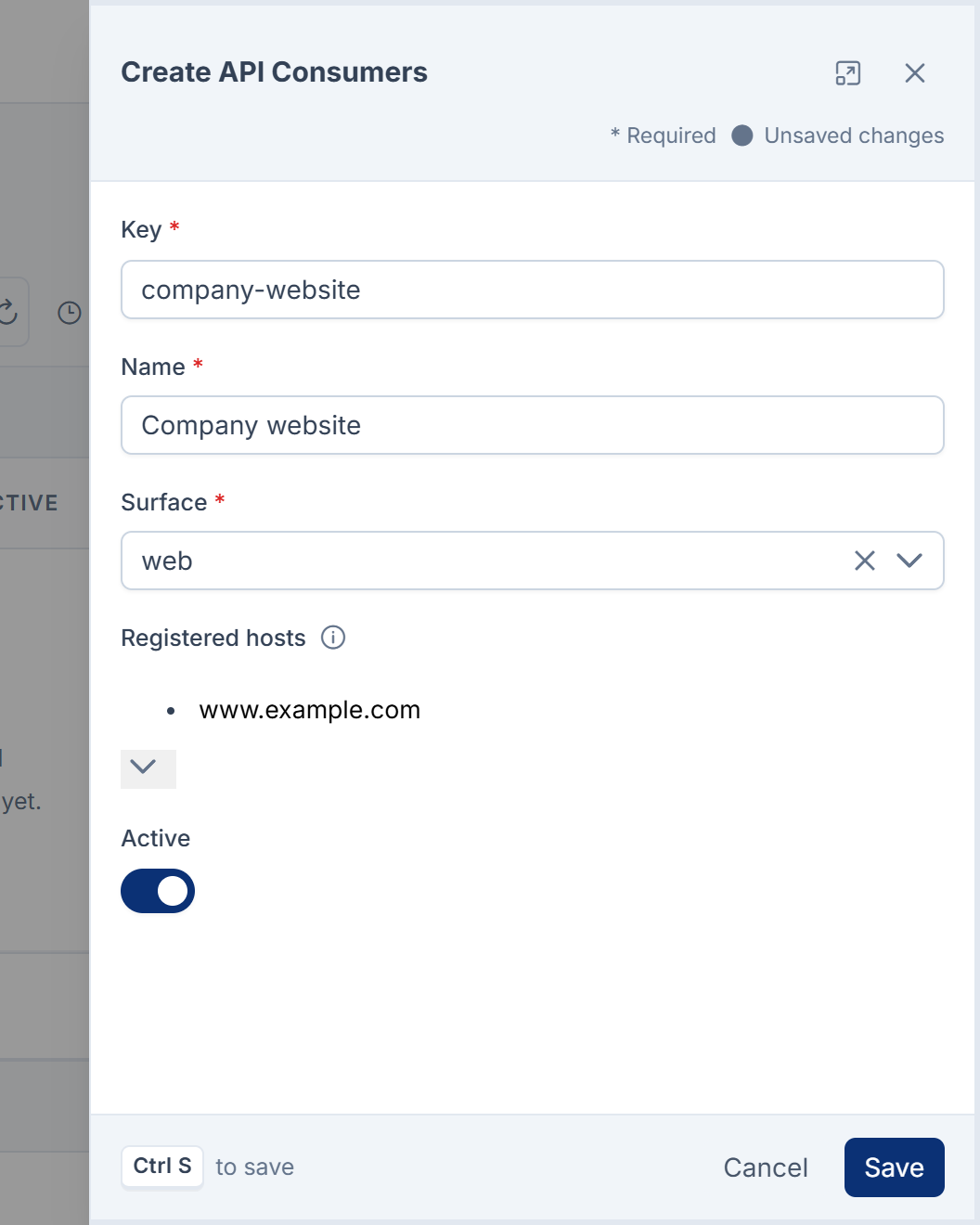
-
Save.
Issue the key
-
On the consumer's row, select Issue key.
-
Confirm. "A new key is generated and shown once. Only its last four characters are kept afterwards."
-
Under Copy the key now, select Copy, then I have copied it.
-
Hand the key to the application's developers to keep in their server's or app's configuration, never in source code.
The list then shows the key as Issued, with its last four characters in Key ends in, so you can tell which deployed copy holds the live key.
The key is 64 letters and digits. The application sends it as X-Api-Key or Authorization: Bearer. See Authenticate API requests.
Rotate or revoke the key
- Rotate key: issues a new key and shows it once. "The current key stops working at once for every deployed copy of this client." Update the application first if you can afford a few minutes' gap, or rotate and deploy straight after.
- Revoke key: "The key stops working at once for every deployed copy of this client. Issue a new one to restore access." The list shows Revoked, which tells you it once had a key, unlike No key.
Whoever runs the server can do the same with php artisan consumer:issue <key> (add --rotate to replace a key) and php artisan consumer:revoke <key>.
What a consumer key opens
- Every endpoint on the web and mobile surfaces that doesn't need a signed-in person, just like the platform API key. It never signs anyone in.
- Whatever modules grant to that consumer. Headless CMS, for example, serves restricted content spaces only to consumers granted them. See Give an application access to a content space.
A consumer with Registered hosts and no key is recognised by the Origin or Referer its visitors' browsers send. That tells modules which website is asking, but it isn't proof, because anyone can send those headers. It opens nothing that needs a key.
The platform API key
Before consumers existed, every keyless app used one shared key, the platform API key. It still works, and it opens the same endpoints as a consumer key, but it can't tell callers apart and changing it stops all of them at once.
It's set in Core Mobile's API Security section, or, when that's empty, in the server's PLATFORM_API_KEY setting. When both are empty, only signed-in requests and the open endpoints are accepted. See Core Mobile configuration settings.
Careful: Changing or removing the key an app was built with stops that app's requests made before sign-in, such as its start-up settings, until a build with the new key is out. People already signed in stay signed in: from Core 12.8, the token refresh needs no key. See Sign people in from a mobile app.
For new applications, register a consumer and give it its own key.
Thanks. That helps us decide what to write next.
Thanks for telling us what was missing.
You already answered for this article today. Thanks.
We got a lot of answers from your network just now. Try again in a few minutes.
We couldn't send that. Check your connection and try again.
Links in this article
Printed from help.bsscn.com. The online article may have changed since.