How support tickets work
Support Center lets your team raise tickets with Brine Webs and follow the replies inside your Laramin. The tickets themselves are kept at the Brine Webs support desk.
- Applies to
- Support Center 1.1 and later
- Who can do this
- Platform owner, Administrator, Team member
On this page
In short
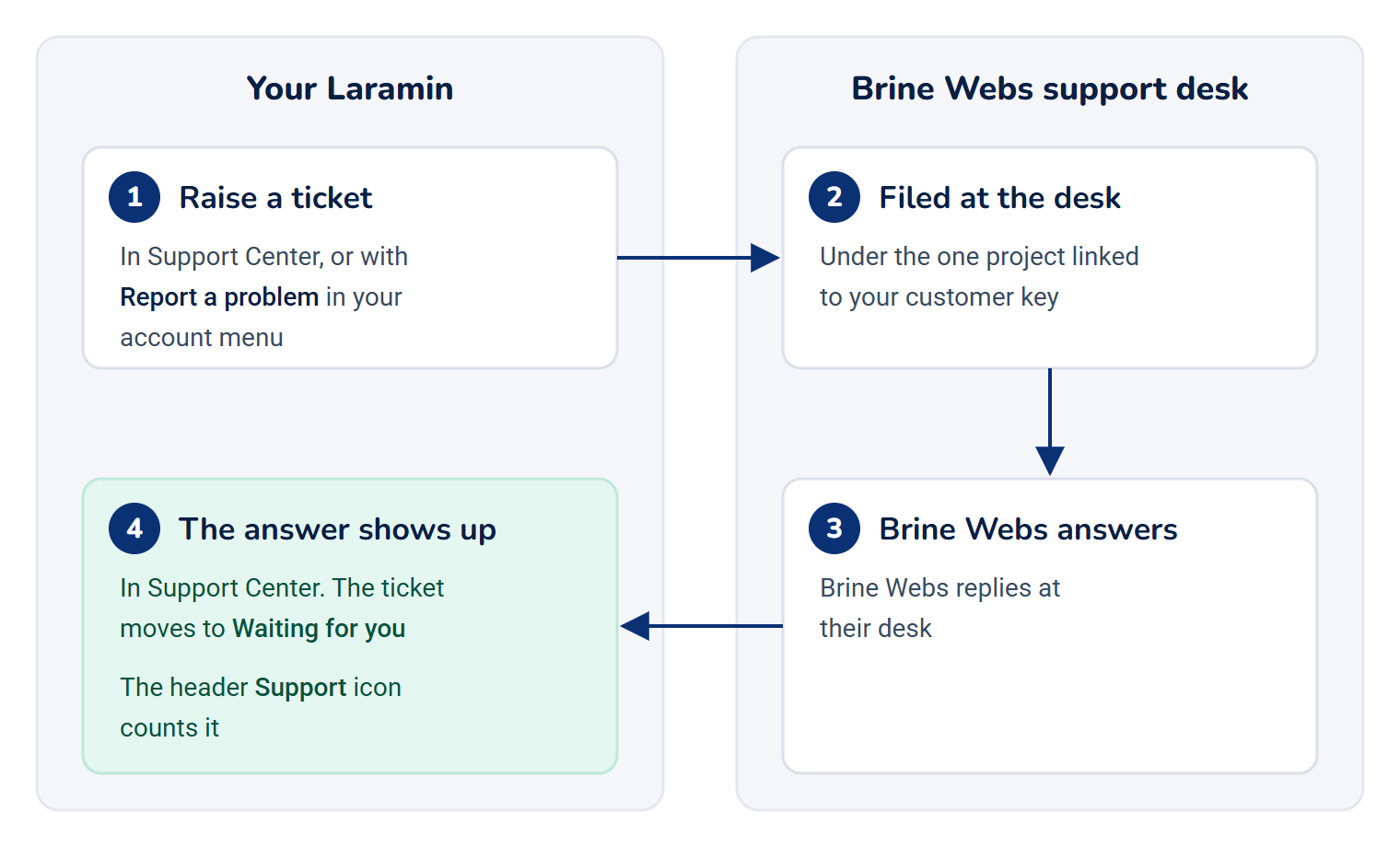
Support Center is your Laramin's window onto the Brine Webs support desk. You raise a ticket in your Laramin, Brine Webs answers it at their desk, and the answer shows up in Support Center. Your Laramin doesn't store the tickets. If Support Center is turned off or removed, no ticket is lost: Brine Webs still has them all and still answers by email.
How it works
Where you find it
| Place | What it does | Who sees it |
|---|---|---|
| Support Center › Overview and Support Center › Tickets in the menu | The full screens | People in the Platform Administration experience with the matching permission |
| Support (the headphone icon) in the header | Opens the Overview. Its badge counts the tickets waiting for your reply | Anyone with View Dashboard for Support Center (feature.), in any experience |
| Report a problem in your account menu | Opens a new ticket about the page you were on | Anyone who may raise tickets (feature.) |
One Laramin, one project
Your Laramin connects to the desk with a customer key that Brine Webs gives you. Brine Webs links that key to one project, and Support Center shows only that project's tickets. Every new ticket is filed under it. Until Brine Webs links the key, Support Center says Not linked to a project yet and shows no tickets.
Everyone sees every ticket
Anyone who can see the ticket list sees all of your Laramin's tickets, not only the ones they raised. Each ticket shows who opened it, and each message shows who wrote it. You always write in your own name: the first time you raise a ticket or reply, the desk finds or creates a contact for your email address.
The desk emails the person who opened a ticket about every answer. To keep other people informed, copy them on the ticket.
The four tabs
The Tickets screen sorts tickets into four tabs by their status at the desk:
| Tab | Holds tickets that are | What it means for you |
|---|---|---|
| Waiting for you | Answered | Brine Webs replied and needs something from you |
| Open | Open, In progress or On hold | Brine Webs is working on it |
| Closed | Closed | Done. A reply reopens it |
| All | Any status | Everything |
Tickets with something new since you last looked are marked. Your Laramin remembers what you've seen in your browser, so another computer starts afresh.
What you can and can't do
- You can raise a ticket, reply to it, change who is copied, and close it with a reason.
- You can't edit or delete a ticket, and there's no export or bulk action.
- If Brine Webs closes tickets themselves, Close ticket becomes Ask Brine Webs to close it, and your reason is sent to them as a message.
Who can do what
Each action has its own permission. In the role editor they're on the Dashboard, Support ticket and Support desk connection rows.
| To | Permission |
|---|---|
| Open the Overview and see the header icon | feature. |
| See the ticket list and the figures on the Overview | feature. |
| Open a ticket | feature. |
| Raise a ticket, including Report a problem | feature. |
| Reply | feature. |
| Close, or ask Brine Webs to close | feature. |
| See or change the connection settings | feature. and feature. |
None of these is left out of the Administrator role. To give them to other people, add them to a role in Roles & Permissions.
When the desk doesn't answer
If the Brine Webs desk stops answering, Support Center keeps showing the last answer it got, says how old it is, and pauses new tickets and replies until the desk answers again. Your tickets are safe at the desk. See Support Center can't reach Brine Webs.
How it relates to
- The Help Center: articles like this one explain how Laramin works. A ticket is for when something is broken or you need Brine Webs to act. See Open the Help Center.
- Roles: what each person may do in Support Center comes from their roles. See How roles and permissions work.
Next steps
Thanks. That helps us decide what to write next.
Thanks for telling us what was missing.
You already answered for this article today. Thanks.
We got a lot of answers from your network just now. Try again in a few minutes.
We couldn't send that. Check your connection and try again.
Links in this article
Printed from help.bsscn.com. The online article may have changed since.