Scaffolder fields, options and generated files
Every field type, switch and per-field option on the Scaffolder, the files a resource and a module shell create or change, the matching commands, and the two permissions.
- Applies to
- Stub Generator 1.0 and later
- Who can do this
- Developer
- Where
- Scaffolder (Platform Administration)
On this page
The Scaffolder screen is a front end to Core's generator. Everything on it has a command-line equivalent, shown under the buttons as you fill in the form.
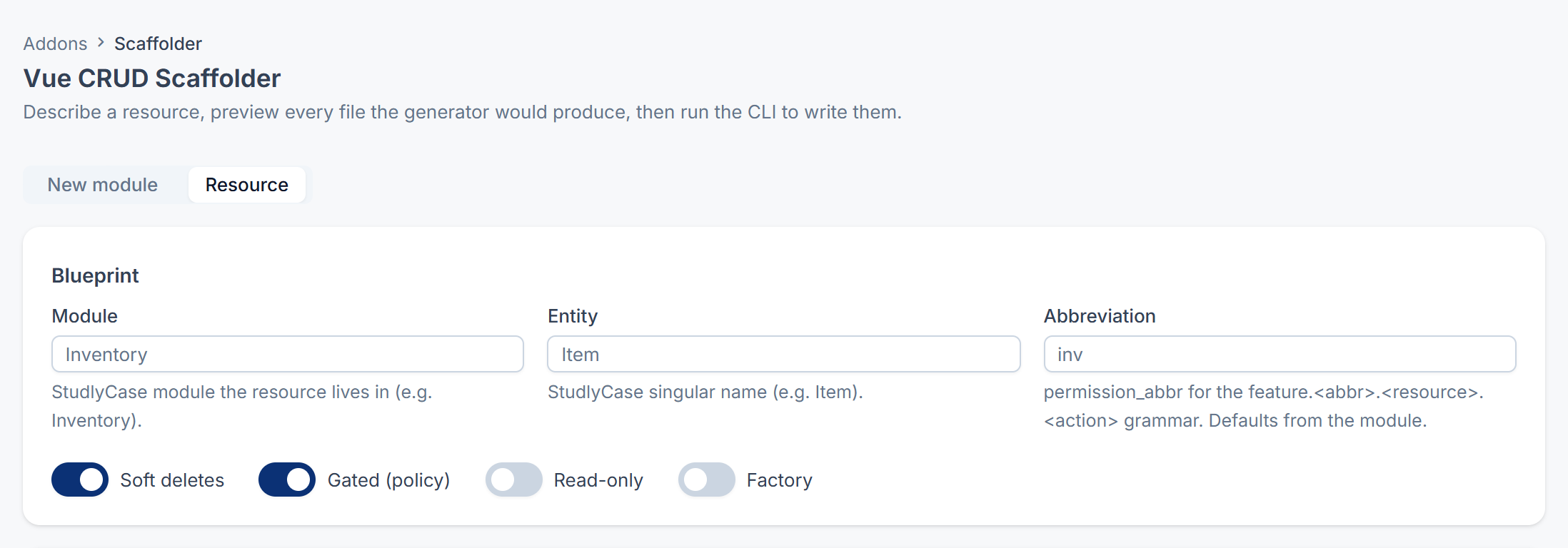
Blueprint (Resource mode)
| Field | What it does | Rules |
|---|---|---|
| Module | The module the resource goes into. It must exist in Modules/ before you generate. | Required. Letters and digits, starting with a letter. |
| Entity | The record's singular name, such as Item. Class names, the table and the menu label come from it. | Required. Letters and digits, starting with a letter. |
| Abbreviation | The permission abbreviation in feature.<abbr>.<resource>.<action>. | Optional. Lowercase letters and digits. Empty uses the module's own. |
| Switch | Default | When on | Command option |
|---|---|---|---|
| Soft deletes | On | Deleted records go to the trash and can be restored. | Off adds --no- |
| Gated (policy) | On | A policy checks the resource's permissions on every action. | Off adds --ungated |
| Read-only | Off | Only list and detail screens: no create, edit or delete, and a reduced permission set (list, view and clear). | --readonly |
| Factory | Off | Also writes a model factory for tests and seeding. | --factory |
Field types
| Type | Database column |
|---|---|
string, select, image, file | Text up to 255 characters |
color | Text up to 7 characters |
text | Long text |
editor | Very long text, for formatted content |
integer | Whole number |
decimal | Number with 2 decimal places |
boolean | Yes/no, off by default |
date, datetime, time | Date, date and time, or time |
json, keyValue, tags | JSON |
belongsTo | A link to another record. Enter the Related model. |
For a select field, enter the choices in Options (comma-separated).
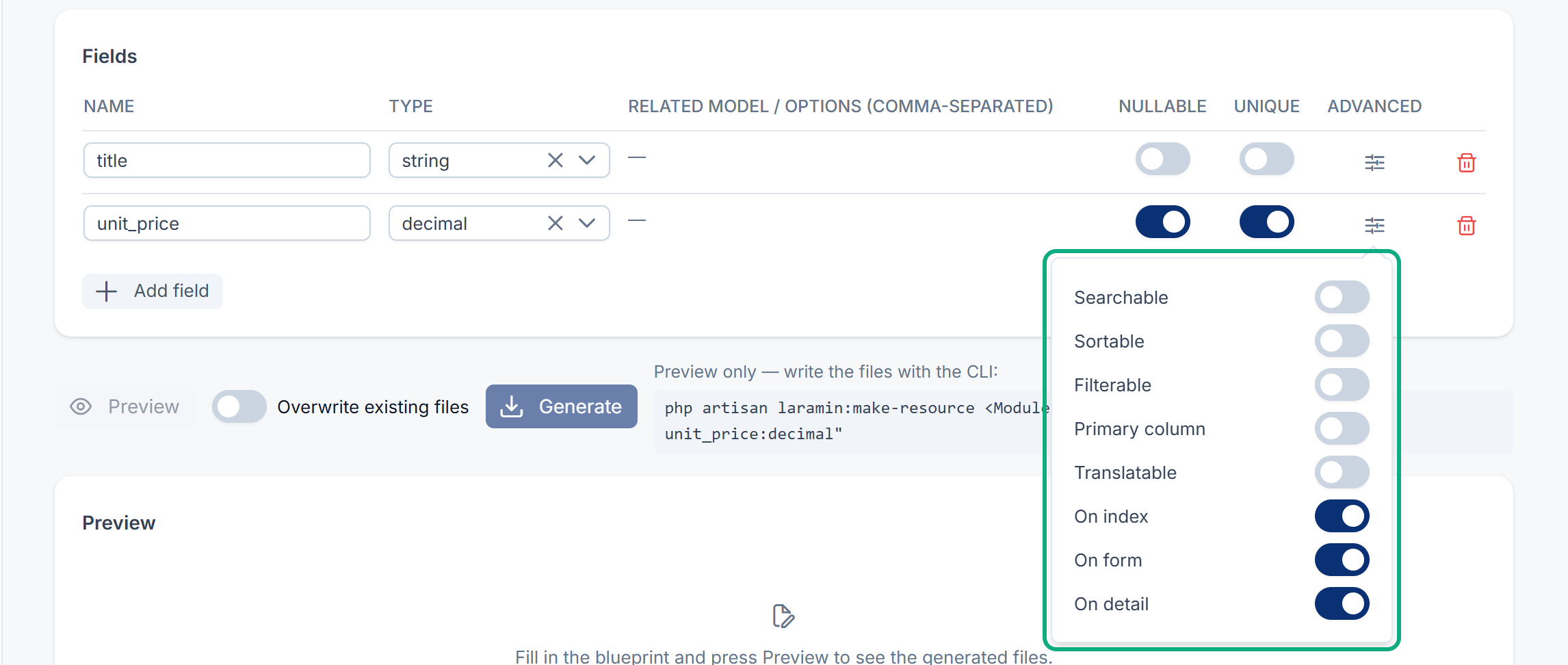
Per-field options
| Option | Where | Default | What it does |
|---|---|---|---|
| Name | Row | Lowercase letters, digits and underscores, starting with a letter. | |
| Nullable | Row | Off | The field can be left empty. |
| Unique | Row | Off | No two records can have the same value. |
| Searchable | Advanced | Off | The list's search box looks in this field. |
| Sortable | Advanced | Off | The list can be sorted by this field. |
| Filterable | Advanced | Off | The list offers a filter for this field. |
| Primary column | Advanced | Off | The list's main column, which opens the record. The starting title field has it on. |
| Translatable | Advanced | Off | The value can be entered in each language. |
| On index | Advanced | On | Shown as a list column. |
| On form | Advanced | On | Shown on the create and edit form. |
| On detail | Advanced | On | Shown on the record's detail page. |
Files a resource creates
Paths are inside Modules/<Module>/.
| File | Notes |
|---|---|
Database/ | The table. |
Entities/ | The model. |
Resources/ | The list, form and detail screens. |
Policies/ | The permission checks. |
Http/ | A read-only controller for a read-only resource. |
Http/, Update<Entity>Request.php | Not for read-only resources. |
Services/ | Not for read-only resources. |
Tests/, Tests/ | The unit test isn't written for read-only resources. |
Database/ | Only with Factory. |
It also adds to existing module files: the routes in Routes/web.php, the policy in the module's service provider, the permissions in its permissions seeder, a menu entry in navigation.json, and the labels in Resources/.
Files a module shell creates
module.json, composer.json, CHANGELOG.md, README.md, the module's service provider and route provider, Config/, Routes/web.php, Routes/api.php, a permissions seeder, navigation.json, Resources/, and release automation files.
Matching commands
| Screen | Command |
|---|---|
| Resource mode | php artisan laramin:make- plus the options above |
| New module mode | php artisan laramin:make- |
Permissions
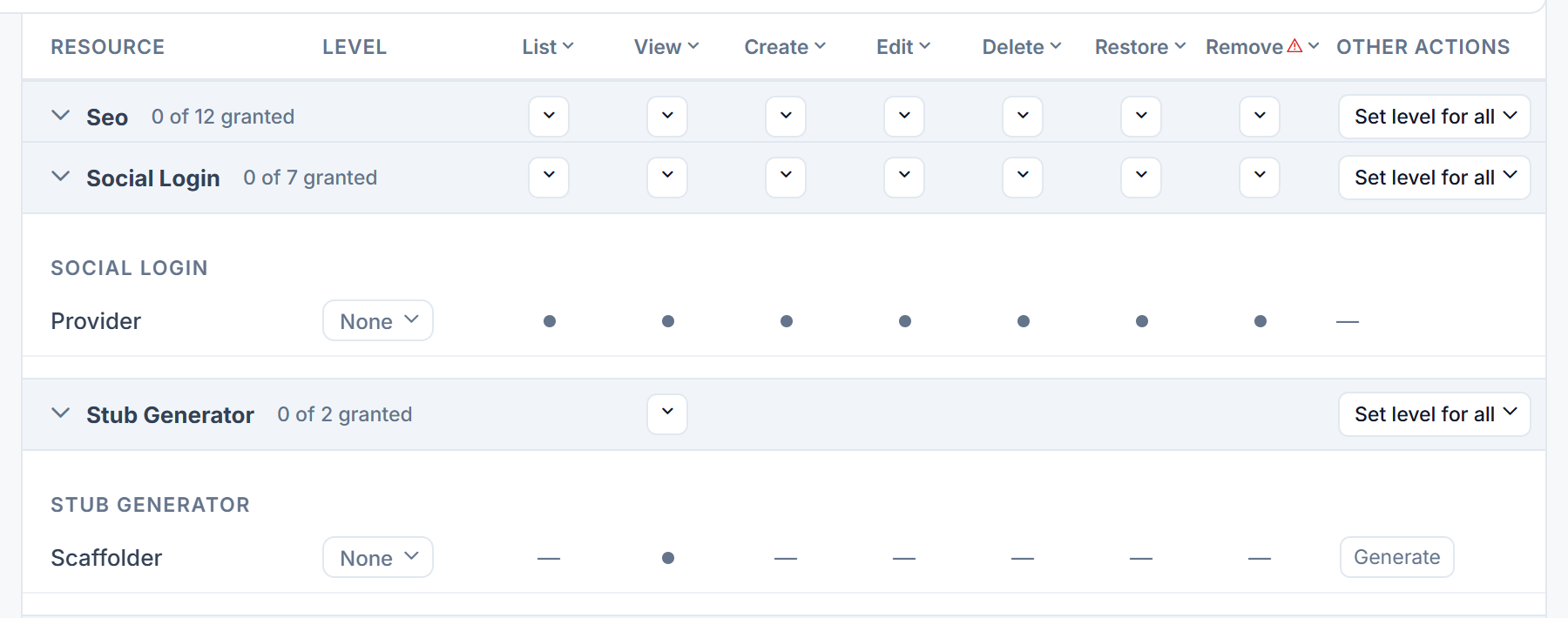
In the role editor, they're under Stub Generator.
| Permission | Label | Allows |
|---|---|---|
feature. | Use Scaffolder | Opening the Scaffolder screen and previewing. |
feature. | Generate Scaffold | Generate and Create module, which write files on the server. |
Careful: Generate Scaffold lets someone write code into your Laramin from a browser. Give it only to developers, and only on a development copy.
Thanks. That helps us decide what to write next.
Thanks for telling us what was missing.
You already answered for this article today. Thanks.
We got a lot of answers from your network just now. Try again in a few minutes.
We couldn't send that. Check your connection and try again.
Links in this article
Printed from help.bsscn.com. The online article may have changed since.