Submit, approve or reject a template
Only approved templates are sent. Submit a saved template for review, then approve it so it goes out, or reject it with a reason so the writer can fix it.
- Applies to
- Notification Manager 1.4 and later
- Who can do this
- Platform owner
- Permission
feature.nm. template. approve - Where
- Notification Manager › Business Events
On this page
Every template goes through a review before Laramin sends it:
| Approval | What it means | Sent? |
|---|---|---|
| Draft | Saved, not yet submitted. Every save puts a template back here. | No |
| In Review | Submitted, waiting for an approver. | No |
| Approved | Checked and released. | Yes, while Enable Dispatch is on |
| Rejected | Sent back, with a reason. | No |
Templates that come with Laramin and its add-ons start as Approved.
Before you start
- To submit a template, you need Edit Templates (Builder) (
feature.).nm. template.edit - To approve or reject one, you need Approve / Reject Templates (
feature.). Give it to the people who sign off your messages, with a role. See Give someone a role.nm. template. approve - The template must be saved. See Edit a message template and send a test.
Steps
Submit a template for review
-
Open the event in the Template Builder, and open the channel and language.
-
Under Approval, select Submit for Review.
You see, for example, Email template submitted for review. The approval changes to In Review.
Approve or reject it
-
Open the event in the Template Builder. In Translation Coverage, look for In Review in the Approval columns.
-
Select that cell to open the template. Read it, and check Live Preview. You can also send yourself a test.
-
Under Approval, choose one:
- Select Approve. You see Email template approved. for example.
- Select Reject, enter the reason in Reason for rejection…, and select Reject.
An approved template shows Approved by with your name and the date. A rejected one shows the reason to everyone who opens it.
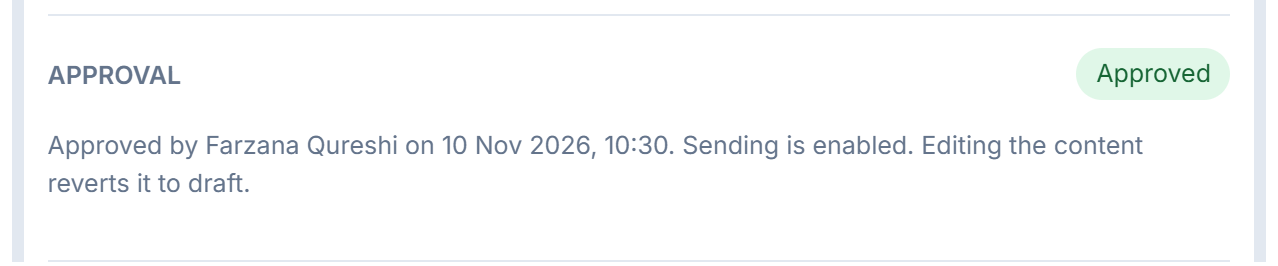
What happens next
- An approved template is sent from now on, as long as Enable Dispatch is on and the event's Status is on.
- To fix a rejected template, edit it, save it, and select Submit for Review again.
- Any later save, even a small fix, puts the template back to Draft, and it stops sending until it's approved again.
Tip: Approval is per template: one channel in one language. Approving the English email doesn't approve the Tamil email or the English SMS. If a person's language has a template with Enable Dispatch on that isn't approved, they get nothing on that channel. Laramin doesn't fall back to the approved English one. Keep Enable Dispatch off on a translation until it's approved.
Thanks. That helps us decide what to write next.
Thanks for telling us what was missing.
You already answered for this article today. Thanks.
We got a lot of answers from your network just now. Try again in a few minutes.
We couldn't send that. Check your connection and try again.
Links in this article
Printed from help.bsscn.com. The online article may have changed since.