Let people sign up from a mobile app
Create accounts from your mobile app: turn on sign-up, send the new account's details, then verify the email address with the emailed code to get the first token pair. Covers the sign-up session, resending, finishing a sign-up that was interrupted, and every refusal.
- Applies to
- Core 12.8 and later
- Who can do this
- Developer, Platform owner
On this page
A new account can't use the API until its email address is verified. So signing up from the app gives the app a sign-up session first: a short-lived handle that can only check, resend or complete the verification. Verifying returns the same access and refresh tokens as a normal sign-in.
Before you start
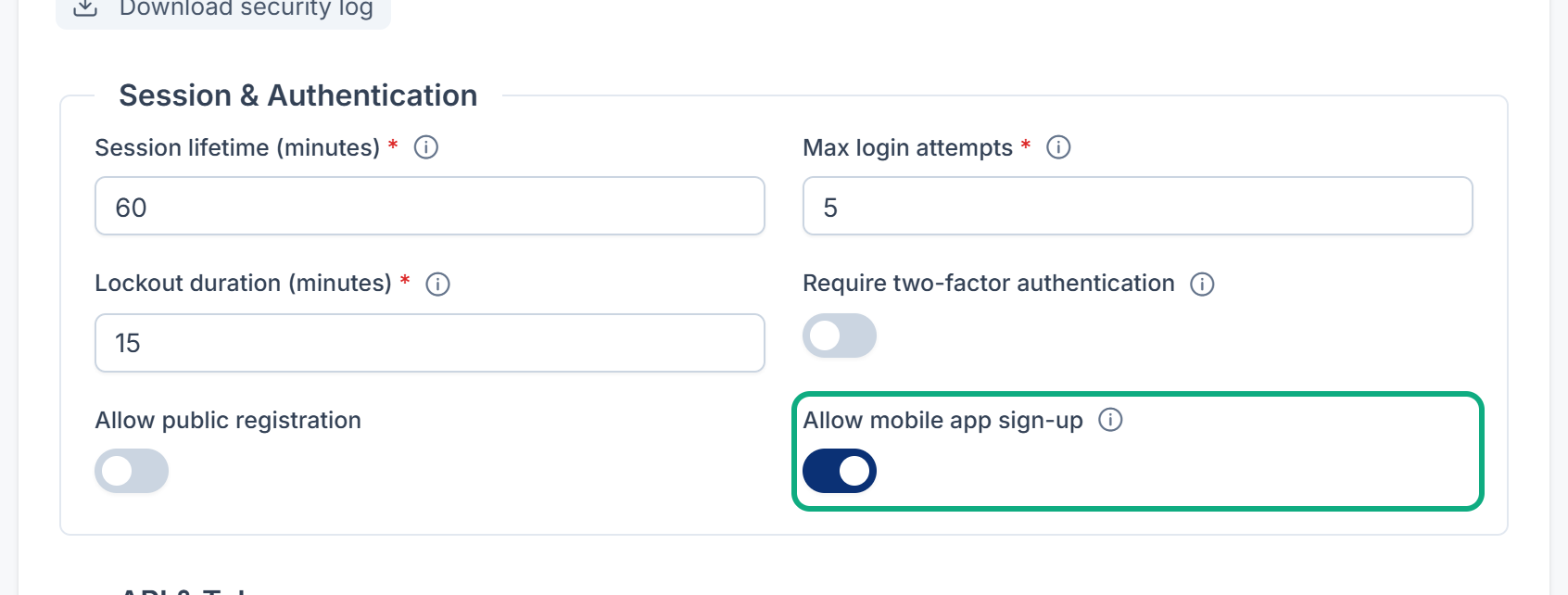
- A platform owner turns on Allow mobile app sign-up in Security settings. It's off to start with. While it's off, sign-up answers
403with "Account creation is not available on this app." and creates nothing. - Accounts created from the app get Enable API Access automatically, and no roles. Decide what they may do, and give them a role if they need one.
- None of these endpoints needs the app's key.
1. Create the account
Couldn't copy. Select the code and press Ctrl+C (⌘+C on a Mac).
curl https://crm.example.com/api/v1/mobile/register \
  -H "Accept: application/json" \
  -H "Content-Type: application/json" \
  -d '{"name": "Example User", "email": "user@example.com", "password": "A-long-new-password-1", "password_confirmation": "A-long-new-password-1", "accepted_terms": true}'
Replace the highlighted values with your own.
| Field | Rules |
|---|---|
name | Required, up to 255 characters. |
email | Required, a valid address not already used by another account. |
password | Required, and must meet your Laramin's password rules. |
password_ | Required, the same as password. |
accepted_terms | Required, and must be true. Show your terms before the person signs up. |
Couldn't copy. Select the code and press Ctrl+C (⌘+C on a Mac).
{
  "success": true,
  "message": "…",
  "data": {
    "registration_session": "c2Vzc2lvbi1oYW5kbGUt…",
    "expires_at": "2026-11-07T11:15:00+00:00",
    "verified": false
  },
  "meta": { "request_id": "6f1d0c2e-…", "locale": "en" }
}
Keep registration_ in secure storage. It lasts 60 minutes. Your Laramin emails the person a 6-digit code that verifies the address.
Sign-up allows 3 attempts a minute from one address. An address that's already taken answers 422 with an error on email.
From Core 12.8.6, sign-up follows your Laramin's IP rules. There's no account yet, so the global rules decide. A phone on a network address they refuse gets 403 UNAUTHORIZED with "Access denied from your network address. Please contact your administrator." before anything is created: no account, no session and no email. Show the message: the person signs up from an allowed network.
2. Verify the address
Send the session in the X- header, never as a bearer token.
With the code
Couldn't copy. Select the code and press Ctrl+C (⌘+C on a Mac).
curl https://crm.example.com/api/v1/mobile/registration/verify \
  -H "Accept: application/json" \
  -H "Content-Type: application/json" \
  -H "X-Registration-Session: $REGISTRATION_SESSION" \
  -d '{"code": "482913"}'
A right code verifies the address and returns the token pair in the same answer, shaped like a sign-in. The person is signed in.
| Answer | Code | Meaning |
|---|---|---|
422 | VERIFICATION_ | Wrong or expired code. Let them try again. |
422 | VERIFICATION_ | Five wrong codes: this one is used up. Use resend to get a new one. |
401 | UNAUTHENTICATED | The session is unknown, expired or already used. Have the person sign in to finish (see below). |
403 | TWO_ | The address is verified, but your Laramin requires two-factor authentication. The person sets it up on the web at errors.enrol_url, then signs in. |
403 | UNAUTHORIZED, message "Access denied from your network address. Please contact your administrator." | From Core 12.8.6: your Laramin's IP rules refuse the phone's network address for this account, checked before the code. The code isn't checked or used up, the address isn't verified, and the session still works from an allowed network. |
Check the status
The email carries only the code, with no link. The app can still ask whether the address has been verified, for example after it was interrupted:
Couldn't copy. Select the code and press Ctrl+C (⌘+C on a Mac).
GET /api/v1/mobile/registration/status
X-Registration-Session: <the session>
The answer has verified, the address partly hidden (such as u***@example.com) and expires_at. Once verified is true, get the token pair:
Couldn't copy. Select the code and press Ctrl+C (⌘+C on a Mac).
POST /api/v1/mobile/registration/exchange
X-Registration-Session: <the session>
Ask for the status when the app comes back to the foreground, not in a tight loop.
From Core 12.8.6, exchange checks the IP rules for the account first, as verify does. A refused address gets the same 403 UNAUTHORIZED, and the session isn't used up.
Resend or start again
POST /api/sends the verification email again, with a new code that replaces the old one. This also works after five wrong codes used the old one up. It allows 3 requests a minute for each sign-up. If the address is already verified, it answers withv1/ mobile/ registration/ resend verified: trueand sends nothing.POST /api/discards the session, for example when the person typed the wrong address. The account itself stays: signing up again with the same address answersv1/ mobile/ registration/ abandon 422. Offer them sign-in instead, which lets them finish (see below).
A session works for one exchange: after verify or exchange returns tokens, it can't be used again.
Finish a sign-up that was interrupted
If the person closed the app before entering the code, the 60 minutes ran out, or the session was abandoned, they finish by signing in with their address and password at POST /api/. With the right password, the sign-in answers 403 EMAIL_UNVERIFIED and:
- emails a new 6-digit code;
- returns a new sign-up session in
errors., valid untilregistration_session errors.(60 minutes). It replaces any session still open.expires_at
Couldn't copy. Select the code and press Ctrl+C (⌘+C on a Mac).
{
  "success": false,
  "message": "…",
  "error": { "code": "EMAIL_UNVERIFIED", "type": "authentication" },
  "errors": {
    "registration_session": "c2Vzc2lvbi1oYW5kbGUt…",
    "expires_at": "2026-11-08T11:15:00+00:00"
  },
  "meta": { "request_id": "6f1d0c2e-…", "locale": "en" }
}
Take the person straight to the code screen with that session, and carry on from step 2. It works with verify, status, exchange, resend and abandon exactly like the session from sign-up. A wrong password gets the usual 401 and sends no code. See Sign people in from a mobile app.
After sign-up
If your Laramin asks people to accept its terms or other consents, the app reads what's still owed from GET /api/ and records the person's choices with POST /api/. See Mobile API endpoints.
Thanks. That helps us decide what to write next.
Thanks for telling us what was missing.
You already answered for this article today. Thanks.
We got a lot of answers from your network just now. Try again in a few minutes.
We couldn't send that. Check your connection and try again.
Links in this article
Printed from help.bsscn.com. The online article may have changed since.